

編輯:Android 開發實例
在 Android 裡發送一個狀態欄通知其實不難,但可設定的項目相當多。本文把常用的參數與寫法整理成一份可查閱的清單。
· NotificationManager:狀態欄通知的管理者,負責發送與清除。它是系統 Service,必須透過 getSystemService() 取得。
NotificationManager nm =
        (NotificationManager) getSystemService(NOTIFICATION_SERVICE);
· Notification:具體的通知物件,可設定圖示、文字、提示音、震動等。
一個通知至少需要三個基本參數:圖示(icon)、標題與內容(title / expanded message)、以及點擊後要跳轉的 PendingIntent。
· 發送:呼叫 nm.notify(int id, Notification n),第一個參數是唯一識別碼,第二個是通知物件。
· 更新:先用 setLatestEventInfo() 重新設定內容,再呼叫一次 notify() 並沿用同一個 id。
· 刪除:nm.cancel(int id) 清除單一通知,nm.cancelAll() 清除全部。
baseNF = new Notification();
baseNF.icon = R.drawable.icon;          // 狀態欄圖示
baseNF.tickerText = "You clicked BaseNF!";   // 狀態欄短暫提示文字
baseNF.defaults = Notification.DEFAULT_SOUND; // 採用預設音效
// 四個參數:Context、標題、內容、點擊後的 PendingIntent
baseNF.setLatestEventInfo(Lesson_10.this, "Title01", "Content01", pd);
nm.notify(Notification_ID_BASE, baseNF);
defaults 可用的預設值包含 DEFAULT_SOUND、DEFAULT_VIBRATE、DEFAULT_LIGHTS,全部採用則用 DEFAULT_ALL。
// 使用系統預設音效
baseNF.defaults = Notification.DEFAULT_SOUND;

// 使用自訂音效檔
notification.sound = Uri.parse("file:///sdcard/notification/ringer.mp3");

// 使用系統內建鈴聲
notification.sound = Uri.withAppendedPath(Audio.Media.INTERNAL_CONTENT_URI, "6");

// 讓音效持續播放直到使用者響應(例如下拉狀態欄)
notification.flags |= notification.FLAG_INSISTENT;
要注意:若 defaults 與 sound 同時設定,sound 會失效,改採預設鈴聲。此外,預設情況下音效只播放一次就結束,需要循環播放時才加上 FLAG_INSISTENT。
// 預設震動
notification.defaults |= Notification.DEFAULT_VIBRATE;

// 自定義震動節奏(單位:毫秒)
long[] vibrate = {0, 100, 200, 300};
notification.vibrate = vibrate;
陣列的第一個元素是「開始震動前的等待時間」,之後依序是第一次、第二次震動的持續時間,長度不限。這種寫法無法做到無限重複震動。同樣地,若 defaults 與 vibrate 同時存在,會採用預設形式。
使用震動必須先申請權限:
<uses-permission android:name="android.permission.VIBRATE" />
// 預設燈光
notification.defaults |= Notification.DEFAULT_LIGHTS;

// 自定義
notification.ledARGB = 0xff00ff00;      // 燈光顏色
notification.ledOnMS = 300;             // 亮持續時間
notification.ledOffMS = 1000;           // 暗持續時間
notification.flags |= Notification.FLAG_SHOW_LIGHTS;
顏色能否生效與具體設備有關,並非所有色值都支援。
· FLAG_INSISTENT:讓音效與震動持續,直到使用者響應。
· FLAG_AUTO_CANCEL:點擊通知後自動消失。
· FLAG_NO_CLEAR:使用者按「清除全部」時不刪除該通知——某些即時通訊 App 的常駐通知就是這樣做的。
比如下載工具時顯示的進度條,就需要自訂版面:
Notification notification = new Notification();
notification.icon = R.drawable.icon;
notification.tickerText = "Custom!";

RemoteViews contentView = new RemoteViews(getPackageName(), R.layout.custom);
contentView.setImageViewResource(R.id.image, R.drawable.icon);
contentView.setTextViewText(R.id.text, "Hello, this message is in a custom expanded view");
notification.contentView = contentView;

// 使用自定義視圖時不需要再呼叫 setLatestEventInfo()
// 但必須指定 contentIntent
notification.contentIntent = pd;
nm.notify(3, notification);
掌握這些參數後,你就能做出從「安靜的一行提示」到「帶進度條的常駐通知」等各種形態的狀態欄訊息。
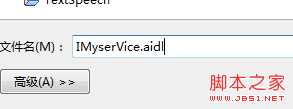 Android AIDL 跨進程服務完整實作:從服務端到客戶端全流程
在 Android 裡有所謂的 Service,但要實現「跨應用程式共享資料」時,單純的 Service 是不夠的,這時候就需要 Android Interface De
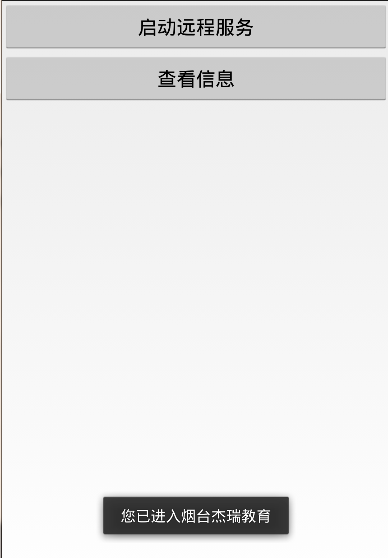 用 AIDL 實現跨進程 Service 呼叫的完整流程
Android 四大元件中,Activity、BroadcastReceiver、ContentProvider、Service 都具備跨進程能力。ContentProv
 用 WebView 做一個極簡瀏覽器:網址列、跳轉與頁面攔截
WebView 是最快把網頁內容塞進 App 的方式。下面做一個只有網址列、跳轉鈕與網頁區的極簡瀏覽器。 一、程式碼 main.java package com.HHB
 Android 多語系支援:建立 values-it 等本地化資源
Android 的資源系統可以依裝置語言自動選擇合適的字串。開發者只需要在 res 目錄中建立對應語言代碼的 values 資料夾即可。 以義大利語為例 若要提供義大利語