

編輯:Android 開發實例
Tween 補間動畫只需要指定開始與結束狀態,中間影格由系統補齊。Android 中常見的補間動畫包括透明度、旋轉、縮放與位移,也可以組合使用。
AlphaAnimation anim = new AlphaAnimation(1.0f, 0.5f);
anim.setDuration(2000);
anim.setRepeatCount(2);
anim.setRepeatMode(Animation.REVERSE);
anim.setFillAfter(true);
iv_anim.startAnimation(anim);
XML 寫法:
<alpha xmlns:android="https://schemas.android.com/apk/res/android"
    android:duration="2000"
    android:fillAfter="true"
    android:fromAlpha="1.0"
    android:repeatCount="2"
    android:repeatMode="reverse"
    android:toAlpha="0.5" />
RotateAnimation anim = new RotateAnimation(
0, 360,
Animation.RELATIVE_TO_SELF, 0.5f,
Animation.RELATIVE_TO_SELF, 0.5f);
anim.setDuration(2000);
iv_anim.startAnimation(anim);pivotX 與 pivotY 可決定旋轉中心。XML 中可用 50% 表示以自己中心為準。
ScaleAnimation anim = new ScaleAnimation(
    0.2f, 2.0f,
    0.2f, 2.0f,
    Animation.RELATIVE_TO_SELF, 0.5f,
    Animation.RELATIVE_TO_SELF, 0.5f);
anim.setDuration(2000);
iv_anim.startAnimation(anim);
TranslateAnimation anim = new TranslateAnimation(
Animation.RELATIVE_TO_PARENT, 0.1f,
Animation.RELATIVE_TO_PARENT, 0.2f,
Animation.RELATIVE_TO_PARENT, 0.1f,
Animation.RELATIVE_TO_PARENT, 0.2f);
anim.setDuration(2000);
iv_anim.startAnimation(anim);若需要同時旋轉、縮放與改變透明度,可用 AnimationSet 組合。
AnimationSet animSet = new AnimationSet(false);

RotateAnimation ra = new RotateAnimation(
    0, 360,
    Animation.RELATIVE_TO_SELF, 0.5f,
    Animation.RELATIVE_TO_SELF, 0.5f);
ra.setDuration(2000);

ScaleAnimation sa = new ScaleAnimation(
    0.2f, 2.0f,
    0.2f, 2.0f,
    Animation.RELATIVE_TO_SELF, 0.5f,
    Animation.RELATIVE_TO_SELF, 0.5f);
sa.setDuration(2000);

AlphaAnimation aa = new AlphaAnimation(1.0f, 0.5f);
aa.setDuration(2000);

animSet.addAnimation(ra);
animSet.addAnimation(sa);
animSet.addAnimation(aa);
iv_anim.startAnimation(animSet);在 XML 中,若使用 %p,通常代表相對於父容器;若使用 %,通常代表相對於自身。
Interpolator 決定動畫插入影格的速度變化。常見有:
若沒有指定,通常會使用預設的等速行為。透過 Interpolator,可以讓動畫更自然,例如按鈕回饋、旋轉載入或轉場效果。
小結:Tween 動畫的價值在於以較低成本完成流暢的視覺變化。開發時可先決定要改變的屬性,再選擇對應 Animation 子類,最後用 Interpolator 微調節奏。
 Android 進階:藍牙傳感應用實例
前文介紹過 Android 利用麥克風采集並顯示模擬信號的方法,這種方式適用於沒有 IO 控制、單純讀取信號的場景。但如果傳感器本身還需要控制電路(例如採集血氧信號時要紅
 Android 基礎:使用 Fragment 適配不同螢幕與解析度
最近工作繁忙,一個新專案急著上線,很多功能都得重做,一直在寫程式、Debug。今天因為新程式要用 Fragment 來做,雖然以前用過,但沒有仔細研究,於是趁機寫篇文章記
 自製可滑動頁卡:用自訂 RadioButton 搭配 ViewPager 打造 TabHost 效果
實務上很多需求都不是系統內建控制項能直接滿足的,TabHost 就是一例——它只能做出比較陽春的切換效果。這時候就得靠自訂控制項來補足,本篇示範如何用自訂 RadioBu
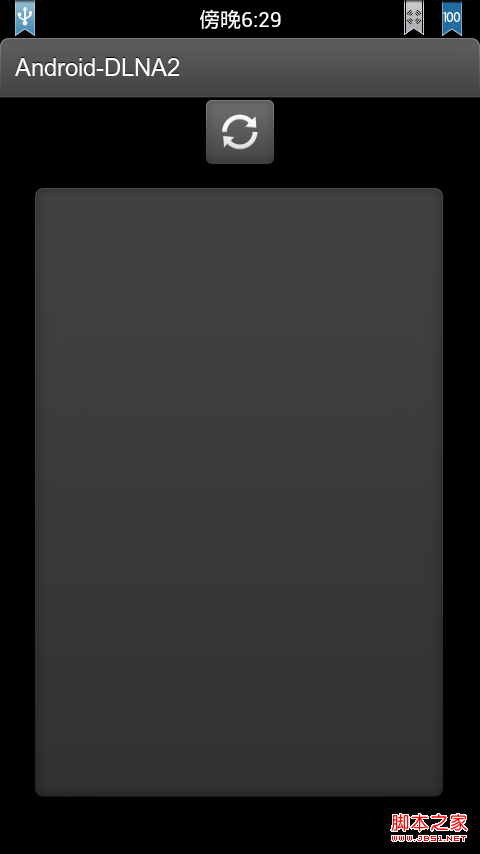 Android ListView 圓角外觀實作技巧
若希望 ListView 呈現圓角或對話框式外觀,可以透過背景資源快速實現。 實作方式 在 ListView 上設定 android:background 屬性,並指定