

編輯:Android 開發實例
一、Service 是什麼
Service 是 Android 四大元件之一(Activity、Service、BroadcastReceiver、ContentProvider),地位與 Activity 相當,但它沒有介面、只能以後台身分運行,並且可以與其他元件互動。
它最適合用來承接那些「離開前景還要繼續做」的工作:使用者切換到別的 Activity 後音樂要繼續播、監控 SD 卡上的檔案變化、在背景記錄地理位置的移動等等。一句話——Service 永遠藏在幕後。
啟動方式有兩種:context.startService() 與 context.bindService()。
二、兩種啟動流程
context.startService():
context.startService() -> onCreate() -> onStart() -> Service running
                       -> context.stopService() -> onDestroy() -> Service stop
若 Service 尚未運行,系統會先呼叫 onCreate() 再呼叫 onStart();若已在運行,則只呼叫 onStart(),因此 onStart() 有可能被重複觸發多次。stopService() 時直接走 onDestroy。如果呼叫者自己退出卻沒有 stopService,Service 會一直在背景存活,之後可以由任何持有合適 Intent 的元件再把它關掉。
所以 startService 的生命週期為:onCreate → onStart(可多次)→ onDestroy。
context.bindService():
context.bindService() -> onCreate() -> onBind() -> Service running
                      -> onUnbind() -> onDestroy() -> Service stop
onBind() 會回傳一個 IBinder 給客戶端,讓客戶端能直接呼叫 Service 的方法,例如取得 Service 實例、查詢狀態或下達指令。此時呼叫者(例如 Activity)與 Service 綁在一起,呼叫者退出後 Service 會依序觸發 onUnbind → onDestroy。
所以 bindService 的生命週期為:onCreate → onBind(僅一次)→ onUnbind → onDestroy。
值得注意的是,在每一輪開關過程中,只有 onStart 可能被多次呼叫(透過多次 startService),其餘的 onCreate、onBind、onUnbind、onDestroy 在同一個生命週期內都只會被觸發一次。
三、Service 生命週期
Service 的生命週期比 Activity 單純得多。第一次啟動時依序呼叫 onCreate()、onStart();停止時執行 onDestroy()。若 Service 已在運行,再次啟動不會重跑 onCreate(),而是直接進入 onStart()。
Service 可以透過 stopSelf() 或 stopSelfResult() 自行結束;而外部只要呼叫一次 stopService() 就能停掉服務,無論之前啟動過幾次。
四、範例:以 startService 控制音樂播放
Activity:
public class PlayMusicService extends Activity implements OnClickListener {

    private Button playBtn, stopBtn, pauseBtn, exitBtn, closeBtn;
    private Intent intent;

    @Override
    public void onCreate(Bundle savedInstanceState) {
        super.onCreate(savedInstanceState);
        setContentView(R.layout.music_service);

        playBtn = (Button) findViewById(R.id.play);
        stopBtn = (Button) findViewById(R.id.stop);
        pauseBtn = (Button) findViewById(R.id.pause);
        exitBtn = (Button) findViewById(R.id.exit);
        closeBtn = (Button) findViewById(R.id.close);

        playBtn.setOnClickListener(this);
        stopBtn.setOnClickListener(this);
        pauseBtn.setOnClickListener(this);
        exitBtn.setOnClickListener(this);
        closeBtn.setOnClickListener(this);
    }

    @Override
    public void onClick(View v) {
        int op = -1;
        intent = new Intent("com.homer.service.musicService");

        switch (v.getId()) {
        case R.id.play:   op = 1;  break;
        case R.id.stop:   op = 2;  break;
        case R.id.pause:  op = 3;  break;
        case R.id.close:  this.finish(); break;
        case R.id.exit:   op = 4; stopService(intent); this.finish(); break;
        }

        Bundle bundle = new Bundle();
        bundle.putInt("op", op);
        intent.putExtras(bundle);

        startService(intent);
    }

    @Override
    public void onDestroy(){
        super.onDestroy();
        if(intent != null){
            stopService(intent);
        }
    }
}
Service:
public class MusicService extends Service {
    private static final String TAG = "MyService";
    private MediaPlayer mediaPlayer;

    @Override
    public IBinder onBind(Intent arg0) { return null; }

    @Override
    public void onCreate() {
        Log.v(TAG, "onCreate");
        Toast.makeText(this, "show media player", Toast.LENGTH_SHORT).show();
        if (mediaPlayer == null) {
            mediaPlayer = MediaPlayer.create(this, R.raw.tmp);
            mediaPlayer.setLooping(false);
        }
    }

    @Override
    public void onDestroy() {
        Log.v(TAG, "onDestroy");
        Toast.makeText(this, "stop media player", Toast.LENGTH_SHORT).show();
        if (mediaPlayer != null) {
            mediaPlayer.stop();
            mediaPlayer.release();
        }
    }

    @Override
    public void onStart(Intent intent, int startId) {
        Log.v(TAG, "onStart");
        if (intent != null) {
            Bundle bundle = intent.getExtras();
            if (bundle != null) {
                int op = bundle.getInt("op");
                switch (op) {
                case 1: play();  break;
                case 2: stop();  break;
                case 3: pause(); break;
                }
            }
        }
    }

    public void play() {
        if (!mediaPlayer.isPlaying()) {
            mediaPlayer.start();
        }
    }

    public void pause() {
        if (mediaPlayer != null && mediaPlayer.isPlaying()) {
            mediaPlayer.pause();
        }
    }

    public void stop() {
        if (mediaPlayer != null) {
            mediaPlayer.stop();
            try {
                mediaPlayer.prepare(); // stop 後若要再 start,需先 prepare
            } catch (IOException ex) {
                ex.printStackTrace();
            }
        }
    }
}
AndroidManifest.xml:
<activity
    android:name=".service.PlayMusicService"
    android:label="@string/app_name" />

<service
    android:name=".service.MusicService"
    android:enabled="true">
    <intent-filter>
        <action android:name="com.homer.service.musicService" />
    </intent-filter>
</service>
五、程式碼解析
1、Activity 用數字代表播放控制指令,透過 Intent 的 action「com.homer.service.musicService」對應 manifest 中「註冊 service」的那段宣告。
2、指令以 Bundle 打包成 op 後,交給 startService(intent) 送出。
3、Service 依 onCreate → onStart(可多次)→ onDestroy 的順序被驅動:onCreate 建立 MediaPlayer;onStart 從 Bundle 取出 op 並執行對應動作;onDestroy 停止並釋放資源。
4、close 只關掉 Activity 視窗,音樂仍在背景播放;exit 會先 stopService 讓 Service 走 onDestroy 釋放資源,再關視窗。
六、延伸知識:Android 的進程優先級
Android 會盡可能讓 App 進程存活,但記憶體吃緊時勢必得淘汰一部分。系統為每個進程評定重要級,共分五級,級數越低越先被殺:
1. 前台進程(Foreground):正在與使用者互動、控制著使用者所需的關鍵服務、有 Service 正在執行 onCreate/onStart/onDestroy 回呼,或有 BroadcastReceiver 正在執行 onReceive()。這類進程幾乎是最後才會被考慮終止的對象。
2. 可見進程(Visible):本身沒有前台元件,但仍影響使用者所看到的畫面,例如被半透明 Activity 覆蓋而仍看得見的非前台 Activity,或服務於可見 Activity 的 Service。
3. 服務進程(Service):以 startService() 啟動且不屬於前兩類。使用者雖然看不到,但確實在意它的工作(背景播放音樂、下載資料),系統會優先保住它。
4. 後台進程(Background):onStop() 已被呼叫的非目前 Activity。數量通常很多,系統以 LRU(最近最少使用)清單決定終止順序。只要 Activity 正確實作生命週期並保存狀態,被殺也不影響體驗。
5. 空進程(Empty):沒有任何活躍元件,留著只是為了加速下次啟動,隨時可能被回收。
補充規則:一個進程的優先級取決於其中最高優先級的元件;若 A 進程服務於 B 進程(例如 A 的 ContentProvider 被 B 使用,或 A 的 Service 被 B 綁定),則 A 的優先級不低於 B。這也解釋了為什麼長時間的任務應該放進 Service 而不是單純開一條線程——Service 能讓整個進程的存活優先級顯著提高。
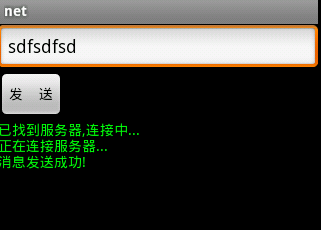 Android 網路編程之 UDP 通信模型實例
什麼是 Android UDP? UDP 是 User Datagram Protocol 的簡稱,中文名為使用者資料包協議,是 OSI 參考模型中一種無連線的傳輸層協議
 攔截 TextView 裡的超連結點擊
一段文字裡如果有網址,我們通常希望它被視為可點擊的連結;但有時候需求相反——你可能想攔下這個點擊,改由自己的邏輯處理,例如導向自家 App 的內部頁面,或先跳確認對話框。
 Android ProgressBar 教學:用 Spinner 提示背景工作
當 App 執行網路請求、讀取檔案或等待伺服器回應時,使用者需要知道目前有工作正在進行。Android 的 ProgressBar 可以分成兩種常見型態:進度條與 Spi
 Android 本地化實作:讓應用自動切換語系
Android 應用常會在不同語言環境中執行。若希望應用更親切,就必須進行本地化,讓文字、數字與其他資源能依使用者地區自動調整。 建立本地化字串 在 res 目錄下建立