

編輯:Android 開發實例
為了使用方便,我們有時會需要主動在使用者桌面上建立一個捷徑。以下提供兩種做法,差別在於「建立在哪裡」以及「要不要權限」。
1.
void setshortCut() {
    Intent addShortcut = new Intent();
    // 設定捷徑的名稱
    addShortcut.putExtra(Intent.EXTRA_SHORTCUT_NAME, "捷徑練習");
    // 準備捷徑的圖示
    Parcelable icon = Intent.ShortcutIconResource.fromContext(
            ShortcutTest.this, R.drawable.icon);
    addShortcut.putExtra(Intent.EXTRA_SHORTCUT_ICON_RESOURCE, icon);
    // 準備捷徑點下去要執行的 Intent
    Intent mailto = new Intent(this, ShortcutTest.class);
    addShortcut.putExtra(Intent.EXTRA_SHORTCUT_INTENT, mailto);
    setResult(RESULT_OK, addShortcut);
}
這種寫法有兩個限制:一是它只能在程式啟動流程中觸發,沒辦法在一般事件中隨意呼叫(原因我當時沒想透,也沒細究,若有人知道還請指教);二是它並不會直接落到桌面,而是把捷徑放進「建立捷徑」的選單裡,等使用者自行挑選,如圖:
2.
private void addShortcut() {
    Intent shortcut = new Intent("com.android.launcher.action.INSTALL_SHORTCUT");

    // 捷徑的名稱
    shortcut.putExtra(Intent.EXTRA_SHORTCUT_NAME, getString(R.string.app_name));
    // shortcut.putExtra("duplicate", false);  // 不允許重複建立

    // 指定啟動捷徑時要開啟的 Activity
    // 注意:ComponentName 的第二個參數必須帶點號(.),
    // 否則捷徑會無法啟動對應程式
    // ComponentName comp = new ComponentName(this.getPackageName(), "." + this.getLocalClassName());
    // shortcut.putExtra(Intent.EXTRA_SHORTCUT_INTENT,
    //         new Intent(Intent.ACTION_MAIN).setComponent(comp));
    shortcut.putExtra(Intent.EXTRA_SHORTCUT_INTENT, new Intent(this, ShortcutTest.class));

    // 捷徑的圖示
    ShortcutIconResource iconRes = Intent.ShortcutIconResource.fromContext(this, R.drawable.icon);
    shortcut.putExtra(Intent.EXTRA_SHORTCUT_ICON_RESOURCE, iconRes);

    sendBroadcast(shortcut);
}
shortcut.putExtra("duplicate", false); 這行的意思是不允許重複建立。
第二種寫法會直接把捷徑放上桌面,同時也會出現在上圖那個選單裡,但代價是必須多宣告一項權限:
<uses-permission android:name="com.android.launcher.permission.INSTALL_SHORTCUT" />
兩種寫法各有適用場景:想讓使用者自行決定要不要放,用第一種;想主動幫使用者佈好入口,用第二種,但務必先取得權限,否則在部分機型上會靜默失敗。
 Android 五大布局完整指南:FrameLayout、LinearLayout、AbsoluteLayout、RelativeLayout、TableLayout
Android 常見五大布局包括 FrameLayout、LinearLayout、AbsoluteLayout、RelativeLayout 與 TableLayout
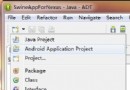 Android 日曆專案實作(二):建立專案與 ADT 開發環境操作
接續上一篇,這次從建立專案開始,把 ADT 中幾個常用但容易被忽略的操作記錄下來。 一、建立 Android Project 在新建專案對話框中填入 App 名稱與套件
 動手打造Android電子書書架:自定義GridView實現原理全解析
做電子書的開發者,大概都對「書架」這個效果又愛又恨。早期我曾用 ListView 硬湊過一版,效果差強人意;後來才發現,絕大多數優秀的書架其實都是靠 GridView 實
 Android 應用本地化:values-local 與多語系字串設定
Android 的本地化機制主要是透過不同資源資料夾來達成。當系統語言改變時,Android 會優先載入符合目前語言環境的資源。 資料夾命名規則 本地化字串通常放在 re