

編輯:Android 開發實例
Android 內建或官方範例中的記事本程式,是學習 Android 元件整合的經典案例。它涵蓋了 Activity、Intent、ContentProvider、SQLite、CursorAdapter 與 ListView 等常見主題,很適合用來理解一個完整應用程式的運作方式。
在 AndroidManifest.xml 中,通常會透過 intent-filter 指定某個 Activity 為啟動入口。當 action 為 MAIN,且 category 為 LAUNCHER 時,系統就會將該 Activity 視為應用程式的主要入口。
記事本程式的入口 Activity 通常會負責顯示筆記清單。它會先設定 Intent 的資料來源,再透過 managedQuery 查詢資料。查詢時會指定需要哪些欄位,例如 ID 與 Title,並設定排序方式。
查詢結果會回傳 Cursor,接著建立 SimpleCursorAdapter,將 Cursor 中的標題欄位綁定到 ListView 的項目版面配置。這樣使用者就能看到一筆筆筆記清單。
當使用者點選某個項目時,程式會重寫 onListItemClick。它會先取得被點選資料的 URI,再判斷目前的 action。如果是挑選模式,就回傳結果;如果是編輯模式,則啟動 NoteEditor 來編輯該筆資料。
Android 會根據 Intent 中的 action 與 URI,找到能處理該資料的元件。這裡涉及 ContentProvider 的 authorities、getType 與 UriMatcher。透過這套機制,系統能準確找到 NoteEditor,並開啟對應的編輯畫面。
這個範例清楚展示了 Android 元件之間如何透過 Intent 與 ContentProvider 串接,是理解 Android 資料驅動介面的重要教材。
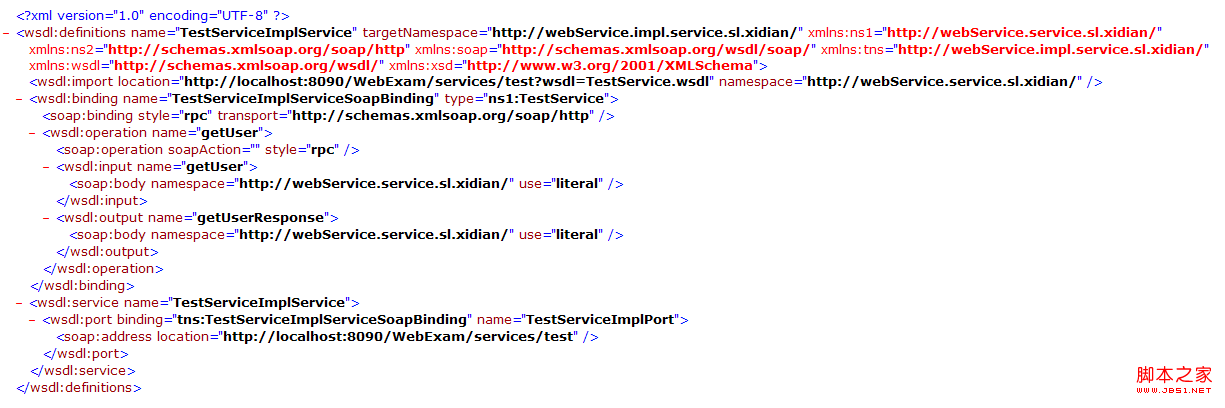 Android 呼叫 Web Service(CXF)實戰詳解:ksoap2 用戶端
Google 為 Android 平台開發 Web Service 提供了支援,提供了 Ksoap2-android 相關套件。 一、下載 ksoap2-android
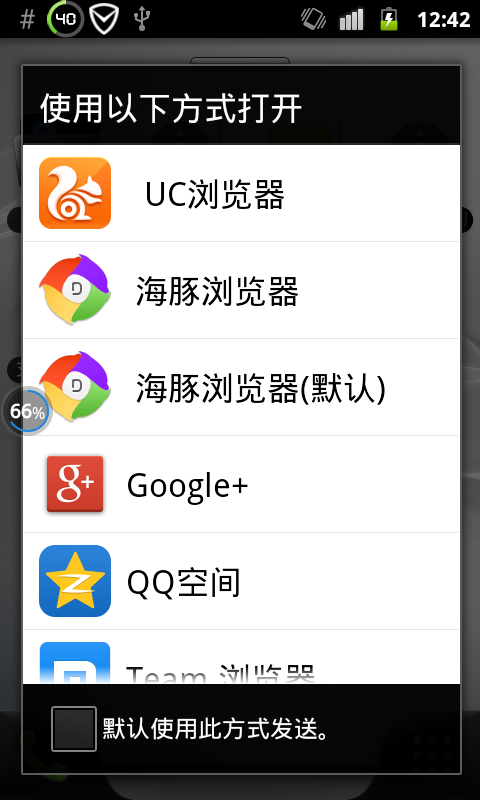 Android 檢查與設定預設應用程式的完整解析
Android 提供了設定「預設開啟程式」的機制。本文說明如何在程式中檢查是否已有預設程式、如何引導使用者變更,以及如何清除自己的預設設定。實務上分成兩種情況:已經有預設
 Android 載入 Spinner 進度轉圈動畫教學
在 Android 中,想向使用者呈現某項工作正在進行,可以透過進度條來表達。進度條大致分成兩種樣式:一種是帶有進度的水平進度列,另一種則是不斷旋轉的載入轉圈(Spinn
 Android 讀取短信並轉存到 SQLite 的實現
系統短信本身也存在 SQLite 數據庫裡,但出於安全機制,Android 不允許其他應用直接訪問。繞過這個限制的正規做法是利用 ContentProvider:通過 c