

編輯:Android 開發實例
Style 與 Theme 的編寫,直接影響整個程式界面的美觀與一致性。用得好的話,能讓所有畫面呈現統一而精緻的視覺語言——概念上相當於 Web 開發中的 CSS。
兩者都是資源,存放於 res/values 資料夾下,也都以 <style> 元素宣告。
一句話總結:Style 作用在 View,Theme 作用在 Activity 或 Application。Theme 不能套用在單一 View 上。
每個 Style 或 Theme 都要在 <style> 上給一個全域唯一的 name,也可選擇加上 parent 屬性來表明繼承來源。在 <style> 內部宣告一個或多個 <item>,每個 item 透過 name 屬性指定要覆寫的屬性,值則寫在元素內容中。
<?xml version="1.0" encoding="utf-8"?>
<resources>
    <style name="SpecialText" parent="@style/Text">
        <item name="android:textSize">18sp</item>
        <item name="android:textColor">#008</item>
    </style>
</resources>
套用到單一 View:
<EditText id="@+id/text1"
    style="@style/mytext"
    android:layout_width="fill_parent"
    android:layout_height="wrap_content"
    android:text="Hello, World!" />
不繼承任何父風格的寫法:
<style name="SpecialText">
    <item name="android:textSize">18sp</item>
    <item name="android:textColor">#EC9237</item>
</style>
<style name="SpecialText2">
    <item name="android:textSize">26sp</item>
    <item name="android:textColor">#FF7F7C</item>
</style>
套用:
<TextView
    style="@style/SpecialText2"
    android:layout_width="fill_parent"
    android:layout_height="wrap_content"
    android:text="@string/hello"
/>
Theme 同樣在 <style> 中宣告、同樣方式引用,差別在於它是透過 AndroidManifest 的 <application> 或 <activity> 元素套用。
<style name="CustomTheme" parent="android:Theme.Black">
    <item name="android:windowNoTitle">true</item>
    <item name="android:textColor">#FFFF0000</item>
</style>
套用到整個應用:
<application android:theme="@style/CustomTheme">
只套用到某個 Activity:
<activity android:theme="@android:style/Theme.Dialog">
也可以在程式碼中於 setContentView() 之前呼叫 setTheme()(順序錯了就沒有效果):
protected void onCreate(Bundle savedInstanceState) {
    super.onCreate(savedInstanceState);
    setTheme(android.R.style.Theme_Light);
    setContentView(R.layout.linear_layout_3);
}
這兩個符號經常被混淆。@ 表示引用一個已定義完成的資源(可能在前面的 XML、其他專案或 Android 框架中);? 則表示引用一個由目前 Theme 動態決定的值。例如下面這段寫法中,panelTextColor 的顏色會跟隨 panelForegroundColor,使用者換主題時兩者自動同步:
<item name="panelForegroundColor">#FF000000</item>
<item name="panelTextColor">?panelForegroundColor</item>
這項技巧只能用在 XML 資源中。
Android 內建了幾套主題可直接套用,例如 @android:style/Theme.Dialog 能讓 Activity 看起來像對話框。若你喜歡某個內建主題但想稍作修改,最省事的做法是把它設為 parent 再繼承覆寫,而不是從零開始:
<style name="CustomDialogTheme" parent="@android:style/Theme.Dialog">
    <item name="android:textColor">#FF0000FF</item>
</style>
實務上有兩點值得注意。第一,android: 前綴代表屬性來自系統框架;若使用 AndroidX/Material Components,自訂屬性通常沒有前綴(如 colorPrimary),混用會造成資源找不到的錯誤。第二,原文範例中的 android:fromAlpha、android:toAlpha、android:testSize 並非有效的 View 屬性,直接抄用會編譯失敗——淡入淡出效果應改用 android:alpha 搭配動畫資源實作。
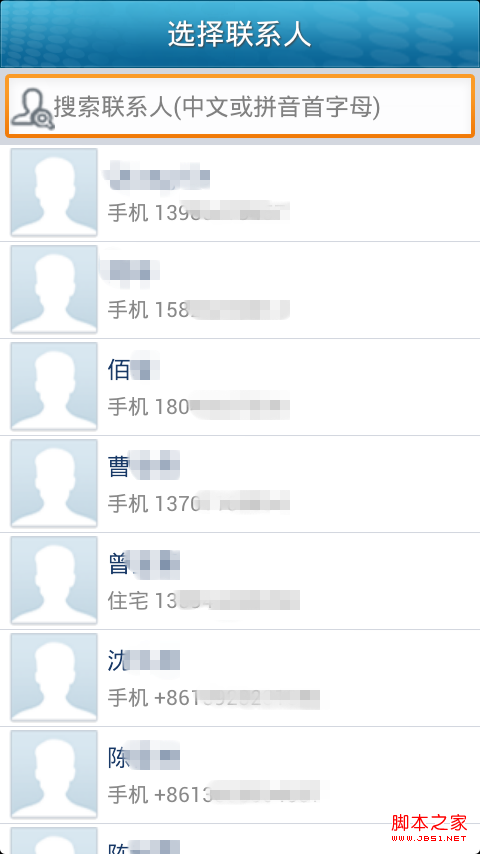 Android 載入本地聯絡人實作解析
載入手機聯絡人通常需要自訂 ListView、Adapter、資料查詢與權限。以下整理一個可搜尋、可點選回傳號碼的實作思路。 畫面配置 畫面可由上方搜尋框與下方聯絡人列
 Android 登入介面實作:密碼遮蔽與三次失敗鎖定
登入畫面是使用者與 App 建立信任的第一站。它索取一組憑證,換取進入權限——不論是社群服務、雲端儲存還是企業內部系統,這道關卡都省不掉。 本章要動手做一個登入介面,並把
 Android 進度條教學:用 Loading Spinner 表達「還不知道要等多久」
當 App 要執行一段耗時的工作,例如從網路下載資料,使用者需要一個「它還在動」的訊號。Android 用 ProgressBar 這個元件來表達等待狀態,而它主要有兩種
 Facebook shimmer 閃光效果庫 Android 使用指南
關於 shimmerShimmer 是 Facebook 開源的一套 Java 函式庫,能讓 Android 上任何 View 元件披上一層流動的高光效果。常見用途是「骨