

編輯:Android 開發實例
NotificationManager 負責向使用者發出「有事件發生了」的通知。它只提供三個公開方法:
1. cancel(int id):取消先前顯示的某一個通知。若它原本是短暫的通知,會嘗試把它隱藏;若是持久型通知,則會從狀態列中移除。
2. cancelAll():取消先前顯示的所有通知。
3. notify(int id, Notification notification):把通知持久地發送到狀態列上。
取得這個服務的方式:
// 初始化 NotificationManager
NotificationManager nm =
    (NotificationManager) getSystemService(NOTIFICATION_SERVICE);
這裡的 id 是關鍵概念:它是你自行指派的識別碼,後續要取消通知時就靠它定位。若兩次 notify 使用同一個 id,後者會直接取代前者,而不是新增一條。
Notification 代表一則通知本身,可設定的屬性相當多:
· audioStreamType:聲音響起時所使用的音訊流類型
· contentIntent:點擊通知項目時要執行的 Intent
· contentView:通知顯示在狀態列時,同時呈現的自訂檢視
· defaults:指定哪些項目要採用系統預設值
· deleteIntent:使用者清除通知時要執行的 Intent
· icon:狀態列所使用的圖示
· iconLevel:若狀態列圖示有多個級別,在此設定
· ledARGB:LED 指示燈的顏色
· ledOffMS:LED 熄滅時的閃爍時間(毫秒)
· ledOnMS:LED 亮起時的閃爍時間(毫秒)
· number:這則通知所代表的事件數量
· sound:通知音效
· tickerText:通知被顯示在狀態列時所顯示的提示文字
· vibrate:震動模式
· when:通知的時間戳記
其中 ledARGB 搭配 ledOnMS 與 ledOffMS 組成的呼吸燈設定,是在通知未讀期間持續閃爍的視覺提示;而 number 則很適合用在「你有 3 則新訊息」這類需要顯示計數的情境。
describeContents():描述這個 Parcelable 封送表示中包含的特殊物件種類。
setLatestEventInfo(Context context, CharSequence contentTitle, CharSequence contentText, PendingIntent contentIntent):設定 Notification 在狀態列上的各項參數。
writeToParcel(Parcel parcel, int flags):把這個 notification 攤平寫入 parcel。
toString():回傳字串表示。
Notification notification = new Notification();
// 這裡進行 Notification 的設定……
nm.notify(0, notification);   // 發送到狀態列上
實務上最常被呼叫的就是 setLatestEventInfo()——特別是 contentIntent 這個參數,若沒有設定,使用者點擊通知時不會有任何反應,後續要導向哪個 Activity 也就無從談起。
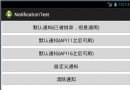 Android Notification 用法總整理:四種建立方式與版本演進
手機來了簡訊而你沒點開,狀態欄上方會留一個小圖示提醒你——這就是 Notification。想在自己的應用裡做類似的事,就得把 Notification 這套 API 摸
 Android 左右滑動與索引圖示效果實作
在許多圖片瀏覽或引導頁面中,常會看到左右滑動切換圖片,並在下方顯示對應索引圖示的效果。這個功能可以透過 Gallery 與 ImageView 組合完成。自訂 Galle
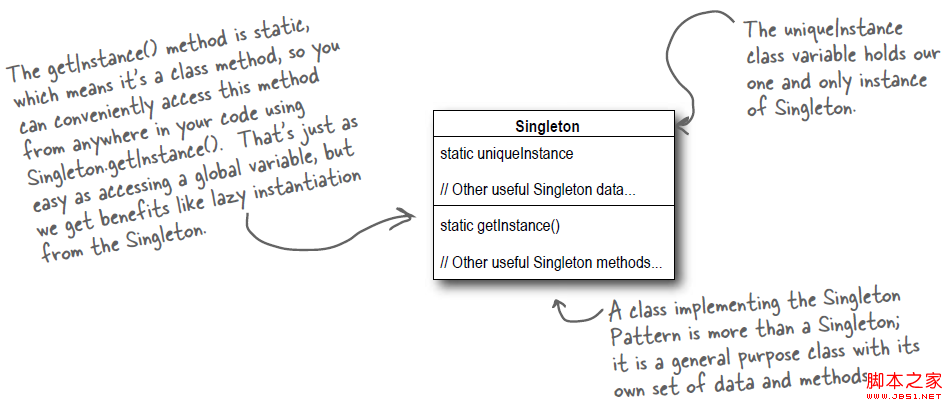 Android 源碼中的單例模式:定義、優點與實際案例
定義 Ensure a class has only one instance, and provide a global point of access to it.
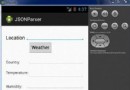 Android JSON 解析入門:從天氣資料提取欄位
JSON 是應用程式之間交換資料的常見格式,因為它輕量、易讀,也方便在 Android 中處理。相較於 XML,JSON 更適合網路 API 回傳的結構化資料。本篇文章會