

編輯:Android 開發實例
做過 ASP.NET 的人看到 RadioButtonList,第一個念頭大概是「Android 有對應的東西嗎?」有的。Android 提供 RadioGroup 容器,把多個 RadioButton 收在同一組裡,同一時間只會有一個處於選中狀態,天然適合做單選題。
如果不用 RadioGroup,你得自己在每個 RadioButton 的 OnCheckedChanged 裡把其他幾個設為 false,選項一多就是災難。RadioGroup 把這件事收進容器層級處理,你只要監聽群組的變化即可。這裡有個容易搞混的點:
radioGroup.setOnCheckedChangeListener(),回呼帶 checkedId,是單選題該用的方式。radioButton.setOnCheckedChangeListener(),回呼帶 isChecked,適合單一開關式的場景。<RadioGroup
android:id="@+id/group"
android:layout_width="fill_parent"
android:layout_height="wrap_content"
android:orientation="vertical">
<RadioButton android:id="@+id/RadioButton01" android:layout_width="wrap_content"
android:layout_height="wrap_content" android:text="選項 A" />
<RadioButton android:id="@+id/RadioButton02" android:layout_width="wrap_content"
android:layout_height="wrap_content" android:text="選項 B" />
<RadioButton android:id="@+id/RadioButton03" android:layout_width="wrap_content"
android:layout_height="wrap_content" android:text="選項 C" />
<RadioButton android:id="@+id/RadioButton04" android:layout_width="wrap_content"
android:layout_height="wrap_content" android:text="選項 D" />
</RadioGroup>public class TestRadioButton extends Activity {
private RadioGroup mGroup;
@Override
public void onCreate(Bundle savedInstanceState) {
super.onCreate(savedInstanceState);
setContentView(R.layout.main);
mGroup = (RadioGroup) findViewById(R.id.group);
mGroup.setOnCheckedChangeListener(new RadioGroup.OnCheckedChangeListener() {
@Override
public void onCheckedChanged(RadioGroup group, int checkedId) {
switch (checkedId) {
case R.id.RadioButton03:
Show("回答正確,獎勵你 100 分");
break;
case R.id.RadioButton01:
case R.id.RadioButton02:
case R.id.RadioButton04:
Show("回答錯誤!");
break;
}
}
});
}
/** 清空作答,讓使用者可以重新挑戰 */
public void reset() {
mGroup.clearCheck();
}
private void Show(String msg) {
new AlertDialog.Builder(TestRadioButton.this)
.setTitle("提示")
.setMessage(msg)
.setPositiveButton("確定", null)
.show();
}
}原範例在重設按鈕時,逐一檢查四個 RadioButton 再個別設為 false。RadioGroup 提供了 clearCheck(),一行解決,而且選項數量改變時不必同步修改程式。
原範例先 findViewById(checkedId) 取得 RadioButton,再檢查 btn.isChecked()。但群組回呼觸發時,checkedId 指的那顆必然就是剛被選中的——這正是 RadioGroup 保證「單選」的意義。直接對 checkedId 做 switch 即可。
三個錯誤選項各自寫一段一模一樣的 Show("回答錯誤!"),用 case 穿透(fall-through)合併成一個分支,程式短了一半,改文案也只需改一處。
android:checked="true",或在程式裡呼叫 check(R.id.xxx)。clearCheck() 與 check() 都會引發 onCheckedChanged,若不希望程式性的重設弹出提示對話框,可加一個 boolean isLoading 旗標暫時跳過判斷。for (int i = 0; i < mGroup.getChildCount(); i++) mGroup.getChildAt(i).setEnabled(false);,重玩時再逐一設回 true。RadioGroup 搭配 checkedId 的 switch,是 Android 裡處理「多選一」最乾淨的骨架。無論是測驗題、性別選擇還是排序方式,都能沿用同一個模式。
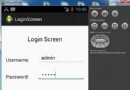 Android 登入頁面實作:帳密驗證與錯誤次數限制
登入頁面是許多應用的入口。它通常包含使用者名稱、密碼與登入按鈕,也需要處理錯誤次數,避免有心人士不斷嘗試。 建立輸入欄位 使用者名稱使用一般 EditText,密碼則要將
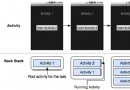 Android ApiDemo 系列七:Activity 堆疊與 Forwarding
Android 應用常包含多個 Activity,使用者在不同畫面之間移動時,系統會以堆疊方式管理這些 Activity。新啟動的 Activity 會疊在目前畫面之上,
 Android 五種資料儲存方式全解析:SharedPreferences、檔案、SQLite、ContentProvider 與網路
資料儲存是開發中最頻繁面對的課題之一。Android 提供了多種互補的機制,本文逐一說明五種主要方式,並附上各自的關鍵程式碼與適用情境。 SharedPreferen
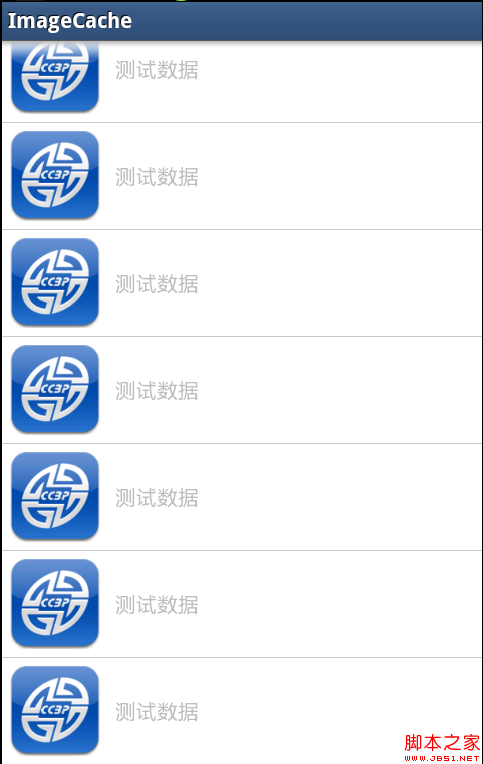 Android異步加載網絡圖片並雙緩存到本地的實現方法
在 Android 項目裡加載網絡圖片是家常便飯,但如果每次顯示都要重新訪問網絡,不僅浪費流量,圖片佔用的內存也不小,一旦圖片過多又不及時釋放,內存溢出幾乎是必然。針對這