

編輯:Android 開發實例
說 Android 是一款面向網際網路的手機作業系統,一點也不誇張。打開 G2 的「抽屜」,一大堆應用幾乎都得靠網路才能正常運行。
我曾經跟同學開玩笑:沒有網路支援,G2 跟 Nokia 1200 也沒啥兩樣!
既然 Android 定位為「網路作業系統」,自然提供了相當強大的網路存取介面。它同時支援 java.net.* 與 org.apache.http.*,在資料處理上也支援 JSON、XML 等常見格式。
以下是範例程式碼:
1:
2: public class HttpDemo extends Activity {3:
4: private static final int MSGWHAT = 0x000000;
5:
6: private TextView textView;
7: private Button btnLink;
8: private EditText etUrl;
9: private String data;
10: /**
11: * 消息控制器,用來更新界面,因為在普通線程是無法用來更新界面的
12: */
13: private Handler handler = new Handler() {14: @Override
15: public void handleMessage(Message msg) { 16: switch (msg.what) {17: case MSGWHAT:
18: //設置顯示文本
19: textView.setText(data);
20: break;
21: default:
22: break;
23: }
24: }
25: };
26:
27: /** Called when the activity is first created. */
28: @Override
29: public void onCreate(Bundle savedInstanceState) {30: super.onCreate(savedInstanceState);
31: setContentView(R.layout.main);
32: //注意界面控件的初始化的位置,不要放在setContentView()前面
33: initComponent();
34: btnLink.setOnClickListener(new OnClickListener() {35:
36: @Override
37: public void onClick(View v) {38: //可以放在另外的線程完成
39: try {40: data = getData();
41: } catch (ClientProtocolException e) {42: data = e.getMessage();
43: } catch (IOException e) {44: data = e.getMessage();
45: } catch (URISyntaxException e) {46: data = e.getMessage();
47: }
48: Message msg = new Message();
49: msg.what = MSGWHAT;
50: handler.sendMessage(msg);
51: }
52: });
53: }
54:
55: /**
56: * 初始化界面組件
57: */
58: private void initComponent() {59: textView = (TextView) findViewById(R.id.text);
60: btnLink = (Button) findViewById(R.id.btn_link);
61: etUrl = (EditText) findViewById(R.id.url);
62: }
63:
64: /**
65: * 取數據
66: * @return
67: * @throws ClientProtocolException
68: * @throws IOException
69: * @throws URISyntaxException
70: */
71: private String getData() throws ClientProtocolException, IOException, URISyntaxException {72: String urlString = etUrl.getText().toString();
73: return request(urlString);
74: }
75:
76: /**
77: * 發送請求
78: * @param url 請求地址
79: * @return
80: * @throws ClientProtocolException
81: * @throws IOException
82: * @throws URISyntaxException
83: */
84: private String request(String url) throws ClientProtocolException, IOException, URISyntaxException {85: HttpClient httpClient = new DefaultHttpClient();
86: URI uri = URIUtils.createURI("http", url, -1, null, null, null);87: HttpGet get = new HttpGet(uri);
88: ResponseHandler<String> responseHandler = new BasicResponseHandler();
89: return httpClient.execute(get, responseHandler);
90: }
91:
92: @Override
93: protected void onDestroy() {94: super.onDestroy();
95: System.gc();
96: System.exit(0);
97: }
98: }
轉自:https://www.cnblogs.com/halzhang/archive/2010/05/28/1746591.html
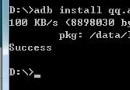 在電腦上使用 Android 模擬器安裝 APK 的完整流程
若想在電腦上執行 Android 應用,可以透過 Android SDK 提供的模擬器與 adb 工具完成安裝。整個流程可拆為環境設定、啟動模擬器、執行安裝三個步驟。設定
 Android MediaPlayer:音訊播放與控制
MediaPlayer 簡介Android 提供多種方式播放音訊與影片,其中 MediaPlayer 是最常用來控制媒體播放的類別之一。它適合播放應用內建資源、網路串流或
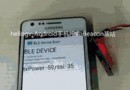 Android 進階:用 BLE 開發搜索 iBeacon 基站
前文講述了 Android 手機與 BLE 終端之間的通信,而最常見的 BLE 終端,莫過於蘋果公司倡導的 iBeacon 基站。iBeacon 技術基於 BLE,其特點
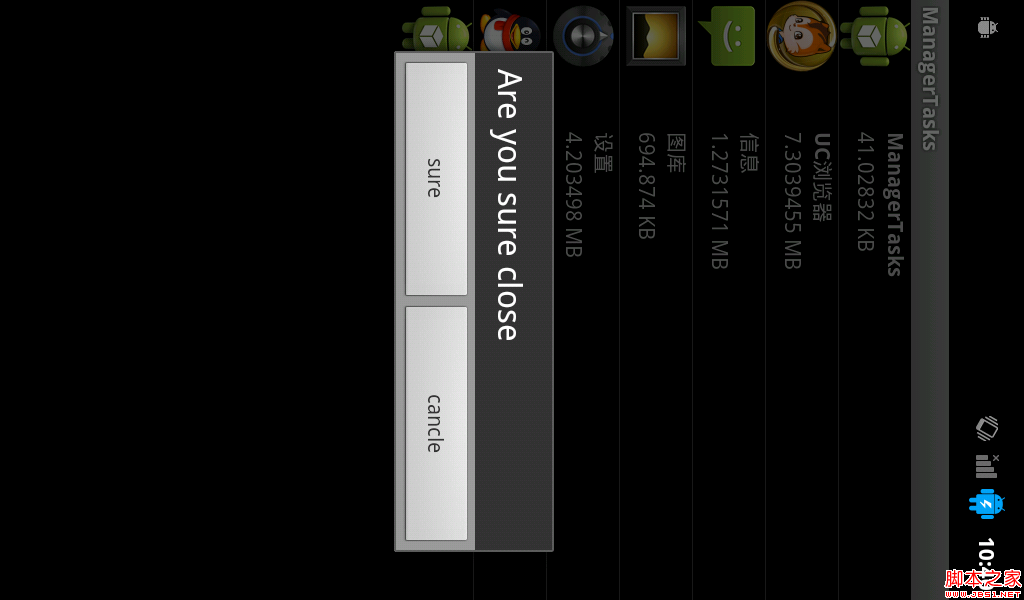 Android 取得並管理正在執行的應用程式
因為需要在 framework 層加入類似「工作管理員」的功能,我先寫了一個小 App 來驗證可行性:列出目前執行中的應用,點擊可切換回去,長按則可以結束該程式。 這個