編輯:Android開發教程
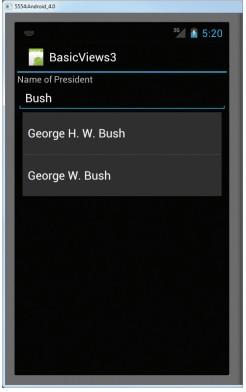
AutoCompleteTextView和EditText很相似,事實上,AutoCompleteTextView就是EditText的子類。使用 AutoCompleteTextView,當用戶正在輸入時,會自動彈出一些提示信息。下面的例子將會展示如何使用 AutoCompleteTextView去自動地幫助用戶完成輸入。
1。 創建一個工程:BasicViews3。
2。 main.xml中的代碼。
<?xml version="1.0" encoding="utf-8"?>
<LinearLayout xmlns:android="http://schemas.android.com/apk/res/android"
    android:layout_width="fill_parent"
    android:layout_height="fill_parent"
    android:orientation="vertical" >

<TextView
    android:layout_width="fill_parent"
    android:layout_height="wrap_content"
    android:text="Name of President" />

<AutoCompleteTextView android:id="@+id/txtCountries"
    android:layout_width="fill_parent"
    android:layout_height="wrap_content" />

</LinearLayout>
3、BasicViews3Activity.java中的代碼。
public class

BasicViews3Activity extends Activity {
    String[] presidents = {
            "Dwight D. Eisenhower",
            "John F. Kennedy",
            "Lyndon B. Johnson",
            "Richard Nixon",
            "Gerald Ford",
            "Jimmy Carter",
            "Ronald Reagan",
            "George H. W. Bush",
            "Bill Clinton",
            "George W. Bush",
            "Barack Obama"
        };

    /** Called when the activity is first created. */
    @Override
    public void onCreate(Bundle savedInstanceState) {
        super.onCreate(savedInstanceState);
        setContentView(R.layout.main);

        ArrayAdapter<String> adapter = new ArrayAdapter<String>(this,
            android.R.layout.simple_dropdown_item_1line, presidents);

        AutoCompleteTextView textView = (AutoCompleteTextView)
            findViewById(R.id.txtCountries);

        textView.setThreshold(3);
        textView.setAdapter(adapter);
    }
}
4、F11調試。
 Android ApiDemos示例解析(48):Content->Resources->Resources
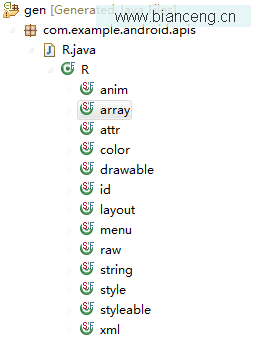
Android SDK對應沒個定義在res目錄下的資源都會定義一個維一的資源ID。在編譯時會在gen目錄下生成 R.java , 資源ID的 格式為 R.[type].[
 Android ApiDemos示例解析(34):App->Preferences->Preferences from code
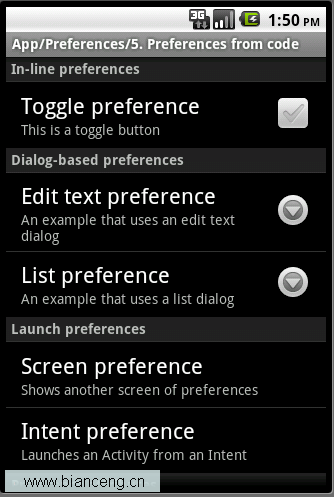
這裡我們使用類比的方法,將 PreferenceActivity 與一般的Activity 作個類比,可以更好的理解Android.Preference中的 各個類。
 Android簡明開發教程十一:自定義Adapter顯示列表
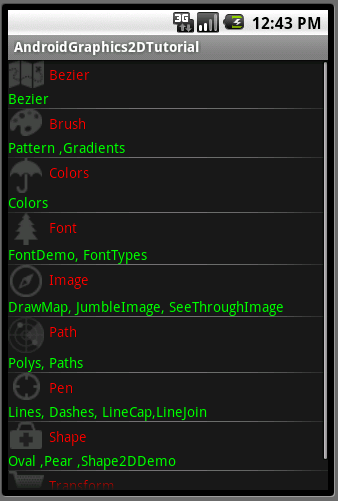
在介紹數據綁定時,我們使用了系統自帶的SimpleAdapter。Android 允許自定義Adapter ,理論上可以使用任意的View (Layout)來顯示數據。下
 android 4.3操作源碼實現系統截屏
1.背景android系統的系統截屏功能是google封裝起來的,也是大家都很想獲得的,經過一個多月的漫長研究,博主終於成功的在android新版本也就是4.3以上版本實