編輯:Android開發教程
一、藍牙BLE(Bluetooth Low Energy)介紹概要
藍牙低能耗(BLE)技術是低成本、短距離、可互操作的魯棒性無線技術,工作在免許可的2.4GHz ISM射頻頻段。它從一開始就設計為超低功耗(ULP)無線技術。
藍牙低能耗技術的三大特性成就了ULP性能,這三大特性分別是最大化的待機時間、快速連接和低峰值的發送/接收功耗。
無線“開啟”的時間只要不是很短就會令電池壽命急劇降低,因此任何必需的發送或接收任務需要很快完成。被藍牙低能耗技術用來最小化無線開啟時間的第一個技巧是僅用3個“廣告”信道搜索其它設備,或向尋求建立連接的設備宣告自身存在。相比之下,標准藍牙技術使用了32個信道。
藍牙低能耗技術“完成”一次連接(即掃描其它設備、建立鏈路、發送數據、認證和適當地結束)只需3ms。而標准藍牙技術完成相同的連接周期需要數百毫秒。再次提醒,無線開啟時間越長,消耗的電池能量就越多。
二、關鍵概念:
(1)Generic Attribute Profile (GATT)
通過BLE連接,讀寫屬性類小數據的Profile通用規范。現在所有的BLE應用Profile都是基於GATT的。
(2)Attribute Protocol (ATT)
GATT是基於ATT Protocol的。ATT針對BLE設備做了專門的優化,具體就是在傳輸過程中使用盡量少的數據。每個屬性都有一個唯一的UUID,屬性將以characteristics and services的形式傳輸。
(3)Characteristic
Characteristic可以理解為一個數據類型,它包括一個value和0至多個對次value的描述(Descriptor)。
(4)Descriptor
對Characteristic的描述,例如范圍、計量單位等。
(5)Service
Characteristic的集合。例如一個service叫做“Heart Rate Monitor”,它可能包含多個Characteristics,其中可能包含一個叫做“heart rate measurement"的Characteristic。
三、相關權限
<uses-permission android:name="android.permission.BLUETOOTH" />
<!-- 允許程序進行發現和配對新的藍牙設備 -->
<uses-permission android:name="android.permission.BLUETOOTH_ADMIN" />
<uses-feature android:name="android.hardware.bluetooth_le" android:required="true"/>
public class BluetoothBleDemo extends Activity {
    private static final int REQUEST_CODE_BLUETOOTH_ENABLE = 1;
    private static final int SCAN_PERIOD = 10000;

    private BluetoothAdapter bluetoothAdapter;
    //import android.bluetooth.le.ScanCallback;
    private ScanCallback scanCallback = new ScanCallback() {
        @Override
        public void onBatchScanResults(List<ScanResult> results) {
            //Batch 一批
        }

        @Override
        public void onScanResult(int callbackType, ScanResult result) {
            switch(callbackType) {
                case ScanSettings.CALLBACK_TYPE_ALL_MATCHES:
                    break;
                case ScanSettings.CALLBACK_TYPE_FIRST_MATCH:
                    break;
                case ScanSettings.CALLBACK_TYPE_MATCH_LOST:
                    break;
            }

            BluetoothDevice device = result.getDevice();
            String deviceName = device.getName();
            String deviceAddress = device.getAddress();
            int deviceType = device.getType();
            ParcelUuid[] deviceUuids = device.getUuids();
            int deviceBondState = device.getBondState();

            ScanRecord scanRecord = result.getScanRecord();
            int advertiseFlags = scanRecord.getAdvertiseFlags();
            //txPowerLevel 發射功率等級
			//URL:http://www.bianceng.cn/OS/extra/201608/50410.htm
            int txPowerLevel = scanRecord.getTxPowerLevel();
            String recordDeviceName = scanRecord.getDeviceName();
            List<ParcelUuid> serviceUuids = scanRecord.getServiceUuids();
            Map<ParcelUuid, byte[]> serviceData = scanRecord.getServiceData();

            //RSSI 信號強度,可以用來測算距離
            int rssi = result.getRssi();
            long timestampNanos = result.getTimestampNanos();
        }

        @Override
        public void onScanFailed(int errorCode) {

        }
    };
    private BluetoothGattCallback gattCallback = new BluetoothGattCallback() {
        @Override
        public void onServicesDiscovered(BluetoothGatt gatt, int status) {
            super.onServicesDiscovered(gatt, status);
        }

        @Override
        public void onCharacteristicChanged(BluetoothGatt gatt, BluetoothGattCharacteristic characteristic) {
            super.onCharacteristicChanged(gatt, characteristic);
        }

        @Override
        public void onCharacteristicRead(BluetoothGatt gatt, BluetoothGattCharacteristic characteristic, int status) {
            super.onCharacteristicRead(gatt, characteristic, status);
        }

        @Override
        public void onCharacteristicWrite(BluetoothGatt gatt, BluetoothGattCharacteristic characteristic, int status) {
            super.onCharacteristicWrite(gatt, characteristic, status);
        }

        @Override
        public void onConnectionStateChange(BluetoothGatt gatt, int status, int newState) {
            super.onConnectionStateChange(gatt, status, newState);
        }

        @Override
        public void onDescriptorRead(BluetoothGatt gatt, BluetoothGattDescriptor descriptor, int status) {
            super.onDescriptorRead(gatt, descriptor, status);
        }

        @Override
        public void onDescriptorWrite(BluetoothGatt gatt, BluetoothGattDescriptor descriptor, int status) {
            super.onDescriptorWrite(gatt, descriptor, status);
        }

        @Override
        public void onMtuChanged(BluetoothGatt gatt, int mtu, int status) {
            super.onMtuChanged(gatt, mtu, status);
        }

        @Override
        public void onReadRemoteRssi(BluetoothGatt gatt, int rssi, int status) {
            super.onReadRemoteRssi(gatt, rssi, status);
        }

        @Override
        public void onReliableWriteCompleted(BluetoothGatt gatt, int status) {
            super.onReliableWriteCompleted(gatt, status);
        }
    };
    private Handler handler = new Handler() {
        @Override
        public void handleMessage(Message msg) {
        }
    };

    @Override
    protected void onCreate(Bundle savedInstanceState) {
        super.onCreate(savedInstanceState);
        //判斷是否支持BLE特性
        if(getPackageManager().hasSystemFeature(PackageManager.FEATURE_BLUETOOTH_LE)) {
            initBluetoothBle();
        } else {
            showToast("this device can not support Bluetooth BLE");
        }
    }

    private void initBluetoothBle() {
        //BluetoothAdapter是Android系統中所有藍牙操作都需要的,它對應本地Android設備的藍牙模塊,在整個系統中BluetoothAdapter是單例的。當你獲取到它的示例之後,就能進行相關的藍牙操作了。
        //BluetoothManager在Android4.3以上支持(API level 18)
        BluetoothManager bluetoothManager = (BluetoothManager) getSystemService(Context.BLUETOOTH_SERVICE);
        bluetoothAdapter = bluetoothManager.getAdapter();
    }

    /**
     * 開啟藍牙
     * 打開和關閉藍牙模塊, 都可以通過ACTION_STATE_CHANGED廣播來監聽
     */
    private void requestEnable() {
        //第一種方法打開藍牙, 沒有任何提示, 直接就打開了
        //boolean result = bluetoothAdapter.enable();
        //第二種方法發送廣播, 會彈出一個對話框, 選擇是否打開藍牙, 選擇是藍牙才打開;
        if(bluetoothAdapter != null && !bluetoothAdapter.isEnabled()) {
            Intent intent = new Intent(BluetoothAdapter.ACTION_REQUEST_ENABLE);
            startActivityForResult(intent, REQUEST_CODE_BLUETOOTH_ENABLE);
        }
    }

    /**
     * 掃描BLE設備.注意該方法無法掃描標准藍牙,只能掃描BLE設備
     */
    private void scanBleDevice(final boolean enabled) {
        if(bluetoothAdapter == null) {
            return;
        }
        /*
        為什麼不能再使用單例的BluetoothAdapter? 原因如下:
        bluetoothAdapter.startLeScan() //deprecated
        http://stackoverflow.com/questions/30223071/startlescan-replacement-to-current-api
        Remember that the method: public BluetoothLeScanner getBluetoothLeScanner () isn't static.
        If you do: BluetoothAdapter.getBluetoothLeScanner()
        you will get an error, since getDefaultAdapter() is a static method, but getBluetoothLeScanner() isn't.
        You need an instance of a BluetoothAdapter.
         */
        final BluetoothLeScanner scanner = bluetoothAdapter.getBluetoothLeScanner();
        if(enabled) {
            //scan分為2類,而在android L之前,搜索條件只有uuid
            //(1)直接搜索全部周圍peripheral(外圍的)設備,搜索結果將通過這個callback返回
            scanner.startScan(scanCallback);
            //(2)根據過濾條件搜索設備
            final List<ScanFilter> scanFilters = new ArrayList<ScanFilter>();
            //uuid格式8-4-4-4-12(32位,128bit)
            //address格式(12位,48bit)
            scanFilters.add(new ScanFilter.Builder().setServiceUuid(ParcelUuid.fromString("00000000-0000-0000-0000-000000000000")).setDeviceAddress("00:00:00:00:00:00").build());
            ScanSettings scanSettings = new ScanSettings.Builder()
                    //require API 23
                    //.setCallbackType(0).setMatchMode(0).setNumOfMatches(0)
                    .setReportDelay(0).setScanMode(BluetoothAdapter.SCAN_MODE_CONNECTABLE_DISCOVERABLE).build();
            scanner.startScan(scanFilters, scanSettings, scanCallback);
            handler.postDelayed(new Runnable() {
                @Override
                public void run() {
                    scanner.stopScan(scanCallback);
                }
            }, SCAN_PERIOD);
        } else {
            scanner.stopScan(scanCallback);
        }
    }

    /**
     * 兩個設備通過BLE通信,首先需要建立GATT連接。這裡我們講的是Android設備作為client端,連接GATT Server。數據發送方向總是從server推送到client
     */
    private void connectToGATTServer(BluetoothDevice device) {
        //函數成功,返回BluetoothGatt對象,它是GATT profile的封裝。通過這個對象,我們就能進行GATT Client端的相關操作。BluetoothGattCallback用於傳遞一些連接狀態及結果。
        BluetoothGatt bluetoothGatt = device.connectGatt(this, false, gattCallback);

        //連接遠程設備
        boolean connectResult = bluetoothGatt.connect();
        //搜索連接設備所支持的service
        boolean discoverResult = bluetoothGatt.discoverServices();
        //斷開與遠程設備的GATT連接
        bluetoothGatt.disconnect();
        //關閉GATT Client端
        bluetoothGatt.close();
        //讀取指定的characteristic。
        //boolean readResult = bluetoothGatt.readCharacteristic(characteristic);
        //設置當指定characteristic值變化時,發出通知
        //boolean setResult = bluetoothGatt.setCharacteristicNotification(characteristic, enabled);
        //獲取遠程設備所支持的services
        List<BluetoothGattService> gattServices = bluetoothGatt.getServices();
    }

    private void showToast(String msg) {
        Toast.makeText(this, msg, Toast.LENGTH_SHORT).show();
    }

} android技巧:android中如何使用string.xml
1.介紹在制作android應用的時候,常常用到很多string,就是一些文字,這裡介紹一種方法,將所有string封裝在一個string.xml文件中,通過styles
 Android中升級ADT 22 引發的錯誤
今天心血來潮,又把ADT升級了一下,升級到了ADT 22,悲催的發現項目用不了了(能編譯通過,運行出錯)。錯誤一:(警告)Unable to resolve superc
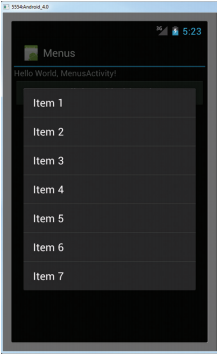 Android開發入門(十五)使用菜單 15.3 上下文菜單
在上一節,我們已經知道了在按MENU鍵的時候,如何顯示選項菜單。但是,除了選項菜單,你也可以顯示 一個上下文菜單。上下文菜單通常是和activity中的組件相關聯的。當用
 Android開發入門(一)詳解活動 1.5 顯示進度對話框
當要進行耗時的操作的時候,往往會看見“請稍候”字樣的對話框。例如,用戶正在登入服務器,此時並 不允許用戶使用這個軟件,或者應用程序把結果返回給用戶