編輯:Android開發教程
Android 的SMS讀取短信,可以獲取發信人/收信人的手機號碼(address),Contacts的聯系人,可以過濾手機號碼 (address),因此SMS可以通過手機號碼(address)關聯到Contacts聯系人
SMS - Contacts 關聯代碼
// 通過address手機號關聯Contacts聯系人的顯示名字
    private String getPeopleNameFromPerson(String address){
        if(address == null || address == ""){
            return "( no address )\n";
        }

        String strPerson = "null";
        String[] projection = new String[] {Phone.DISPLAY_NAME, Phone.NUMBER};

        Uri uri_Person = Uri.withAppendedPath(ContactsContract.CommonDataKinds.Phone.CONTENT_FILTER_URI, address);  // address 手機號過濾
        Cursor cursor = getContentResolver().query(uri_Person, projection, null, null, null);

        if(cursor.moveToFirst()){
            int index_PeopleName = cursor.getColumnIndex(Phone.DISPLAY_NAME);
            String strPeopleName = cursor.getString(index_PeopleName);
            strPerson = strPeopleName;
        }
        cursor.close();

        return strPerson;
    }
SMS - Contacts 關聯示例代碼:
package com.homer.phone;

import java.sql.Date;
import java.text.SimpleDateFormat;

import android.app.Activity;
import android.database.Cursor;
import android.database.sqlite.SQLiteException;
import android.net.Uri;
import android.os.Bundle;
import android.provider.ContactsContract;
import android.provider.ContactsContract.CommonDataKinds.Phone;
import android.util.Log;
import android.widget.ScrollView;
import android.widget.TextView;

public class phoneRead2 extends Activity {

    @Override
    public void onCreate(Bundle savedInstanceState) {
        super.onCreate(savedInstanceState);

        TextView tv = new TextView(this);
        tv.setText(getSmsInPhone());

        ScrollView sv = new ScrollView(this);
        sv.addView(tv);

        setContentView(sv);
    }

    public String getSmsInPhone() {
        final String SMS_URI_ALL = "content://sms/";
        final String SMS_URI_INBOX = "content://sms/inbox";
        final String SMS_URI_SEND = "content://sms/sent";
        final String SMS_URI_DRAFT = "content://sms/draft";
        final String SMS_URI_OUTBOX = "content://sms/outbox";
        final String SMS_URI_FAILED = "content://sms/failed";
        final String SMS_URI_QUEUED = "content://sms/queued";

        StringBuilder smsBuilder = new StringBuilder();

        try {
            Uri uri = Uri.parse(SMS_URI_ALL);
            String[] projection = new String[] { "_id", "address", "person", "body", "date", "type" };
            Cursor cur = getContentResolver().query(uri, projection, null, null, "date desc");      // 獲取手機內部短信

            if (cur.moveToFirst()) {
                int index_Address = cur.getColumnIndex("address");
                int index_Person = cur.getColumnIndex("person");
                int index_Body = cur.getColumnIndex("body");
                int index_Date = cur.getColumnIndex("date");
                int index_Type = cur.getColumnIndex("type");

                do {
                    String strAddress = cur.getString(index_Address);
                    int intPerson = cur.getInt(index_Person);
                    String strbody = cur.getString(index_Body);
                    long longDate = cur.getLong(index_Date);
                    int intType = cur.getInt(index_Type);

                    SimpleDateFormat dateFormat = new SimpleDateFormat("yyyy-MM-dd hh:mm:ss");
                    Date d = new Date(longDate);
                    String strDate = dateFormat.format(d);

                    String strType = "";
                    if (intType == 1) {
                        strType = "接收";
                    } else if (intType == 2) {
                        strType = "發送";
                    } else {
                        strType = "null";
                    }

                    String strAddress2 = getPeopleNameFromPerson(strAddress);

                    smsBuilder.append("[ ");
//                  smsBuilder.append(strAddress + ", ");
                    smsBuilder.append(strAddress + " : " + strAddress2 + ", ");
                    smsBuilder.append(intPerson + ", ");
                    smsBuilder.append(strbody + ", ");
                    smsBuilder.append(strDate + ", ");
                    smsBuilder.append(strType);
                    smsBuilder.append(" ]\n\n");
                } while (cur.moveToNext());

                if (!cur.isClosed()) {
                    cur.close();
                    cur = null;
                }
            } else {
                smsBuilder.append("no result!");
            } // end if

            smsBuilder.append("getSmsInPhone has executed!");

        } catch (SQLiteException ex) {
            Log.d("SQLiteException in getSmsInPhone", ex.getMessage());
        }

        return smsBuilder.toString();
    }

    // 通過address手機號關聯Contacts聯系人的顯示名字
    private String getPeopleNameFromPerson(String address){
        if(address == null || address == ""){
            return "( no address )\n";
        }

        String strPerson = "null";
        String[] projection = new String[] {Phone.DISPLAY_NAME, Phone.NUMBER};

        Uri uri_Person = Uri.withAppendedPath(ContactsContract.CommonDataKinds.Phone.CONTENT_FILTER_URI, address);  // address 手機號過濾
        Cursor cursor = getContentResolver().query(uri_Person, projection, null, null, null);

        if(cursor.moveToFirst()){
            int index_PeopleName = cursor.getColumnIndex(Phone.DISPLAY_NAME);
            String strPeopleName = cursor.getString(index_PeopleName);
            strPerson = strPeopleName;
        }
        cursor.close();

        return strPerson;
    }

}
 Android Listener偵聽的多種寫法
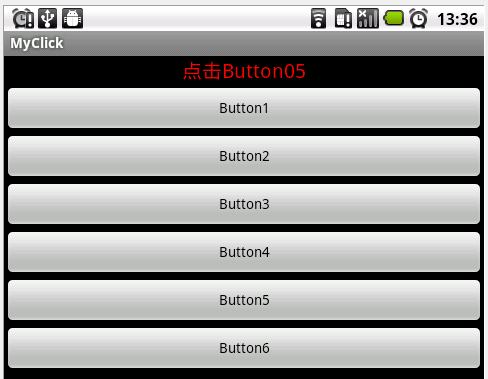
Android中,View的Listener方法,在是否使用匿名類匿名對象時,有各種不 同的寫法。OnClickListener和其他Listener方法一樣,都是Vie
 Windows搭建Android開發環境
一 相關下載(1) java JDK下載:進入該網頁: http://java.sun.com/javase/downloads/index.jsp 如下圖:選擇 Dow
 Android版Firefox beta加入訪客模式
日前Mozilla公司推出了Android平台的新版Firefox Beta版浏覽器,相比於現在的正式版Firefox,Beta版中除了新增了一系列的新設定以及新選項之外
 Android應用更換package name以及ui refactoring error問題
package name是Android系統中為每一個應用程序分配的一個標識,每個應用的標識都必須是不同的。在應用開發過程中,有時候可能需要對package name進行
 Android ApiDemos示例解析(2) SimpleAdapter,ListActivity,PackageManager
創建好ApiDemo項目後,就可以逐個示例的來分析代碼,這裡假定讀者已對