編輯:Android開發教程
又好又專業的服務能幫開發者省很多時間。一開始做項目也准備自己來統計數據、自己做自動更新,隨著使用友盟服務的時間增加,漸漸放棄了這種想法,轉而研究如何更充分的使用,這裡分享一下使用自動更新組件的心得。
一、缺少res導致不能升級的問題
由於缺少了解,官網文檔也沒用提醒,僅僅拷貝了SDK的jar到工程裡,一直不知道到底升級功能是否已經實現,關鍵是也不報錯!今天又拿出來測試了一下,監聽了一下UmengUpdateListener接口,發現客戶端已經檢測到了更新,但是沒用彈出更新的對話框,然後就注意到了如下log:
W/ResourceType(7881): No known package when getting value for resource number 0xffffffff
雖然沒用顯示和umeng有關系,還是重新更新了一下jar,並且反編譯了一下jar查看了一下代碼,並檢查了一下sdk,果然發現少拷貝了資源文件,res下還有drawable、layout、string還有東西,拷貝進項目即可!吐槽一下,好丑 - - # ,然後就有了下面:
查看本欄目更多精彩內容:http://www.bianceng.cn/OS/extra/
二、自定義升級對話框
/** 版本檢測 */
    private void checkVersion() {
        UmengUpdateAgent.setUpdateOnlyWifi(true);
        UmengUpdateAgent.setUpdateAutoPopup(false);
        UmengUpdateAgent.setUpdateListener(new UmengUpdateListener() {

            @Override
            public void onUpdateReturned(int updateStatus,
                    UpdateResponse updateInfo) {
                if (updateStatus == 0 && updateInfo != null) {
                    showUpdateDialog(updateInfo.path, updateInfo.updateLog);
                }
                // case 0: // has update
                // case 1: // has no update
                // case 2: // none wifi
                // case 3: // time out
            }
        });

        UmengUpdateAgent.update(this);
    }

    private void showUpdateDialog(final String downloadUrl, final String message) {
        AlertDialog.Builder updateAlertDialog = new AlertDialog.Builder(this);
        updateAlertDialog.setIcon(R.drawable.app_icon);
        updateAlertDialog.setTitle(R.string.app_name);
        updateAlertDialog.setMessage(getString(R.string.update_hint, message));
        updateAlertDialog.setNegativeButton(R.string.update_ok,
                new DialogInterface.OnClickListener() {
                    @Override
                    public void onClick(DialogInterface dialog, int which) {
                        dialog.dismiss();
                        try {
                            startActivity(new Intent(Intent.ACTION_VIEW, Uri
                                    .parse(downloadUrl)));
                        } catch (Exception ex) {

                        }
                    }
                }).setPositiveButton(R.string.dialog_no, null);
        if (!isFinishing())
            updateAlertDialog.show();
    }
三、參考
官網文檔:http://dev.umeng.com/doc/document_update_android.html
結束
本來沒打算用umeng的統計組件,主要是因為近期博客園把文件下載給封了(必須登錄),然後就不得不找其他辦法了。
作者:cnblogs 農民伯伯
 Android滑動效果基礎篇(四) Gallery + GridView
Android系統自帶一個GridView和Gallery兩個控件,GridView網格顯示,Gallery單個浏覽,兩者結合起來可以真正實現 Gallery浏覽圖片效果
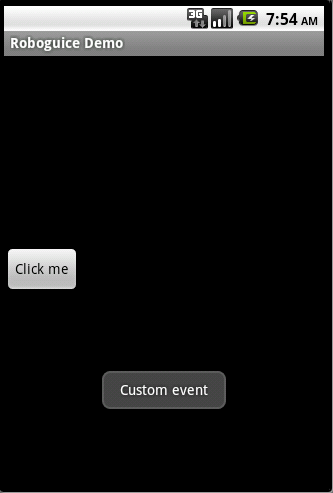 Android RoboGuice使用指南(19) 發送接收Events
Roboguice 提供了對Context 生命周期相關的事件的send 和receive ,系統缺 省支持的事件為:OnActivityResultEventOnCon
 Android開發入門(十二)列表控件 12.2 ListView的擴展功能
ListView是一個可以被深度擴展的視圖。在做項目的時候,擴展ListView去顯示數據是必不可免的。接下 來會展示如何在ListView中去選擇多個物件,以及如何使用
 Android中Log用法詳解
android.util.Log常用的方法有以下5個:Log.v() Log.d() Log.i() Log.w() 以及 Log.e() 。根據首字母對應VERBOSE