

編輯:初階開發
Android 系統內部提供了一個相當實用的 txt 文本讀寫類,但目前並未開放給標準 SDK。這裡分享 FileUtils 類的源碼,它能很好地操作 Linux 下的文本檔案。
public class FileUtils
{
public static final int S_IRWXU = 00700;
public static final int S_IRUSR = 00400;
public static final int S_IWUSR = 00200;
public static final int S_IXUSR = 00100;
public static final int S_IRWXG = 00070;
public static final int S_IRGRP = 00040;
public static final int S_IWGRP = 00020;
public static final int S_IXGRP = 00010;
public static final int S_IRWXO = 00007;
public static final int S_IROTH = 00004;
public static final int S_IWOTH = 00002;
public static final int S_IXOTH = 00001;
public static final class FileStatus {
public int dev;
public int ino;
public int mode;
public int nlink;
public int uid;
public int gid;
public int rdev;
public long size;
public int blksize;
public long blocks;
public long atime;
public long mtime;
public long ctime;
}
public static native boolean getFileStatus(String path, FileStatus status);
private static final Pattern SAFE_FILENAME_PATTERN = Pattern.compile("[\\w%+,./=_-]+");
public static boolean copyFile(File srcFile, File destFile) {
boolean result = false;
try {
InputStream in = new FileInputStream(srcFile);
try {
result = copyToFile(in, destFile);
} finally {
in.close();
}
} catch (IOException e) {
result = false;
}
return result;
}
public static boolean copyToFile(InputStream inputStream, File destFile) {
try {
if (destFile.exists()) {
destFile.delete();
}
OutputStream out = new FileOutputStream(destFile);
try {
byte[] buffer = new byte[4096];
int bytesRead;
while ((bytesRead = inputStream.read(buffer)) >= 0) {
out.write(buffer, 0, bytesRead);
}
} finally {
out.close();
}
return true;
} catch (IOException e) {
return false;
}
}
public static boolean isFilenameSafe(File file) {
return SAFE_FILENAME_PATTERN.matcher(file.getPath()).matches();
}
public static String readTextFile(File file, int max, String ellipsis) throws IOException {
InputStream input = new FileInputStream(file);
try {
long size = file.length();
if (max > 0 || (size > 0 && max == 0)) {
if (size > 0 && (max == 0 || size < max)) max = (int) size;
byte[] data = new byte[max + 1];
int length = input.read(data);
if (length <= 0) return "";
if (length <= max) return new String(data, 0, length);
if (ellipsis == null) return new String(data, 0, max);
return new String(data, 0, max) + ellipsis;
} else if (max < 0) { // "tail" mode: keep the last N
int len;
boolean rolled = false;
byte[] last = null, data = null;
do {
if (last != null) rolled = true;
byte[] tmp = last; last = data; data = tmp;
if (data == null) data = new byte[-max];
len = input.read(data);
} while (len == data.length);
if (last == null && len <= 0) return "";
if (last == null) return new String(data, 0, len);
if (len > 0) {
rolled = true;
System.arraycopy(last, len, last, 0, last.length - len);
System.arraycopy(data, 0, last, last.length - len, len);
}
if (ellipsis == null || !rolled) return new String(last);
return ellipsis + new String(last);
} else {
ByteArrayOutputStream contents = new ByteArrayOutputStream();
int len;
byte[] data = new byte[1024];
do {
len = input.read(data);
if (len > 0) contents.write(data, 0, len);
} while (len == data.length);
return contents.toString();
} finally {
input.close();
}
}
}
這個類封裝了檔案狀態查詢、檔案複製、檔名安全性校驗以及文本讀取(支持讀取頭部、尾部與全文三種模式)等實用功能。對於需要在 Android 上進行文本檔案操作的開發者而言,是極具參考價值的實現範本。
 Android ListView 完整指南:三種 Adapter 與自定義列表實作
ListView 幾乎是每個 Android 開發者都會碰到的元件。它以「一項一列」的方式把資料鋪陳出來,列數會隨著資料筆數自動伸縮,不需要我們手動計算高度。本文把 Li
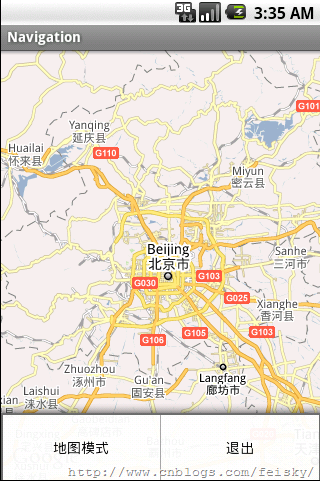 Android 地圖開發入門
一、申請 Maps API Key 先執行 keytool -list -keystore ~/.android/debug.keystore 取得 MD5 指紋,把得到
 Android Gallery 控件詳解:圖片瀏覽與自定義 ImageAdapter 實作
Gallery 是 Android 裡專門用來做「圖片瀏覽」的控件,用手指滑動就能在頭尾相連的圖片序列中切換。用法和 ListView 同一套路:在版面裡擺好 Galle
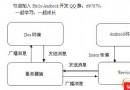 Android Socket 編程:非阻擋 I/O 伺服器與 Service 範例
改良目標 傳統 Socket 聊天範例常有兩個問題:伺服器在等待連線時容易造成 I/O 阻擋;伺服器端也缺少使用者列表,無法將訊息廣播給所有已連線的客戶端。因此可改用非阻