

編輯:初階開發
對於許多 Android 開發者而言,全域設定檔 AndroidManifest.xml 是既熟悉又容易一知半解的部分。它幾乎貫穿每一個專案——無論你新增 Activity 還是 Service,都離不開這份設定檔。深入理解它的結構,不僅能簡化程式碼,也能顯著提升程式的可維護性。
檔案最外層是 <manifest> 標籤,其中包含套件名稱(如 package="cn.android123.demo")、版本號 android:versionCode 與版本名稱 android:versionName。往內一層的 application 分支,則可能容納 Android 程式的四大元件:Activity、Service、Content Provider 與 Receiver。每當你新增上述任一元件,都必須在 AndroidManifest.xml 中對應加上一個節點。
其中 Activity 最常用的屬性莫過於 android:name 與 android:label,但為了應付各種複雜場景,我們有必要了解它的完整屬性:
android:allowTaskReparenting=["true" | "false"]
android:alwaysRetainTaskState=["true" | "false"]
android:clearTaskOnLaunch=["true" | "false"]
android:configChanges=[one or more of: "mcc" "mnc" "locale"
                       "touchscreen" "keyboard" "keyboardHidden"
                       "navigation" "orientation" "fontScale"]
android:enabled=["true" | "false"]
android:excludeFromRecents=["true" | "false"]
android:exported=["true" | "false"]
android:finishOnTaskLaunch=["true" | "false"]
android:icon="drawable resource"
android:label="string resource"
android:launchMode=["multiple" | "singleTop" |
                    "singleTask" | "singleInstance"]
android:multiprocess=["true" | "false"]
android:name="string"
android:noHistory=["true" | "false"]
android:permission="string"
android:process="string"
android:screenOrientation=["unspecified" | "user" | "behind" |
                         "landscape" | "portrait" |
                         "sensor" | "nonsensor"]
android:stateNotNeeded=["true" | "false"]
android:taskAffinity="string"
android:theme="resource or theme"
android:windowSoftInputMode=[one or more of: "stateUnspecified"
                         "stateUnchanged" "stateHidden"
                         "stateAlwaysHidden" "stateVisible"
                         "stateAlwaysVisible" "adjustUnspecified"
"adjustResize" "adjustPan"] >幾個特別值得留意的屬性:android:launchMode 決定了 Activity 的啟動模式,是理解任務與返回堆疊行為的關鍵;android:screenOrientation 用來鎖定螢幕方向;而 android:configChanges 則能讓你在旋轉螢幕等設定變動時自行接管處理,避免 Activity 被重建。掌握了這些屬性,日後遇到疑難雜症時往往能迎刃而解。
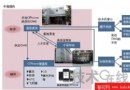 OPhone:中國移動以 Android 為軸的生態布局
圖為 OPhone 的水平分工體系:通信運營商中國移動居於主導地位,軟體開發與終端製造則由播思通訊與各終端廠商負責,日本的窗口為鵬開科技。 分工體系與市場版圖 以 A
 Android 開發講義(七):Activity 與 Service 通訊、SurfaceView 計時繪圖
Activity 與 Service 之間的溝通 先執行 ac01: 這個 ac01 立刻啟動 myService,myService 每隔一段時間定時送出數字,畫面上
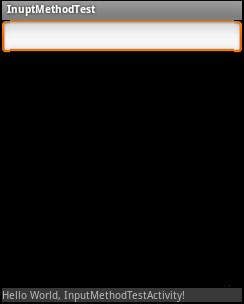 Android 軟鍵盤彈出時的版面縮放行為與監聽技巧
Android 是為觸控螢幕設計的系統,點擊輸入框時會自動彈出軟鍵盤。但鍵盤一出現,可用高度就變少了——系統該如何處理這段被壓縮的空間?我們能不能自行控制?這是本文想釐清
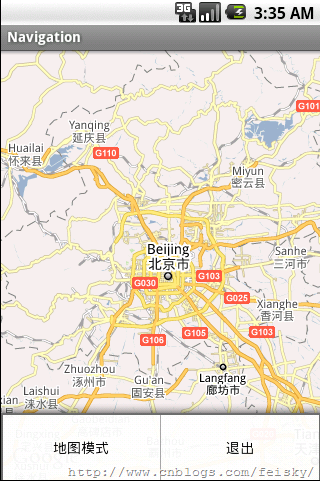 Android 地圖開發入門
一、申請 Maps API Key 先執行 keytool -list -keystore ~/.android/debug.keystore 取得 MD5 指紋,把得到