

編輯:初階開發
Intent 是 Android 元件之間溝通的核心。以下依功能分類整理常見的 Intent 用法,方便查閱。
Uri uri = Uri.parse("https://www.google.com");
Intent it = new Intent(Intent.ACTION_VIEW, uri);
startActivity(it);
Uri uri = Uri.parse("geo:38.899533,-77.036476");
Intent it = new Intent(Intent.ACTION_VIEW, uri);
startActivity(it);
Uri uri = Uri.parse("https://maps.google.com/maps?f=d&saddr=startLat%20startLng&daddr=endLat%20endLng&hl=en");
Intent it = new Intent(Intent.ACTION_VIEW, uri);
startActivity(it);
只開啟撥號盤、由使用者決定是否按下通話:
Uri uri = Uri.parse("tel:xxxxxx");
Intent it = new Intent(Intent.ACTION_DIAL, uri);
startActivity(it);
直接撥出(需在 Manifest 中加上 <uses-permission android:name="android.permission.CALL_PHONE" />):
Uri uri = Uri.parse("tel:xxxxxx");
Intent it = new Intent(Intent.ACTION_CALL, uri);
startActivity(it);
呼叫簡訊撰寫程式:
Intent it = new Intent(Intent.ACTION_VIEW);
it.putExtra("sms_body", "The SMS text");
it.setType("vnd.android-dir/mms-sms");
startActivity(it);
直接指定收件人:
Uri uri = Uri.parse("smsto:0800000123");
Intent it = new Intent(Intent.ACTION_SENDTO, uri);
it.putExtra("sms_body", "The SMS text");
startActivity(it);
夾帶圖片傳送 MMS:
Uri uri = Uri.parse("content://media/external/images/media/23");
Intent it = new Intent(Intent.ACTION_SEND);
it.putExtra("sms_body", "some text");
it.putExtra(Intent.EXTRA_STREAM, uri);
it.setType("image/png");
startActivity(it);
Uri uri = Uri.parse("mailto:xxx@abc.com");
Intent it = new Intent(Intent.ACTION_SENDTO, uri);
startActivity(it);
透過選擇器讓使用者挑郵件客戶端,並帶入收件者與本文:
Intent it = new Intent(Intent.ACTION_SEND);
it.putExtra(Intent.EXTRA_EMAIL, "me@abc.com");
it.putExtra(Intent.EXTRA_TEXT, "The email body text");
it.setType("text/plain");
startActivity(Intent.createChooser(it, "Choose Email Client"));
完整指定收件者、副本、主旨:
Intent it = new Intent(Intent.ACTION_SEND);
String[] tos = {"me@abc.com"};
String[] ccs = {"you@abc.com"};
it.putExtra(Intent.EXTRA_EMAIL, tos);
it.putExtra(Intent.EXTRA_CC, ccs);
it.putExtra(Intent.EXTRA_TEXT, "The email body text");
it.putExtra(Intent.EXTRA_SUBJECT, "The email subject text");
it.setType("message/rfc822");
startActivity(Intent.createChooser(it, "Choose Email Client"));
附加檔案:
Intent it = new Intent(Intent.ACTION_SEND);
it.putExtra(Intent.EXTRA_SUBJECT, "The email subject text");
it.putExtra(Intent.EXTRA_STREAM, "file:///sdcard/mysong.mp3");
it.setType("audio/mp3");
startActivity(Intent.createChooser(it, "Choose Email Client"));
Intent it = new Intent(Intent.ACTION_VIEW);
Uri uri = Uri.parse("file:///sdcard/song.mp3");
it.setDataAndType(uri, "audio/mp3");
startActivity(it);
Uri uri = Uri.withAppendedPath(MediaStore.Audio.Media.INTERNAL_CONTENT_URI, "1");
Intent it = new Intent(Intent.ACTION_VIEW, uri);
startActivity(it);
Uri uri = Uri.fromParts("package", strPackageName, null);
Intent it = new Intent(Intent.ACTION_DELETE, uri);
startActivity(it);
Uri uninstallUri = Uri.fromParts("package", "xxx", null);
returnIt = new Intent(Intent.ACTION_DELETE, uninstallUri);
Uri installUri = Uri.fromParts("package", "xxx", null);
returnIt = new Intent(Intent.ACTION_PACKAGE_ADDED, installUri);
搜尋應用(pkg_name 為應用的完整套件路徑):
Uri uri = Uri.parse("market://search?q=pname:pkg_name");
Intent it = new Intent(Intent.ACTION_VIEW, uri);
startActivity(it);
開啟應用詳情頁(app_id 為應用 ID,可在 Market 首頁點進應用後從網址列取得):
Uri uri = Uri.parse("market://details?id=app_id");
Intent it = new Intent(Intent.ACTION_VIEW, uri);
startActivity(it);
Intent intent = new Intent();
intent.setAction(Intent.ACTION_WEB_SEARCH);
intent.putExtra(SearchManager.QUERY, "searchString");
startActivity(intent);
幾個實務上容易忽略的細節:
ACTION_CALL 這類高風險動作,都必須在 Manifest 宣告對應權限,否則會在執行期被拒絕。content:// 或 file:// 指向的資源,在較新版本的 Android 上需要透過 FileProvider 授權,直接傳 URI 會引發例外。createChooser 的好處是把「讓使用者選」這件事交給系統,避免應用被綁死在特定客戶端上。market:// 配置與部分 action 在後續版本已更名或調整,實際使用時請對照當前官方文件。 OPhone:中國移動以 Android 為軸的生態布局
圖為 OPhone 的水平分工體系:通信運營商中國移動居於主導地位,軟體開發與終端製造則由播思通訊與各終端廠商負責,日本的窗口為鵬開科技。 分工體系與市場版圖 以 A
 AppWidgetManager 類別重點整理
AppWidgetManager 是 Android 平台上最主要的小工具(Widget)管理類,負責更新 AppWidget 的狀態、取得已安裝 Widget 的資訊,
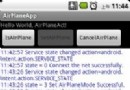 Android 開啟、關閉與監聽飛行模式
不多說廢話,先看效果,再上代碼。 飛行模式的讀寫本質上是操作 Settings.System.AIRPLANE_MODE_ON 這個系統數據項,再配合廣播通知全系統狀
 iOS 與 Android 之爭:從開放與封閉系統看平台勝負
開放與封閉的辯證 近來智慧型手機平台的競爭,常被簡化為開放與封閉之爭。有人認為 iOS 以一致的使用者體驗取勝,也有人相信 Android 的開放生態能帶來更多應用與內