

編輯:初階開發
Intent 與 PendingIntent 名字相似,用途卻不同。最精簡的說法是:Intent 是「現在就要做」的事,PendingIntent 是「未來可能由別人代你做」的事。你會在 Notification、AlarmManager、SmsManager 等場合用到 PendingIntent。
Notification n = new Notification(R.drawable.face_1,
        "Service 啟動", System.currentTimeMillis());

PendingIntent contentIntent = PendingIntent.getActivity(
        this, 0, new Intent(this, TServiceHolder.class), 0);

n.setLatestEventInfo(this, "任務標題", "任務內容", contentIntent);

nManager.notify(NOTIFICATION_ID, n);   // 於任務欄啟動
這裡 PendingIntent 的角色是「當使用者點擊通知時要做什麼」。通知本身無法直接啟動 Activity,必須透過 PendingIntent 把這個意圖交給系統保管。
PendingIntent 可以視為一個 Intent 的描述。我們把這個描述交給其他程式,對方就能在之後的某個時間點,執行我們安排好的動作。
官方文件的說法很貼切:「把 PendingIntent 交給其他應用程式,等於授予它權限,讓它能以你的名義執行你所指定的操作。」也就是說,PendingIntent 在某種意義上代表了它所包裝的那個 Intent。
取得 PendingIntent 的方式有多種,對應不同的執行方式:
/activity:啟動一個 Activitybroadcast:發送一個廣播service:啟動或綁定一個 Service(舊版 API)以下片段示範用 SmsManager 寄送簡訊,並透過 PendingIntent 接收結果:
String msg = "你好,美女";
String number = "135****6784";

SmsManager sms = SmsManager.getDefault();

PendingIntent pi = PendingIntent.getBroadcast(
        SmsActivity.this, 0, new Intent(...), 0);

sms.sendTextMessage(number, null, msg, pi, null);

Toast.makeText(SmsActivity.this, "發送成功", Toast.LENGTH_LONG).show();
SmsManager.sendTextMessage(String destinationAddress, String scAddress, String text, PendingIntent sentIntent, PendingIntent deliveryIntent)
android.app.PendingIntent.OnFinished 回呼。這個參數最好不要傳 null,否則無從得知發送結果,存在資源浪費與錯誤無法處理的潛在問題。查看 PendingIntent 類別會發現許多 send() 系列函數,就是 PendingIntent 在被賦予權限後執行相關操作的入口。
1. requestCode 與 Intent 過濾規則
PendingIntent 判斷「是否相同」時,會比對 requestCode 加上 Intent 的 action、data、type、class 與 categories,但忽略 extras。這意味著若你用多個 PendingIntent 只靠 extras 區分,它們會被視為同一個,導致行為不如預期。解法是讓 requestCode 各不相同。
2. FLAG_IMMUTABLE 的必要性
在 Android 12 之後,建立 PendingIntent 時必須明確指定 FLAG_IMMUTABLE 或 FLAG_MUTABLE,否則會直接拋出例外。這是為了避免其他應用竄改 PendingIntent 內部攜帶的內容。
3. Toast 的位置
範例中「發送成功」的 Toast 其實是在呼叫 sendTextMessage 之後立即顯示,它只代表「已送出請求」,不代表對方真的收到了。若要準確提示結果,應該在 sentIntent 對應的廣播接收器中處理。
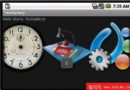 用 Gallery 控件打造遊戲選關界面
遊戲開發中幾乎都會有選關頁面。要實現得快,用 ListView 就夠了;想要效果更出彩,可以選擇 Gallery 控件——它支持手指拖動、點擊選中,天生適合做橫向的關卡列
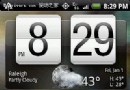 HTC Hero 玩家自製 ROM:把 Android 2.1 裝進 Hero
HTC Hero 是一款硬體配置相當堅實的智慧型手機,對不同版本的 Android 系統展現出不錯的相容性。先前就曾有用戶把 HTC 新機 Espresso 內建的 An
 Android 開發講義(二):DDMS 模擬簡訊、Layout 的服務觀與繼承/委託抉擇
八、如何從 DDMS 發送簡訊給應用程式 切換到 DDMS 路徑一:在 Eclipse 的 Android 程式編輯畫面,點擊右上角的 DDMS 按鈕,再從清單中選取即可
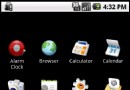 從原始碼編譯並運行 Launcher2
Launcher2 是 Android 開源專案中的桌面應用程式,也是 AOSP 預設的 Launcher 實作。想改桌面行為、加手勢或換版面,最直接的方式就是把原始碼拉