

編輯:初階開發
Android 把樣式抽成 XML 這件事做得很徹底,好處是視覺效果不必動到 Java 程式碼。以下三個技巧——狀態選擇器、漸層背景與自訂主題——幾乎每個專案都會用到。
同一顆按鈕,正常、按下、選中三種狀態各有不同外觀,這件事交給 selector 就好:
<selector xmlns:android="https://schemas.android.com/apk/res/android">
    <item android:state_pressed="true"  android:drawable="@drawable/arrow_pressed" />
    <item android:state_checked="true"  android:drawable="@drawable/arrow_pressed" />
    <item                                android:drawable="@drawable/arrow_normal" />
</selector>
寫法上有一個關鍵:把沒有任何條件的項目放在最後。selector 是由上往下比對、命中即停,預設項目若寫在前面,後面的狀態永遠輪不到。
不想準備圖片素材時,shape 可以直接畫出漸層方塊:
<shape xmlns:android="https://schemas.android.com/apk/res/android"
       android:shape="rectangle">
    <gradient
        android:startColor="#FF0000"   />  <!-- 起始色 -->
        android:endColor="#00FF00"     />  <!-- 結束色 -->
        android:angle="90"             />  <!-- 角度 -->
</shape>
引用方式和一般 drawable 相同:
android:background="@drawable/shape"
angle 只接受 45 的倍數,0 代表由左至右,90 則是由下往上,這點常被誤會成由上往下。
想一次調整整個 Activity 的外觀,就寫成 style 再掛成主題:
<?xml version="1.0" encoding="UTF-8"?>
<resources>
    <!-- 繼承 Android 內建的 Theme.Light -->
    <style name="Theme" parent="android:Theme.Light">
        <item name="android:windowFullscreen">true</item>
        <item name="android:windowTitleSize">60dip</item>
        <item name="android:windowTitleStyle">@style/WindowTitle</item>
    </style>

    <style name="WindowTitle" parent="android:WindowTitle">
        <item name="android:singleLine">true</item>
        <item name="android:shadowColor">#BB000000</item>
        <item name="android:shadowRadius">2.75</item>
    </style>
</resources>
要讓某個 Activity 套用這個主題,有兩條路:在 AndroidManifest.xml 的 activity 標籤上加 android:theme="@style/Theme",或是在程式碼裡於 setContentView 之前呼叫:
setTheme(R.style.Theme);
用程式碼設定的話務必注意時機——主題必須在 setContentView() 之前套用,否則視窗已經建立,設定就不會生效。
 Android 檔案讀寫:封裝一個可重複使用的 FileIOHelper 工具類
檔案讀寫是很日常的需求,與其每次重寫一遍,不如包成一個輔助類。以下這個 FileIOHelper 就是這樣誕生的,往後直接拿去用即可。 一、定義檔案與串流 publi
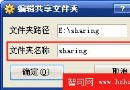 在 XP 主機的 VirtualBox Ubuntu 中成功掛載共享資料夾
原本打算在虛擬機的 Ubuntu 裡編譯 Android 原始碼,但直接從網路下載老是出問題。所幸 Windows 底下已經把 Android 原始碼抓好了,於是目標變成
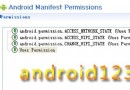 Android Permission 列表與 ADT 0.9.9 的權限顯示 Bug
升級到 Android 開發插件 ADT 0.9.9 後,會遇到一個小惱人的問題:無法自動列出系統的 permission 權限列表。往常我們在 androidmanif
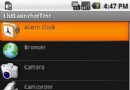 用 PackageManager 取得所有啟動器應用清單
要列出裝置上所有出現在桌面(Launcher)裡的應用,關鍵是 PackageManager 搭配一個特定的 Intent 組合。以下把實作拆成幾個步驟。 1. 定義一