

編輯:初階開發
日常開發中,有些功能幾乎每個專案都會用到。以下把常見的 Android 程式碼片段整理成一份速查表,需要的時候直接複製改一改就能用。
Uri uri = Uri.parse("https://www.example.com");
Intent it = new Intent(Intent.ACTION_VIEW, uri);
startActivity(it);
透過 BroadcastReceiver 攔截系統廣播,就能得知是否有 App 被安裝、刪除或更新。
public class getBroadcast extends BroadcastReceiver {
    @Override
    public void onReceive(Context context, Intent intent) {
        if (Intent.ACTION_PACKAGE_ADDED.equals(intent.getAction())) {
            Toast.makeText(context, "有應用被添加", Toast.LENGTH_LONG).show();
        } else if (Intent.ACTION_PACKAGE_REMOVED.equals(intent.getAction())) {
            Toast.makeText(context, "有應用被刪除", Toast.LENGTH_LONG).show();
        } else if (Intent.ACTION_PACKAGE_REPLACED.equals(intent.getAction())) {
            Toast.makeText(context, "有應用被替換", Toast.LENGTH_LONG).show();
        } else if (Intent.ACTION_CAMERA_BUTTON.equals(intent.getAction())) {
            Toast.makeText(context, "按鍵", Toast.LENGTH_LONG).show();
        }
    }
}
對應的 AndroidManifest.xml 需要在 receiver 中註冊 action,並加上 package scheme 的 data:
<receiver android:name="getBroadcast" android:enabled="true">
  <intent-filter>
    <action android:name="android.intent.action.PACKAGE_ADDED" />
    <action android:name="android.intent.action.PACKAGE_REMOVED" />
    <action android:name="android.intent.action.PACKAGE_REPLACED" />
    <action android:name="android.intent.action.CAMERA_BUTTON" />
    <data android:scheme="package" />
  </intent-filter>
</receiver>
public void DisplayToast(String str) {
    Toast.makeText(this, str, Toast.LENGTH_SHORT).show();
}
public void writefile(String str, String path) {
    File file;
    FileOutputStream out;
    try {
        file = new File(path);
        file.createNewFile();          // 建立檔案
        out = new FileOutputStream(file);
        out.write(str.getBytes());     // 轉為 byte 陣列後寫入
        out.close();
    } catch (IOException e) {
        DisplayToast(e.toString());
    }
}
public String getinfo(String path) {
    File file;
    String str = "";
    FileInputStream in;
    try {
        file = new File(path);
        in = new FileInputStream(file);
        int length = (int) file.length();
        byte[] temp = new byte[length];
        in.read(temp, 0, length);
        str = EncodingUtils.getString(temp, TEXT_ENCODING);
        in.close();
    } catch (IOException e) {
        DisplayToast(e.toString());
    }
    return str;
}
// 安裝
Intent intent = new Intent(Intent.ACTION_VIEW);
intent.setDataAndType(Uri.fromFile(new File("/sdcard/WorldCupTimer.apk")),
                      "application/vnd.android.package-archive");
startActivity(intent);

// 解除安裝
Uri packageURI = Uri.parse("package:zy.dnh");
Intent uninstallIntent = new Intent(Intent.ACTION_DELETE, packageURI);
startActivity(uninstallIntent);
activityManager.restartPackage(packageName);
public void setMyRingtone() {
    File k = new File("/sdcard/Shall We Talk.mp3");
    ContentValues values = new ContentValues();
    values.put(MediaStore.MediaColumns.DATA, k.getAbsolutePath());
    values.put(MediaStore.MediaColumns.TITLE, "Shall We Talk");
    values.put(MediaStore.MediaColumns.SIZE, 8474325);
    values.put(MediaStore.MediaColumns.MIME_TYPE, "audio/mp3");
    values.put(MediaStore.Audio.Media.ARTIST, "Madonna");
    values.put(MediaStore.Audio.Media.DURATION, 230);
    values.put(MediaStore.Audio.Media.IS_RINGTONE, true);
    values.put(MediaStore.Audio.Media.IS_NOTIFICATION, false);
    values.put(MediaStore.Audio.Media.IS_ALARM, false);
    values.put(MediaStore.Audio.Media.IS_MUSIC, false);

    Uri uri = MediaStore.Audio.Media.getContentUriForPath(k.getAbsolutePath());
    Uri newUri = this.getContentResolver().insert(uri, values);
    RingtoneManager.setActualDefaultRingtoneUri(this,
            RingtoneManager.TYPE_RINGTONE, newUri);
}
此功能需要以下權限:
<uses-permission android:name="android.permission.WRITE_SETTINGS" />
 Android 2.3.3 抵達 Nexus One:新增 WebM 影片支援
Google 已開始向兩款旗艦機 Nexus One 與 Nexus S 推送 Android 2.3.3。這是 Gingerbread 官方版發表近兩個月後,Nexus
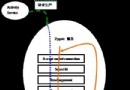 Android 核心分析:Zygote 與 Service
Zygote 的角色 Zygote 可視為 Android 中負責「孵化」應用程式行程的核心機制。它採用典型的客戶端與伺服器結構,其他行程會向 Zygote 提出請求,
 Android 採用 PULL 解析 XML 文件
為何選擇 PULL 在 Android 中解析 XML 時,PULL 是相當受歡迎的方案。與 SAX 相比,PULL 會回傳整數事件,讓開發者能依序掌握文件起點、標籤起訖
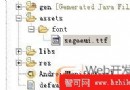 解決 Android TextView 無法顯示音標的字體難題
在開發一款小型字典應用的過程中,測試人員回報了一個看似不起眼卻相當惱人的問題:介面上的音標遲遲無法正常顯示,原本該出現的符號不是變成空白,就是顯示成一個個「豆腐字」。 排