

編輯:初階開發
Intent 是 Android 的通用語言。以下把實務上最常翻閱的幾組寫法整理成清單,需要的時候直接查。
// 開啟瀏覽器
Uri uri = Uri.parse("https://google.com");
startActivity(new Intent(Intent.ACTION_VIEW, uri));
// 顯示地圖座標
Uri uri = Uri.parse("geo:38.899533,-77.036476");
startActivity(new Intent(Intent.ACTION_VIEW, uri));

// 其他 geo URI 形式:
// geo:latitude,longitude
// geo:latitude,longitude?z=zoom
// geo:0,0?q=my+street+address
// geo:0,0?q=business+near+city
// google.streetview:cbll=lat,lng&cbp=1,yaw,,pitch,zoom&mz=mapZoom
// 路徑規劃
Uri uri = Uri.parse("https://maps.google.com/maps?f=d"
    + "&saddr=startLat%20startLng"
    + "&daddr=endLat%20endLng"
    + "&hl=en");
startActivity(new Intent(Intent.ACTION_VIEW, uri));
// 座標需帶 6 位小數,例如 50.123456
// 叫出撥號程式(不立即撥出)
Uri uri = Uri.parse("tel:0800000123");
startActivity(new Intent(Intent.ACTION_DIAL, uri));

// 直接撥出
Uri uri2 = Uri.parse("tel:0800000123");
Intent it = new Intent(Intent.ACTION_CALL, uri2);
startActivity(it);
// 需先在 Manifest 加上:
// <uses-permission android:name="android.permission.CALL_PHONE" />
ACTION_DIAL 只會把號碼填進撥號介面,由使用者決定要不要按下撥號;ACTION_CALL 則是直接撥出,屬於危險權限,需要執行期授權。除非有明確需求,否則優先用前者。
// 叫出行訊應用並帶入內容
Intent it = new Intent(Intent.ACTION_VIEW);
it.putExtra("sms_body", "The SMS text");
it.setType("vnd.android-dir/mms-sms");
startActivity(it);

// 指定收件者
Uri uri = Uri.parse("smsto://0800000123");
Intent it2 = new Intent(Intent.ACTION_SENDTO, uri);
it2.putExtra("sms_body", "The SMS text");
startActivity(it2);

// 傳送 MMS(夾帶圖片)
Uri uri3 = Uri.parse("content://media/external/images/media/23");
Intent it3 = new Intent(Intent.ACTION_SEND);
it3.putExtra("sms_body", "some text");
it3.putExtra(Intent.EXTRA_STREAM, uri3);
it3.setType("image/png");
startActivity(it3);
// 最簡單:指定收件者
Uri uri = Uri.parse("mailto:xxx@abc.com");
startActivity(new Intent(Intent.ACTION_SENDTO, uri));
// 帶主旨與內文,並讓使用者挑用戶端
Intent it = new Intent(Intent.ACTION_SEND);
it.putExtra(Intent.EXTRA_EMAIL, "me@abc.com");
it.putExtra(Intent.EXTRA_TEXT, "The email body text");
it.setType("text/plain");
startActivity(Intent.createChooser(it, "Choose Email Client"));
// 多收件者與副本
Intent it2 = new Intent(Intent.ACTION_SEND);
String[] tos = {"me@abc.com"};
String[] ccs = {"you@abc.com"};
it2.putExtra(Intent.EXTRA_EMAIL, tos);
it2.putExtra(Intent.EXTRA_CC, ccs);
it2.putExtra(Intent.EXTRA_TEXT, "The email body text");
it2.putExtra(Intent.EXTRA_SUBJECT, "The email subject text");
it2.setType("message/rfc822");
startActivity(Intent.createChooser(it2, "Choose Email Client"));
// 夾帶附件
Intent it3 = new Intent(Intent.ACTION_SEND);
it3.putExtra(Intent.EXTRA_SUBJECT, "The email subject text");
it3.putExtra(Intent.EXTRA_STREAM, Uri.parse("file:///sdcard/mysong.mp3"));
it3.setType("audio/mp3");
startActivity(Intent.createChooser(it3, "Choose Email Client"));
// 播放記憶卡上的 mp3
Uri uri = Uri.parse("file:///sdcard/song.mp3");
Intent it = new Intent(Intent.ACTION_VIEW, uri);
it.setType("audio/mp3");
startActivity(it);

// 播放媒體庫中的特定項目
Uri uri2 = Uri.withAppendedPath(MediaStore.Audio.Media.INTERNAL_CONTENT_URI, "1");
startActivity(new Intent(Intent.ACTION_VIEW, uri2));
// 搜尋某個應用
Uri uri = Uri.parse("market://search?q=pname:pkg_name");
startActivity(new Intent(Intent.ACTION_VIEW, uri));

// 顯示某應用的詳細資訊(app_id 可在市集網頁版網址列找到)
Uri uri2 = Uri.parse("market://details?id=app_id");
startActivity(new Intent(Intent.ACTION_VIEW, uri2));
Uri uri = Uri.fromParts("package", strPackageName, null);
startActivity(new Intent(Intent.ACTION_DELETE, uri));
小心 ActivityNotFoundException。上述意圖都依賴裝置上有對應的程式。平板、電視盒或精簡 ROM 常常沒有撥號、簡訊、市集應用,直接 startActivity 就會崩潰。正式環境請一律包 try-catch,或用 resolveActivity() 先確認有沒有人接。
file:// URI 的限制。從 Android 7.0 起,對外分享檔案必須改用 FileProvider 產生 content:// URI 並以 FLAG_GRANT_READ_URI_PERMISSION 授權,直接傳 file:// 會被系統攔下。
setType 不能省。ACTION_SEND 系列若沒有指定 MIME 型別,很多收件程式會直接把自己從候選清單中排除,看起來就像「功能不見了」。
 與 Nexus One 重逢:Android 2.2 的第一手體驗
Nexus One 對我來說算是頗有緣分的一支手機。還記得 1 月 12 日晚上寫下它的評測,因為對這支機器實在關注,後來在轉換工作環境的過渡期裡,也正好是它一路陪著我。
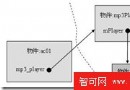 Android 開發講義(四):純委託寫法與 UID 權限機制
範例三:採單純委託 撰寫步驟 Step-1:建立 Android 專案 Px03。 Step-2:ac01 直接持有 mp3Player 物件,UI 結構與前兩版一致:
 加大 Android 模擬器的記憶體
以 Windows 平台的 SDK 為例,模擬器的設定檔放在使用者的 .android\avd 目錄下。假設我的模擬器名稱是 2.3.3,那麼它的設定檔就是 C:\Use
 關於 Android 中 sdcard 讀寫的常見錯誤與排查
剛接觸 Android 開發時,往 sdcard 推送文件經常會失敗。本文整理幾種典型的錯誤訊息與對應的解法。 典型錯誤訊息 [2011-05-04 08:45:33]