

編輯:初階開發
先看建立一個通知的基本寫法:
Notification n = new Notification(R.drawable.face_1, "Service啟動", System.currentTimeMillis());
PendingIntent contentIntent = PendingIntent.getActivity(this, 0,
        new Intent(this, TServiceHolder.class), 0);
n.setLatestEventInfo(this, "任務標題", "任務內容", contentIntent);
nManager.notify(NOTIFICATION_ID, n);   // 在狀態列啟動通知
關鍵差異在於:通知被點擊時,需要交出一個「可以延後執行」的 Intent,而 PendingIntent 正是這樣一個包裝。
PendingIntent 是一個 Intent 的描述。我們把這個描述交給別的程式,對方就能在之後的某個時間點,依描述執行你安排好的操作。用官方文件說得更清楚:把 PendingIntent 交給另一個應用程式,等於授予它權限,讓它能以你的身分執行你指定的操作。
換句話說,PendingIntent 就代表了那個 Intent,只是執行的時間與執行者都不是你。
String msg = "你好,美女";
String number = "135****6784";
SmsManager sms = SmsManager.getDefault();
PendingIntent pi = PendingIntent.getBroadcast(SmsActivity.this, 0, new Intent(...), 0);
sms.sendTextMessage(number, null, msg, pi, null);
Toast.makeText(SmsActivity.this, "發送成功", Toast.LENGTH_LONG).show();
在這個例子中,「別的程式」就是系統的簡訊傳送服務。簡訊送出後,它會依 PendingIntent 的描述把 Intent 廣播出來,讓你的程式得以掌握結果。
SmsManager.sendTextMessage(String destinationAddress, String scAddress,
        String text, PendingIntent sentIntent, PendingIntent deliveryIntent)
android.app.PendingIntent.OnFinished 回呼。這個參數最好不要留空,否則存在資源浪費的潛在問題。查閱 PendingIntent 類別可以發現許多 send 系列方法,分別對應 getActivity、getBroadcast、getService 等差異——差別只在於被賦予的操作對象是 Activity、廣播還是 Service。理解這一點,通知、簡訊、鬧鐘、App Widget 等場景的用法就都能串起來了。
 關於 Android 中 sdcard 讀寫的常見錯誤與排查
剛接觸 Android 開發時,往 sdcard 推送文件經常會失敗。本文整理幾種典型的錯誤訊息與對應的解法。 典型錯誤訊息 [2011-05-04 08:45:33]
 Android 特色開發:帳戶管理(AccountManager)實作解析
本文節選自機械工業出版社《Android 應用開發揭秘》,作者楊豐盛。該書涵蓋 Android 框架、組件、使用者介面、遊戲開發、資料儲存、多媒體與網路開發等基礎,並深入
 Android 介面載入完成後自動彈出軟鍵盤
在 Android 開發中,若希望在畫面載入完成後自動彈出軟鍵盤,直接在 onCreate 中呼叫相關方法往往不會成功。原因在於,介面配置與渲染通常需要一點時間,視圖尚未
 Android 核心分析:Zygote 與 Service
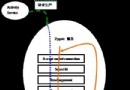
Zygote 的角色 Zygote 可視為 Android 中負責「孵化」應用程式行程的核心機制。它採用典型的客戶端與伺服器結構,其他行程會向 Zygote 提出請求,