

編輯:進階開發
幾乎每一台 Android 手機都具備撥號能力,但使用者仍常需要一個「一鍵撥打」的入口——例如客服專線、訂房電話。本章示範如何建立這樣的應用,做法是透過 Intent 呼叫系統內建的電話功能。
使用 ACTION_CALL 可直接觸發裝置的撥號功能:
Intent phoneIntent = new Intent(Intent.ACTION_CALL);
若改用 ACTION_DIAL,系統只會把號碼帶入撥號介面,實際按下撥號鍵仍由使用者決定。這個差異在實務上很重要:直接撥號需要具備 CALL_PHONE 這類敏感權限,而 ACTION_DIAL 不需要任何權限,也因此在政策審核上安全得多。
以 setData() 指定 tel: 開頭的 URI 即可,例如撥打 13800138000:
phoneIntent.setData(Uri.parse("tel:13800138000"));
撥號這個動作不需要額外指定資料類型,也不必附加任何 extra 欄位。
以下範例示範以 Android Intent 撥打指定的手機號碼。請使用搭載最新 Android 系統的真機測試,模擬器無法完成實際通話。
| 步驟 | 說明 |
|---|---|
| 1 | 用 Android Studio 建立專案並命名為 PhoneCallDemo,Target SDK 對到最新版本或較高 API Level。 |
| 2 | 修改 src/MainActivity.java,加入撥號程式碼。 |
| 3 | 修改 res/layout/activity_main.xml,加入一個用來撥打 13800138000 的按鈕。 |
| 4 | 修改 res/values/strings.xml,定義字串常數。 |
| 5 | 修改 AndroidManifest.xml。 |
| 6 | 執行應用,在模擬器或真機上驗證結果。 |
主活動檔案 src/com.yiibai.phonecalldemo/MainActivity.java:
package com.yiibai.phonecalldemo;

import android.net.Uri;
import android.os.Bundle;
import android.app.Activity;
import android.content.Intent;
import android.util.Log;
import android.view.Menu;
import android.view.View;
import android.widget.Button;
import android.widget.Toast;

public class MainActivity extends Activity {

    @Override
    protected void onCreate(Bundle savedInstanceState) {
        super.onCreate(savedInstanceState);
        setContentView(R.layout.activity_main);

        Button startBtn = (Button) findViewById(R.id.makeCall);
        startBtn.setOnClickListener(new View.OnClickListener() {
            public void onClick(View view) {
                makeCall();
            }
        });
    }

    protected void makeCall() {
        Log.i("Make call", "");

        Intent phoneIntent = new Intent(Intent.ACTION_CALL);
        phoneIntent.setData(Uri.parse("tel:91-800-001-0101"));

        try {
            startActivity(phoneIntent);
            finish();
            Log.i("Finished making a call...", "");
        } catch (android.content.ActivityNotFoundException ex) {
            Toast.makeText(MainActivity.this,
                    "Call faild, please try again later.", Toast.LENGTH_SHORT).show();
        }
    }

    @Override
    public boolean onCreateOptionsMenu(Menu menu) {
        getMenuInflater().inflate(R.menu.main, menu);
        return true;
    }
}
版面配置 res/layout/activity_main.xml:
<LinearLayout xmlns:android="https://schemas.android.com/apk/res/android"
    android:layout_width="fill_parent"
    android:layout_height="fill_parent"
    android:orientation="vertical" >

    <Button
        android:id="@+id/makeCall"
        android:layout_width="fill_parent"
        android:layout_height="wrap_content"
        android:text="@string/make_call"/>

</LinearLayout>
字串資源 res/values/strings.xml:
<?xml version="1.0" encoding="utf-8"?>
<resources>
    <string name="app_name">PhoneCallDemo</string>
    <string name="hello_world">Hello world!</string>
    <string name="action_settings">Settings</string>
    <string name="make_call">Call 91-800-001-0101</string>
</resources>
清單檔 AndroidManifest.xml:
<?xml version="1.0" encoding="utf-8"?>
<manifest xmlns:android="https://schemas.android.com/apk/res/android"
    package="com.yiibai.phonecalldemo"
    android:versionCode="1"
    android:versionName="1.0" >

    <uses-sdk
        android:minSdkVersion="8"
        android:targetSdkVersion="17" />

    <uses-permission android:name="android.permission.CALL_PHONE" />
    <uses-permission android:name="android.permission.READ_PHONE_STATE" />

    <application
        android:allowBackup="true"
        android:icon="@drawable/ic_launcher"
        android:label="@string/app_name"
        android:theme="@style/AppTheme" >
        <activity
            android:name="com.yiibai.phonecalldemo.MainActivity"
            android:label="@string/app_name" >
            <intent-filter>
                <action android:name="android.intent.action.MAIN" />
                <category android:name="android.intent.category.LAUNCHER" />
            </intent-filter>
        </activity>
    </application>

</manifest>
執行 PhoneCallDemo,若設定與程式都沒有問題,會看到類似的模擬器畫面:
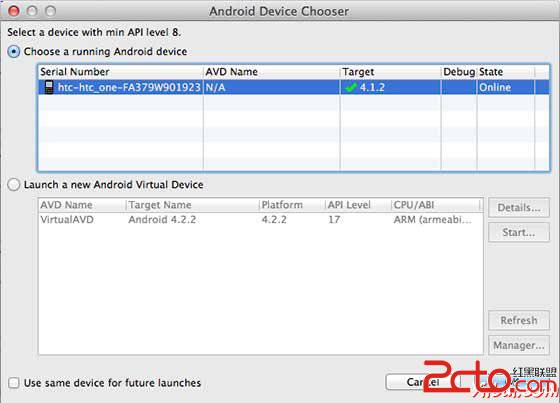
選擇以行動裝置執行:
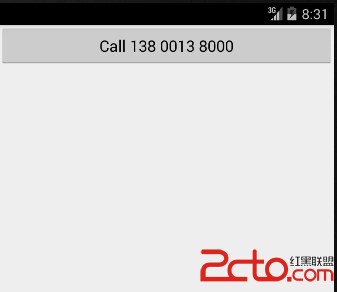
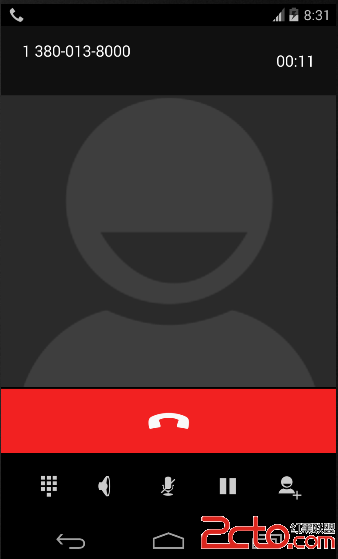
按下按鈕,即會撥向 13800138000:
新版 Android 對 CALL_PHONE 屬於執行期危險權限,除了要在清單檔宣告,還必須在執行時向使用者動態請求授權,否則會直接收到 SecurityException。如果你只是想把號碼「帶到」撥號畫面,請優先採用 ACTION_DIAL:不必宣告權限、不必跑授權流程,使用者體驗也更符合平台規範。
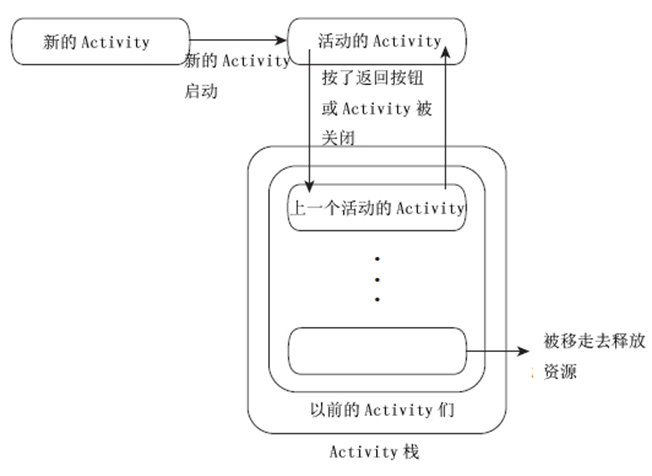 Activity 的四種啟動模式(3):Activity 堆疊與四種狀態
Activity 堆疊 既然開發者無法直接控制 Activity 的狀態,那它是依據什麼邏輯運作的?答案就是 Activity 堆疊。 每個 Activity 的狀態,由
 不是蜂巢!Google 公布 Android 3.0 官方標識是一隻蜜蜂
Android 3.0 Honeycomb(蜂巢)已在 2011 年 CES 上亮相,最終預覽版 SDK 也釋出,稍後的 Google I/O 大會還會重點講解。不過在此
 手機只是起點:Android 設計初衷與它的跨界野心
行動上網用戶與流量持續攀升,Android 手機的普及是重要推手之一。數據可以說明這種位移:iPhone 拿走全球行動網路流量約 33%、美國市場的 50%,而 Andr
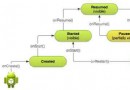 Android Activity 生命週期完全解析
Activity 代表畫面上的一整個使用者介面單元。以郵件 App 為例,「收件匣列表」是一個 Activity,「撰寫新郵件」是另一個,「閱讀郵件內容」又是另一個。當應