

編輯:關於 Android 程式設計
本文說明如何在 Android 中替 WebView 加上一條載入進度條,包含自訂樣式的做法,供需要的朋友參考。
一、版面配置
<?xml version="1.0" encoding="utf-8"?>
<LinearLayout xmlns:android="https://schemas.android.com/apk/res/android"
    android:layout_width="match_parent"
    android:layout_height="match_parent"
    android:orientation="vertical" >

    <ProgressBar
        android:id="@+id/pb"
        android:layout_width="fill_parent"
        android:layout_height="8dip"
        android:indeterminateOnly="false"
        android:max="100"
        android:progressDrawable="@drawable/progress_bar_states" >
    </ProgressBar>

    <WebView
        android:id="@+id/webview"
        android:layout_width="match_parent"
        android:layout_height="match_parent" />
</LinearLayout>
這裡放了兩個控制項:ProgressBar 負責呈現 WebView 的載入百分比,WebView 則是網頁內容的容器。
二、美化進度條
系統預設的進度條外觀比較樸素,我們可以透過 progressDrawable 這個屬性換上自訂的圖層清單,讓它看起來更精緻一些:
<layer-list xmlns:android="https://schemas.android.com/apk/res/android">
    <item android:id="@android:id/background">
        <shape>
            <gradient
                android:startColor="#ff0000"
                android:centerColor="#ffa600"
                android:endColor="#ff5500" />
        </shape>
    </item>
    <item android:id="@android:id/secondaryProgress">
        <clip>
            <shape>
                <gradient
                    android:startColor="#234"
                    android:centerColor="#234"
                    android:endColor="#a24" />
            </shape>
        </clip>
    </item>
    <item android:id="@android:id/progress">
        <clip>
            <shape>
                <gradient
                    android:startColor="#33000001"
                    android:centerColor="#40000000"
                    android:endColor="#44000000" />
            </shape>
        </clip>
    </item>
</layer-list>
三、Activity 程式碼
ProgressBar pb;

@Override
protected void onCreate(Bundle savedInstanceState) {
    super.onCreate(savedInstanceState);
    setContentView(R.layout.xxx);

    pb = (ProgressBar) findViewById(R.id.pb);
    pb.setMax(100);

    WebView webView = (WebView) findViewById(R.id.webview);
    webView.getSettings().setJavaScriptEnabled(true);
    webView.getSettings().setSupportZoom(true);
    webView.getSettings().setBuiltInZoomControls(true);
    webView.setWebChromeClient(new WebViewClient());
    webView.loadUrl("https://www.x.com");
}

private class WebViewClient extends WebChromeClient {
    @Override
    public void onProgressChanged(WebView view, int newProgress) {
        pb.setProgress(newProgress);
        if (newProgress == 100) {
            // 載入完成後把進度條收起來
            pb.setVisibility(View.GONE);
        }
        super.onProgressChanged(view, newProgress);
    }
}
整個效果的關鍵,是覆寫 WebChromeClient 的 onProgressChanged 回呼。這個方法會持續回報目前的載入百分比,我們只要把它同步給 ProgressBar,並在到達 100 時隱藏進度條,就能得到一個乾淨又直覺的載入提示。
更多 Android 開發技巧,可參考本站相關專題整理,例如 View 使用技巧、動畫實作、Activity 操作、版面配置與常用控制項用法等主題。
 Android 圖片選取實戰:調起系統相冊並取得合適尺寸的 Bitmap
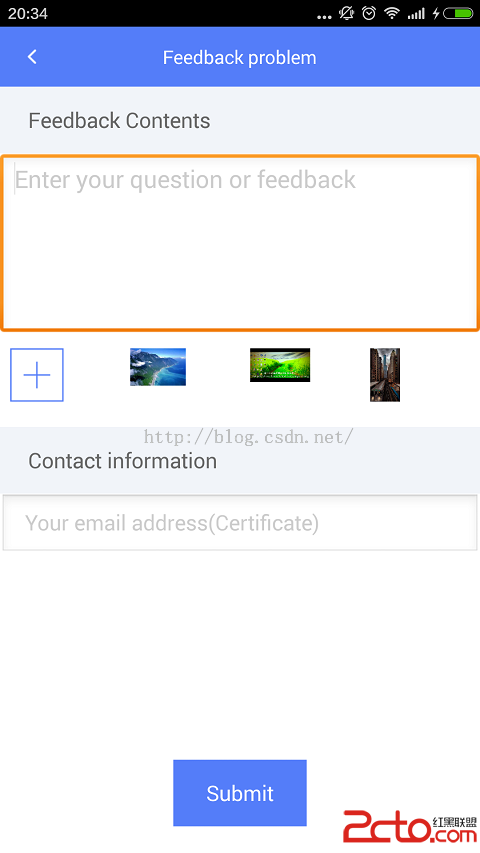
做問題反饋頁面時,需要讓用戶上傳截圖。最初的念頭是把設備裡所有圖片都掃描出來自己列清單,寫到一半才反應過來——系統相冊本來就有現成的 API 可以調起,何必自己造輪子。
 Android 開發問題匯總:環境、Gradle、UI 與打包實務
Android Studio 與 Gradle常見問題包括 Subversion 外掛消失、dexDebug 失敗、Gradle 版本與 plugin 不相容、65K 方
 Android 用 ListView 實作自適應表格
先前介紹過用 GridView 做表格,這次改用 ListView。GridView 更容易做出自適應表格,但每個格子的尺寸固定;ListView 的做法可以讓每一格大小
 Android OpenGL ES 紋理定距離拖動(到邊自動停止)
這次要實現的效果是:右側的文字欄可以上下拖動,拖到頂或拖到底就自動停住,而不像之前那版循環滾動。也就是說,從「無限循環」變成了「限定範圍內的定位移動」。 一、著色器 思