

編輯:關於 Android 程式設計
當 ScrollView 裡放了 ListView 或 GridView,只顯示一項就不再往下撐開,這個問題網上解法不少,實際能不能用卻很看情況。以下把三條路走一遍,順便說明為什麼。
方案一:程式動態指定 ListView 高度
做法是把 adapter 的每一項都取出來 measure 一次,把高度加總後塞回 layoutParams。聽起來合理,但它有一個幾乎沒人提的前提:清單項目的根節點必須是 LinearLayout。若換成 RelativeLayout 或其他 Layout,因為它們沒有重寫 onMeasure(),程式会在量測時直接丟出例外。
public class Utility { public static void setListViewHeightBasedOnChildren(ListView listView) { //獲取ListView對應的Adapter ListAdapter listAdapter = listView.getAdapter(); if (listAdapter == null) { // pre-condition return; } int totalHeight = 0; for (int i = 0, len = listAdapter.getCount(); i < len; i++) { //listAdapter.getCount()返回數據項的數目 View listItem = listAdapter.getView(i, null, listView); listItem.measure(0, 0); //計算子項View 的寬高 totalHeight += listItem.getMeasuredHeight(); //統計所有子項的總高度 } ViewGroup.LayoutParams params = listView.getLayoutParams(); params.height = totalHeight + (listView.getDividerHeight() * (listAdapter.getCount() - 1)); //listView.getDividerHeight()獲取子項間分隔符占用的高度 //params.height最後得到整個ListView完整顯示需要的高度 listView.setLayoutParams(params); } }
方案二:ScrollView 加上 fillViewport
android:fillViewport="true" 這個屬性在文件裡的用途是「讓子 View 至少填滿 ScrollView 一個畫面高」,但對於「把 ListView 完整撐開」這個需求並沒有作用。實測也確實無效。
方案三:覆寫 onMeasure(比較可行)
與其從外部算高度,不如直接改寫 ListView 自己的量測邏輯:把高度規格換成一個極大的 AT_MOST 值,它就會老實量出全部內容的高度。
public class MyListView extends ListView { public MyListView(Context context) { // TODO Auto-generated method stub super(context); } public MyListView(Context context, AttributeSet attrs) { // TODO Auto-generated method stub super(context, attrs); } public MyListView(Context context, AttributeSet attrs, int defStyle) { // TODO Auto-generated method stub super(context, attrs, defStyle); } @Override protected void onMeasure(int widthMeasureSpec, int heightMeasureSpec) { // TODO Auto-generated method stub int expandSpec = MeasureSpec.makeMeasureSpec(Integer.MAX_VALUE >> 2, MeasureSpec.AT_MOST); super.onMeasure(widthMeasureSpec, expandSpec); } }
GridView 的處理完全相同:
/** *自定義gridview,解決ScrollView中嵌套gridview顯示不正常的問題(1行) */ public class MyGridView extends GridView{ public MyGridView(Context context, AttributeSet attrs) { super(context, attrs); } public MyGridView(Context context) { super(context); } public MyGridView(Context context, AttributeSet attrs, int defStyle) { super(context, attrs, defStyle); } @Override public void onMeasure(int widthMeasureSpec, int heightMeasureSpec) { int expandSpec = MeasureSpec.makeMeasureSpec(Integer.MAX_VALUE >> 2, MeasureSpec.AT_MOST); super.onMeasure(widthMeasureSpec, expandSpec); } }
最後還是要提醒代價:不論方案一還是三,本質上都是讓 ListView 一次配置所有項目,view 回收機制形同作廢。項目少沒差,量一大就是畫面卡頓加記憶體吃緊。若資料本來就長,正確做法是把設計改成單一 RecyclerView 用多種 ItemViewType 呈現,或改用 NestedScrollView 並讓列表自己參與嵌套滾動。
 Android 多種樣式的進度條實現大全
The mark of the immature man is that he wants to die nobly for a cause, while the mar
 仿優酷旋轉菜單:Android 多層菜單動畫實現詳解
優酷客戶端那種扇形展開的旋轉菜單很有辨識度。它的實現並不神秘——本質上是分層布局加上旋轉動畫的組合。本文完整拆解整個過程。 效果預覽 一、布局:三層 Rela
 Android 表格版面 TableLayout 範例詳解
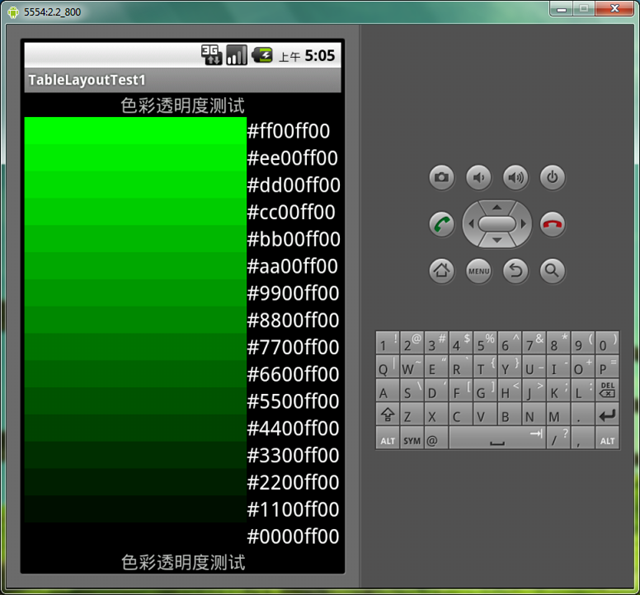
一、表格版面 TableLayout TableLayout 以列與行的形式管理子元素,每一行通常是一個 TableRow 物件,也可以是普通的 View;TableRo
 Android 自定義 View 學習(5):手刻指針式進度條與圓環進度條
自定義 View 系列走到最後一期,先來看成品。 相信讀到這裡,各位心中多少都已經有了自己的實作思路。以下把我的做法貼出來供參考。 第一個:指針刻度式進度條 先準備兩