

編輯:關於 Android 程式設計
App 提示版本更新時,按下確認之後,通知欄通常會即時顯示下載進度,下載完再切成安裝狀態。這兩種狀態對應的是兩種不同的進度條型態,也是本文要實作的內容。
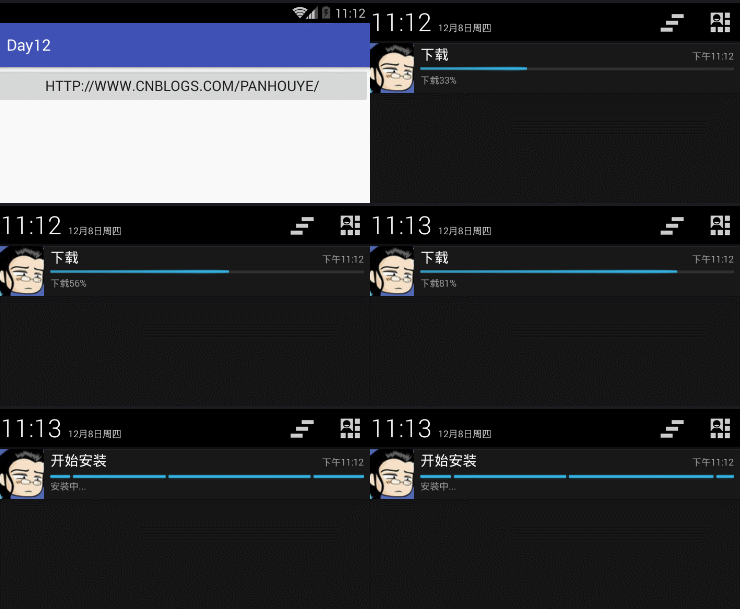
(1)已知長度的確定性進度條
呼叫 setProgress(max, progress, false) 即可為通知加上確定性進度條,然後發布通知。隨著操作推進,逐步增加 progress 並更新通知;操作結束時 progress 應等於 max。慣例是把 max 設為 100,然後往上加完成百分比。
操作完成後你有兩種選擇:保留 100% 的進度條,或把它移除。若要移除,呼叫 setProgress(0, 0, false)。無論哪一種,都記得更新通知文字,告知使用者已完成。
public Builder setProgress(int max, int progress, boolean indeterminate)
三個參數分別是最大值、目前進度,以及是否為不確定的。
(2)持續性的活動指示器
若要顯示不確定的活動指示器,使用 setProgress(0, 0, true)(前兩個參數會被忽略)後發布通知。這個指示器的樣式是固定的,動畫會一直持續,直到你再次更新通知。操作完成時,呼叫 setProgress(0, 0, false) 把指示器移除,同時別忘了更新通知中的文字。
<?xml version="1.0" encoding="utf-8"?> <LinearLayout xmlns:android="https://schemas.android.com/apk/res/android" xmlns:tools="https://schemas.android.com/tools" android:id="@+id/activity_content" android:layout_width="match_parent" android:layout_height="match_parent" tools:context="com.example.administrator.day12.ContentActivity"> <TextView android:layout_width="match_parent" android:layout_height="match_parent" android:gravity="center" android:textSize="30sp" android:text="顯示進度實圖" /> </LinearLayout>
import android.app.Notification; import android.app.NotificationManager; import android.app.PendingIntent; import android.content.Context; import android.content.Intent; import android.graphics.BitmapFactory; import android.support.v7.app.AppCompatActivity; import android.os.Bundle; import android.support.v7.app.NotificationCompat; import android.view.View; import android.widget.RemoteViews; public class MainActivity extends AppCompatActivity { //定義notification實用的ID private static final int NO_3 =0x3; @Override protected void onCreate(Bundle savedInstanceState) { super.onCreate(savedInstanceState); setContentView(R.layout.activity_main); } public void show3(View v){ final NotificationCompat.Builder builder = new NotificationCompat.Builder(this); builder.setSmallIcon(R.mipmap.huangyueying); builder.setContentTitle("下載"); builder.setContentText("正在下載"); final NotificationManager manager = (NotificationManager) getSystemService(Context.NOTIFICATION_SERVICE); manager.notify(NO_3, builder.build()); builder.setProgress(100,0,false); //下載以及安裝線程模擬 new Thread(new Runnable() { @Override public void run() { for(int i=0;i<100;i++){ builder.setProgress(100,i,false); manager.notify(NO_3,builder.build()); //下載進度提示 builder.setContentText("下載"+i+"%"); try { Thread.sleep(50);//演示休眠50毫秒 } catch (InterruptedException e) { e.printStackTrace(); } } //下載完成後更改標題以及提示信息 builder.setContentTitle("開始安裝"); builder.setContentText("安裝中..."); //設置進度為不確定,用於模擬安裝 builder.setProgress(0,0,true); manager.notify(NO_3,builder.build()); // manager.cancel(NO_3);//設置關閉通知欄 } }).start(); } }
這裡的重點在於兩個銜接:下載階段用確定性進度條(100 為最大值、逐次遞增),下載完成後切換成不確定性指示器來表示安裝中。整個流程都用同一個 NO_3 ID 更新,所以通知欄裡永遠只有一條通知,不會洗版。
這只是效果的模擬,目的是把屬性用法熟悉起來,作為後續實際專案的技術儲備。真實場景中,下載進度應該來自真正的非同步任務回呼,而不是 Thread.sleep()。
 自訂控制項實作:仿卡片堆疊點擊置頂的滑動效果
先看看要模仿的對象是什麼樣子: 行為規則其實只有一條:只有最頂端那張卡片會響應點擊事件。若點到的不是最頂端,就先把被點的卡片移到最前面,再播放移動動畫。技術難點在於子
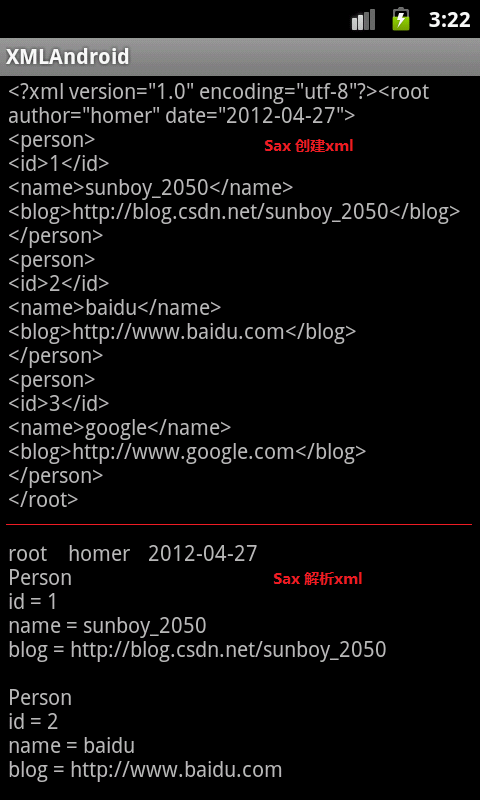 Android 建立與解析 XML(三)——Sax 方式詳解
1. Sax 概述SAX 是一種占用記憶體少、解析速度快的解析器。它採用「事件啟動」的機制,不需要一次解析整個文件,而是依內容順序逐段檢視是否符合 xml 語法,若符合就
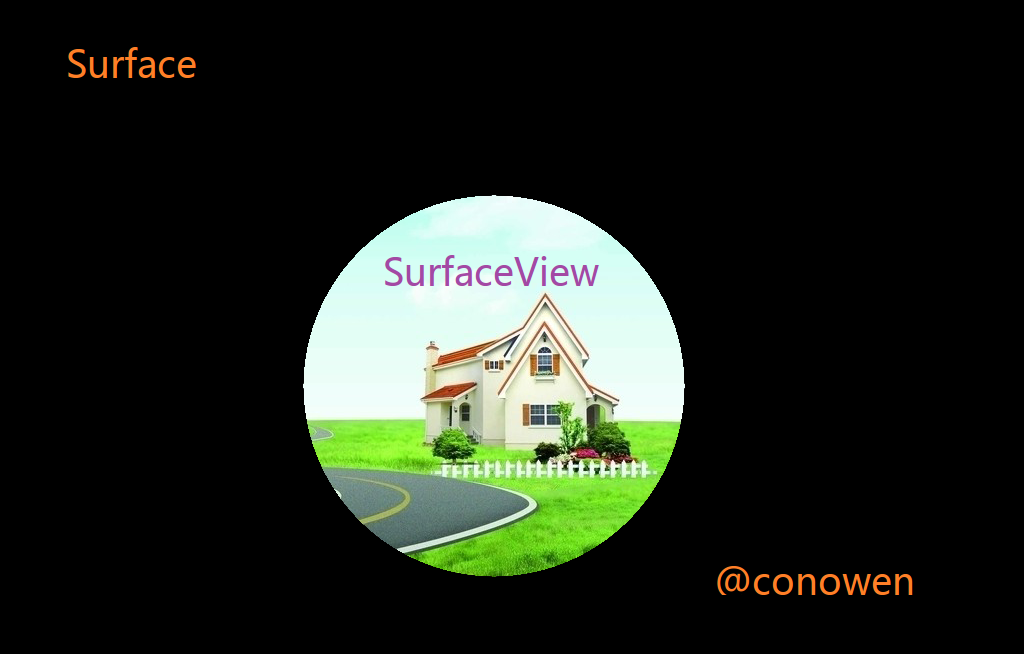 深入解析 Android Surface 與 SurfaceView:動手打造自訂播放器介面
一、Surface 到底是什麼 1. 寫 C 語言時,我們習慣先取得檔案的 handle,再透過它讀寫內容。Surface 扮演的角色與此類似:它是通往底層原生緩衝區(r
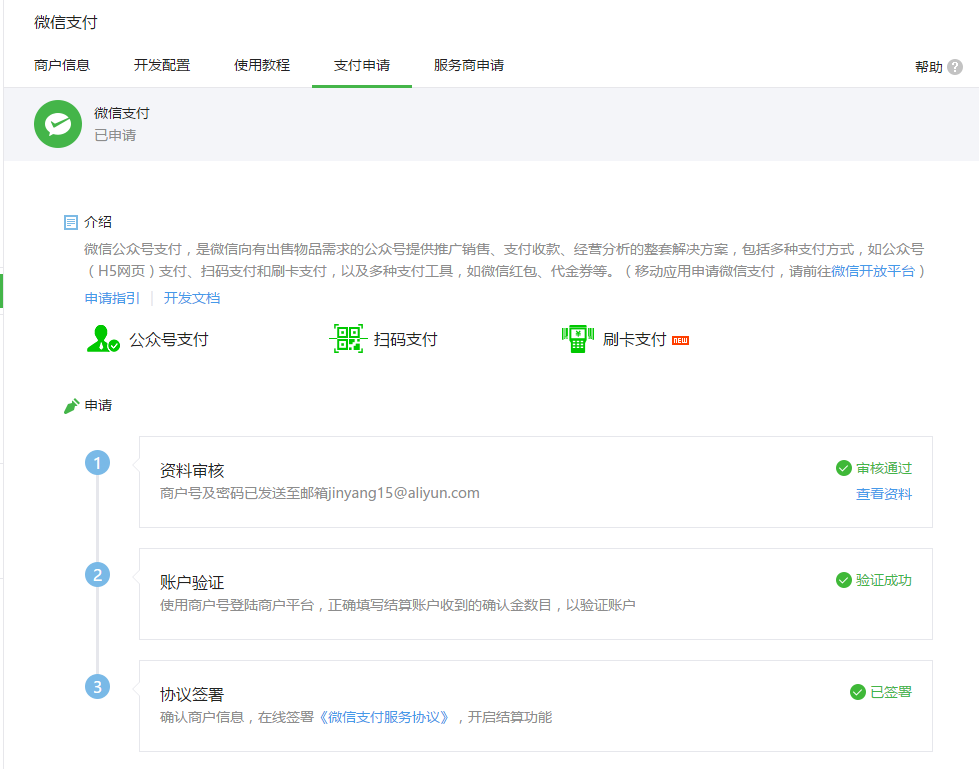 微信支付 JSAPI 公眾號支付完整接入實戰教程
開始之前:你需要準備些什麼 這份教程面向已經具備一定基礎的開發者。在動手之前,請確認你已經滿足以下幾個前提條件:拥有一個通過微信認證的服務號,並且該服務號已成功開通微信支