

編輯:關於 Android 程式設計
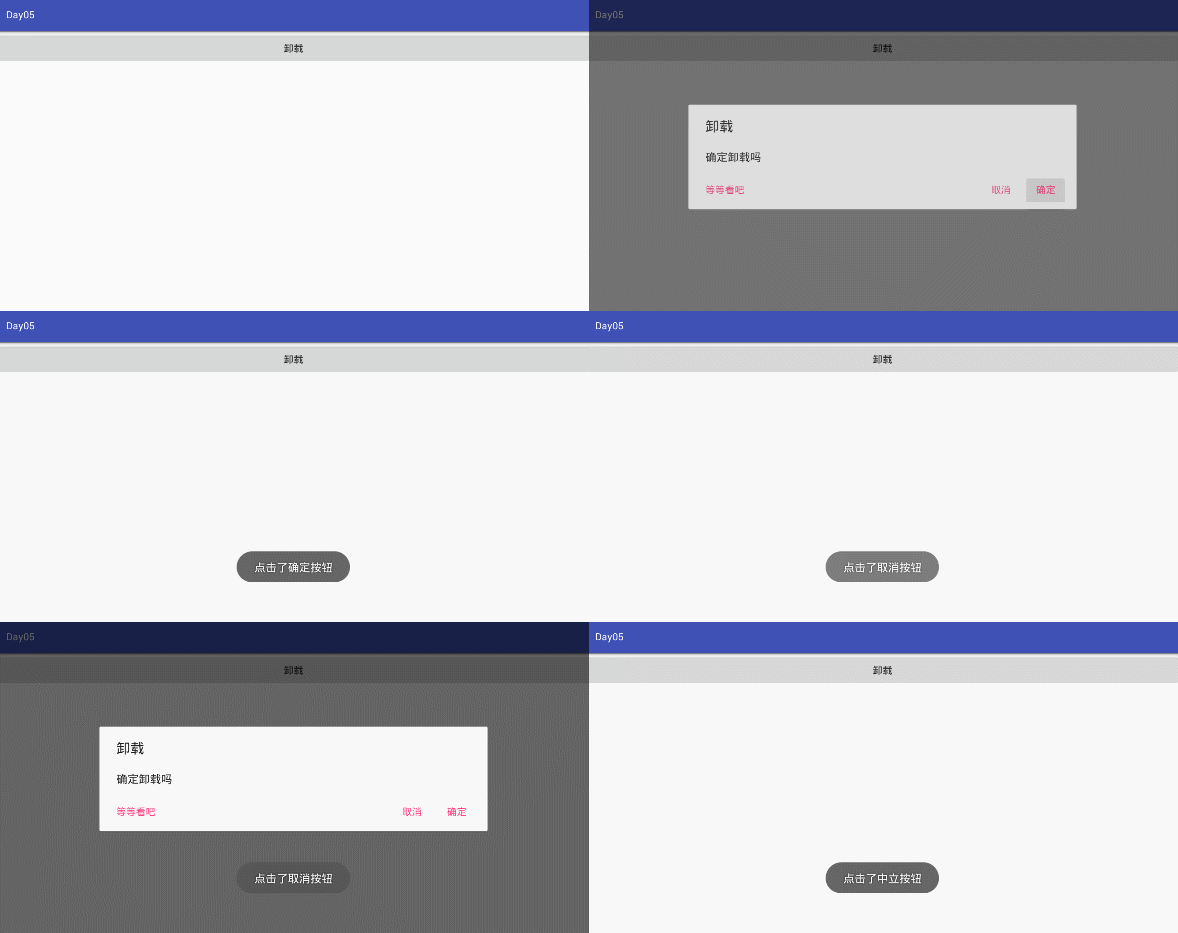
在 Android 開發中,我們經常需要在介面上彈出對話框,用以詢問或讓使用者做選擇,這類功能統稱為 Dialog。AlertDialog 採用建造者(Builder)模式實現。下面以卸載應用時最常見的警告對話框為例,如下圖:
layout 布局碼:
<?xml version="1.0" encoding="utf-8"?> <LinearLayout xmlns:android="https://schemas.android.com/apk/res/android" android:orientation="vertical" android:layout_width="match_parent" android:layout_height="match_parent"> <Button android:text="卸載" android:layout_width="match_parent" android:layout_height="wrap_content" android:onClick="show" android:id="@+id/button" /> </LinearLayout>
Java 實現:
import android.content.DialogInterface; import android.os.Bundle; import android.support.annotation.Nullable; import android.support.v7.app.AlertDialog; import android.support.v7.app.AppCompatActivity; import android.view.View; import android.widget.Toast; /** * Created by panchengjia on 2016/11/21. */ public class AlertDialogDemo extends AppCompatActivity { @Override protected void onCreate(@Nullable Bundle savedInstanceState) { super.onCreate(savedInstanceState); setContentView(R.layout.alterdialog); } public void show(View v){ //實例化建造者 AlertDialog.Builder builder = new AlertDialog.Builder(this); //設置警告對話框的標題 builder.setTitle("卸載"); //設置警告顯示的圖片 // builder.setIcon(android.R.drawable.ic_dialog_alert); //設置警告對話框的提示信息 builder.setMessage("確定卸載嗎"); //設置”正面”按鈕,及點擊事件 builder.setPositiveButton("確定", new DialogInterface.OnClickListener() { @Override public void onClick(DialogInterface dialog, int which) { Toast.makeText(AlertDialogDemo.this,"點擊了確定按鈕",Toast.LENGTH_SHORT).show(); } }); //設置“反面”按鈕,及點擊事件 builder.setNegativeButton("取消", new DialogInterface.OnClickListener() { @Override public void onClick(DialogInterface dialog, int which) { Toast.makeText(AlertDialogDemo.this,"點擊了取消按鈕",Toast.LENGTH_SHORT).show(); } }); //設置“中立”按鈕,及點擊事件 builder.setNeutralButton("等等看吧", new DialogInterface.OnClickListener() { @Override public void onClick(DialogInterface dialog, int which) { Toast.makeText(AlertDialogDemo.this,"點擊了中立按鈕",Toast.LENGTH_SHORT).show(); } }); //顯示對話框 builder.show(); } } 透過 Builder 串起標題、訊息、圖示與三種按鈕(正面、反面、中立),即可輕鬆組出警告對話框。以上就是本次分享,希望對你的學習有所幫助。
 Zygote 源碼解析:Android 應用進程的起點
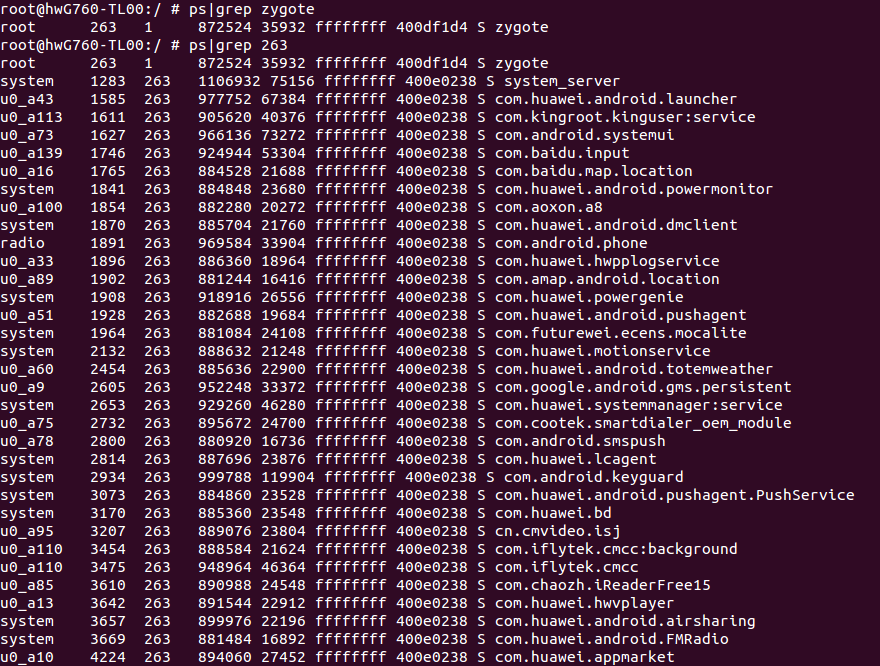
什麼是 ZygoteZygote 是 Android 中非常關鍵的一個進程。大多數應用程式進程,以及系統服務所在的 System 進程,都是由 Zygote 負責創建。由
 Android 除錯利器 DDMS 完全解析:從截圖到模擬來電
DDMS 在 IDE 與模擬器/真機之間搭起一座橋。透過它,開發者可以查看目標機器上的程序與執行緒狀態、把 Android 螢幕擷取到開發機、檢視 heap 與記憶體配置
 Android 四大數據存儲方式詳解:SharedPreferences、文件、SQLite、ContentProvider
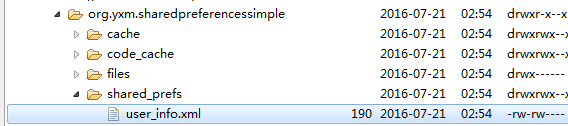
本文大部分內容整理自《Android 開發全程實錄》,推薦有興趣的讀者閱讀原書以獲得更系統的知識。 一、SharedPreferences SharedPrefer
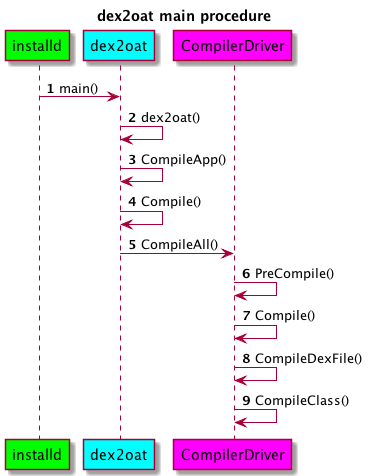 ART 世界探險:dex2oat 編譯流程解析
在 Android 執行環境中,dex2oat 是將 Dex bytecode 轉換為 Optimized Dex 或 OAT 檔的重要工具。理解 dex2oat 的流