

編輯:關於 Android 程式設計
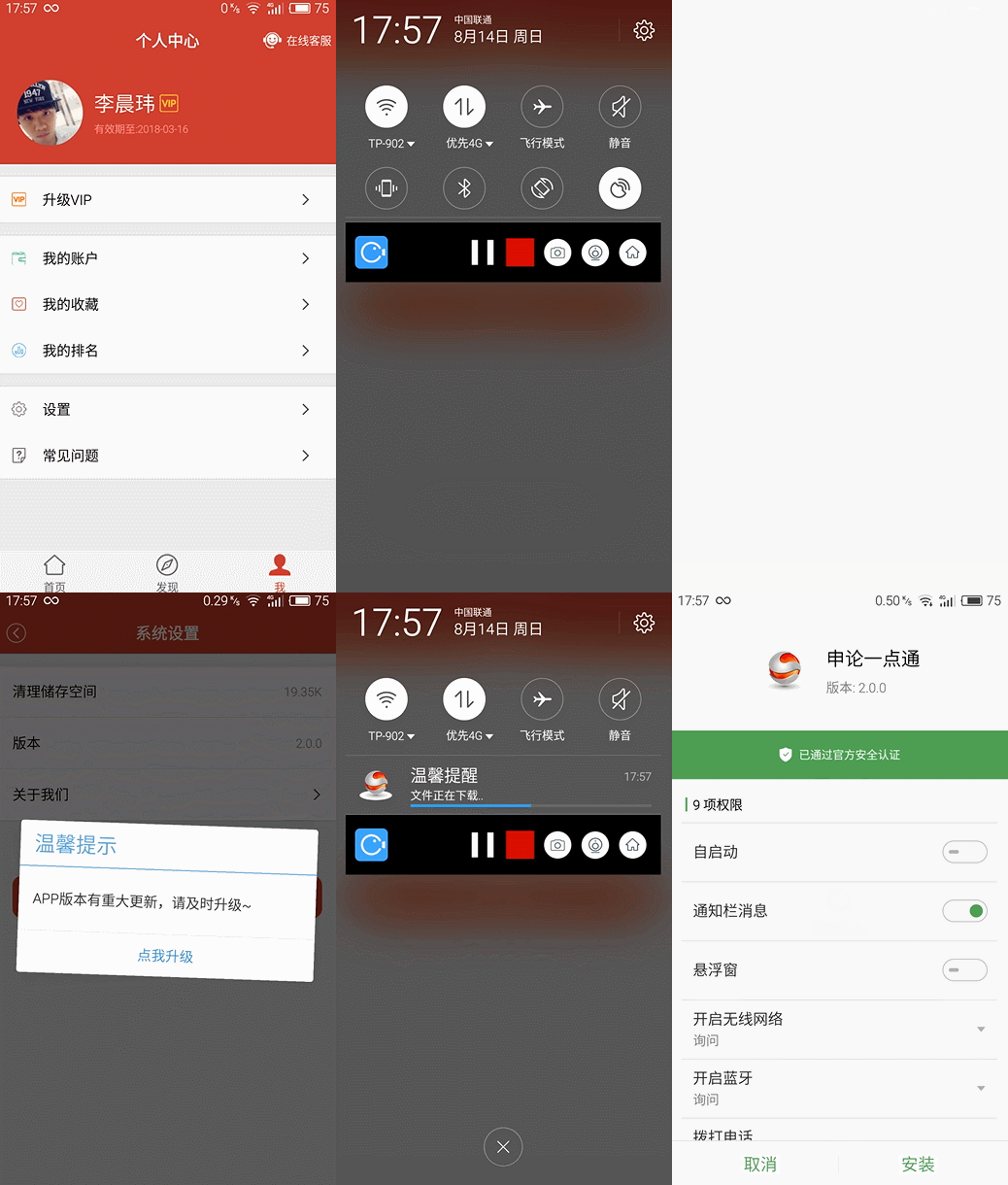
對 Android 使用者來說,應用市場多到滿天飛:小米、魅族、百度、360、應用寶等等。當我們要上線新版本時,先不談渠道打包的繁瑣,光是逐一上傳到各大市場的工作量就很可觀。
更麻煩的情況是:好不容易全部上傳完畢,卻發現一個會導致閃退的小 Bug。改動明明很小,難道還要把所有市場的版本再重傳一遍?實務上這類需求幾乎必然會出現,因此把自動更新做進 App 裡,是非常值得的投資。市面上相關的第三方 SDK 不少,但自己實作一遍能更清楚每個環節。
流程並不複雜:
至於強制升級,技術上可行但體驗很差,建議只在重大不相容變更時才考慮,並盡量減少使用。
import android.app.Notification;
import android.app.NotificationManager;
import android.app.PendingIntent;
import android.app.Service;
import android.content.Intent;
import android.graphics.BitmapFactory;
import android.net.Uri;
import android.os.IBinder;
import android.support.annotation.Nullable;
import android.support.v7.app.NotificationCompat;

import com.fangku.commonlibrary.utils.StorageUtil;
import com.zhy.http.okhttp.OkHttpUtils;
import com.zhy.http.okhttp.callback.FileCallBack;

import java.io.File;
import okhttp3.Call;

/**
 * 自動下載更新 apk 的服務
 */
public class DownloadService extends Service {

    private String mDownloadUrl; // APK 的下載路徑
    private NotificationManager mNotificationManager;
    private Notification mNotification;

    @Override
    public void onCreate() {
        super.onCreate();
        mNotificationManager =
                (NotificationManager) getSystemService(Service.NOTIFICATION_SERVICE);
    }

    @Override
    public int onStartCommand(Intent intent, int flags, int startId) {
        if (intent == null) {
            notifyMsg("溫馨提醒", "檔案下載失敗", 0);
            stopSelf();
        }
        mDownloadUrl = intent.getStringExtra("apkUrl");
        downloadFile(mDownloadUrl);
        return super.onStartCommand(intent, flags, startId);
    }

    @Nullable
    @Override
    public IBinder onBind(Intent intent) {
        return null;
    }

    private void notifyMsg(String title, String content, int progress) {
        // 為了向下相容,採用 v7 包的 NotificationCompat
        NotificationCompat.Builder builder = new NotificationCompat.Builder(this);
        builder.setSmallIcon(R.mipmap.icon_login_logo)
               .setLargeIcon(BitmapFactory.decodeResource(
                       getResources(), R.mipmap.icon_login_logo))
               .setContentTitle(title);

        if (progress > 0 && progress < 100) {
            builder.setProgress(100, progress, false); // 下載進行中
        } else {
            builder.setProgress(0, 0, false);
        }

        builder.setAutoCancel(true);
        builder.setWhen(System.currentTimeMillis());
        builder.setContentText(content);

        if (progress >= 100) {
            builder.setContentIntent(getInstallIntent()); // 下載完成,可點擊安裝
        }

        mNotification = builder.build();
        mNotificationManager.notify(0, mNotification);
    }

    /** 建構點擊後安裝 apk 的 PendingIntent */
    private PendingIntent getInstallIntent() {
        File file = new File(StorageUtil.DOWNLOAD_DIR + "APP檔案名稱");
        Intent intent = new Intent(Intent.ACTION_VIEW);
        intent.setFlags(Intent.FLAG_ACTIVITY_NEW_TASK);
        intent.setDataAndType(Uri.parse("file://" + file.getAbsolutePath()),
                              "application/vnd.android.package-archive");
        return PendingIntent.getActivity(this, 0, intent,
                                         PendingIntent.FLAG_UPDATE_CURRENT);
    }

    /** 下載 apk 檔案 */
    private void downloadFile(String url) {
        OkHttpUtils.get().url(url).build()
            .execute(new FileCallBack(StorageUtil.DOWNLOAD_DIR, "APP檔案名稱") {
                @Override
                public void onError(Call call, Exception e, int id) {
                    notifyMsg("溫馨提醒", "檔案下載失敗", 0);
                    stopSelf();
                }

                @Override
                public void onResponse(File response, int id) {
                    notifyMsg("溫馨提醒", "檔案下載已完成", 100);
                    stopSelf();
                }

                @Override
                public void inProgress(float progress, long total, int id) {
                    // progress * 100 為目前下載進度
                    if ((int) (progress * 100) % 10 == 0) {
                        // 每下載 10% 更新一次,避免頻繁刷新
                        notifyMsg("溫馨提醒", "檔案正在下載..", (int) (progress * 100));
                    }
                }
            });
    }
}
在需要檢查更新的時機(例如設定頁的「版本檢查」)啟動這個服務即可:
Intent intent = new Intent(mContext, DownloadService.class);
intent.putExtra("apkUrl", "APK 下載網址");
startService(intent);
上面的程式碼只示範了本機端的下載與安裝。在真實專案中,應該與服務端配合:
另外有兩個實務細節值得注意:下載檔案要寫入 App 專屬或公共媒體目錄,並依目標 Android 版本處理儲存空間權限;在 Android 7.0 以上安裝 APK 需要 FileProvider,直接用 file:// URI 會拋出 FileUriExposedException,這是新舊專案最常踩到的差異。
 Android Menu 與 ActionBar 菜單的兩種實現方式
一、什麼是 Menu 簡單來說,Menu 就是在界面中提供一組操作選項的菜單。在早期 Android 設備上,按下實體「Menu」鍵會彈出菜單窗口;而在配備 Action
 為 EditText 添加圖文混合 hint:自定義 SearchView 實作
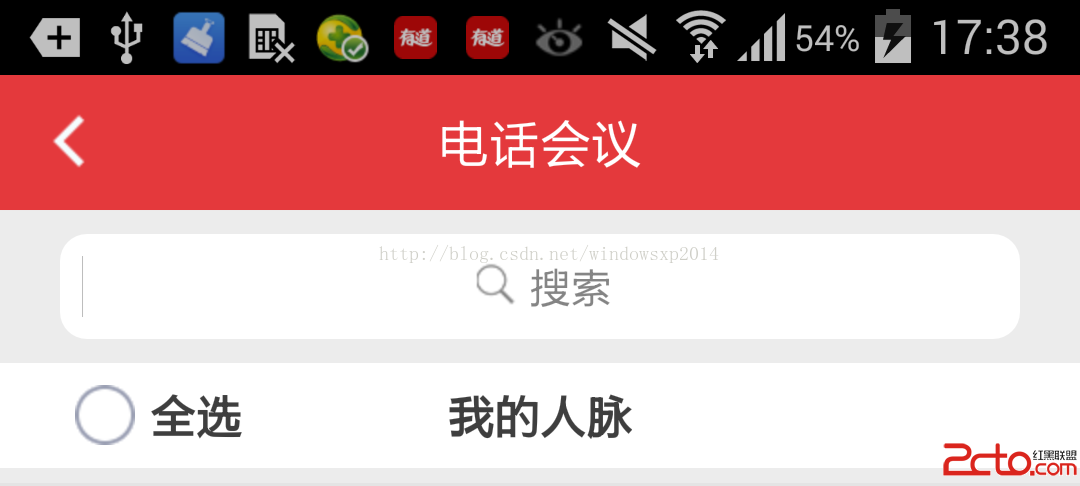
需求背景 有些設計稿要求輸入框在沒有內容時,顯示一個「圖標 + 文字」的提示。直覺做法是再疊一個 ImageView 和 TextView 上去,但多一層布局就多一層測量
 React Native Android 通信原理(二):JavaScript 調用 Native 全流程
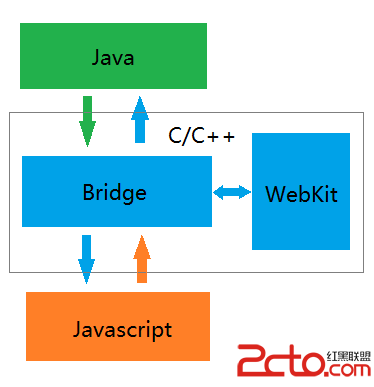
延續上一篇 上一篇分析了 Native 呼叫 JavaScript。本篇接續說明 JavaScript 呼叫 Native 的完整路徑,包含 JavaScript 層、B
 Android 資料庫實戰筆記(二):建表語句與 LitePal 快速上手
上一篇我們把 SQLite 的常用命令摸了一遍,不過那些操作都是在命令行裡完成的。數據庫終究要回到程式碼裡才有價值,單獨對一個 .db 檔增刪改查,練習意義大於實用意義。