

編輯:關於 Android 程式設計
DrawerLayout 同樣來自 v4 套件,直接繼承自 ViewGroup,本質是個容器。有了它,抽屜效果幾乎不必寫額外程式碼,只要遵守兩條布局約定。
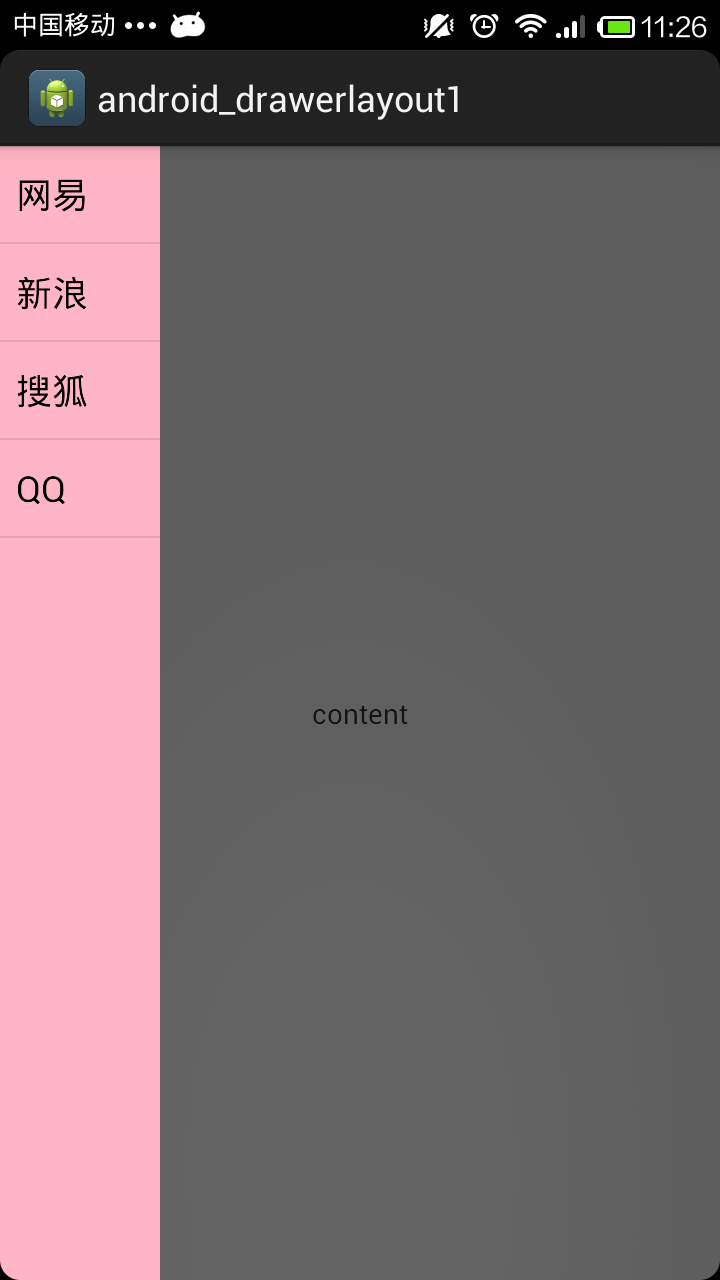
1. 第一個子 View 是內容區。它的 layout_width 與 layout_height 都必須設為 match_parent,因為它會填滿整個螢幕,抽屜是疊在它上面的。
2. 第二個子 View 是抽屜本身。要透過 layout_gravity 指定它從左側還是右側滑出(left 或 right),高度設為 match_parent,寬度則依抽屜內容決定。
 <android.support.v4.widget.DrawerLayout
    xmlns:android="https://schemas.android.com/apk/res/android"
    xmlns:tools="https://schemas.android.com/tools"
    android:id="@+id/drawerlayout"
    android:layout_width="match_parent"
    android:layout_height="match_parent"
    tools:context=".MainActivity" >

    <TextView
        android:id="@+id/textview"
        android:layout_width="match_parent"
        android:layout_height="match_parent"
        android:gravity="center"
        android:text="content" />

    <ListView
        android:id="@+id/listview"
        android:layout_width="80dp"
        android:layout_height="match_parent"
        android:layout_gravity="left"
        android:background="#FFB5C5" />
</android.support.v4.widget.DrawerLayout>
運行效果:
抽屜打開時通常希望使用者無法誤觸底下的內容,可以在程式碼中為 DrawerLayout 設定 setScrimColor() 調整遮罩顏色,或呼叫 setDrawerLockMode() 在特定狀態下鎖住滑動。
若抽屜裡放的是表單類內容,記得讓抽屜可捲動,否則項目一多就會超出螢幕。
另外,抽屜的開合狀態建議監聽 DrawerListener(或 Override onDrawerOpened/onDrawerClosed),在開啟時同步選單的高亮狀態、關閉時歸零——這是使用者判斷「我目前在哪一頁」的主要依據,少了它抽屜會顯得沒有回饋。
 安卓動態除錯七種武器之孔雀翎 —— IDA Pro 實戰技巧
0x00 序 行動安全越來越熱,各種除錯工具層出不窮。但因為環境與需求各異,沒有一把武器是萬能的。工具是死的,人是活的;搞懂原理再搭配自身經驗,你也能磨出屬於自己的除錯套
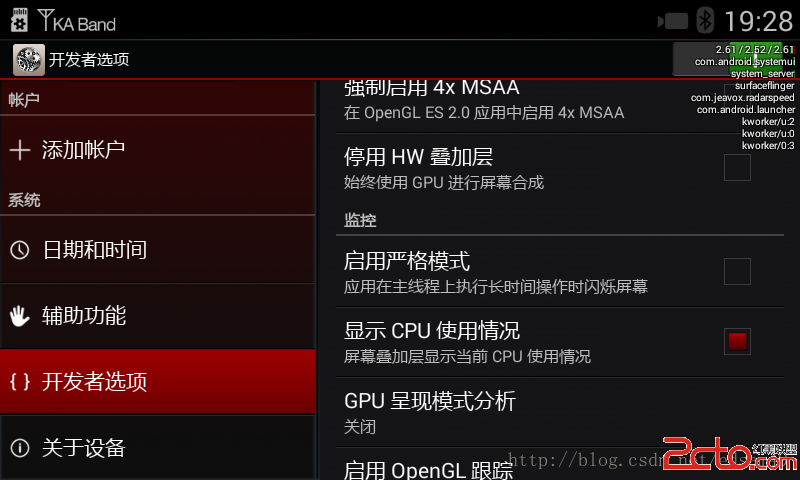 Android 系統 CPU 資源查詢與開發者選項解析
Android 基於 Linux 核心,因此在系統層面保留了許多熟悉的資源監控能力。例如命令列中的 top 可以查看 CPU 使用率、平均負載與行程資訊;在 Androi
 微信公眾平台怎麼用?圖文素材編輯與群發的完整流程
微信公眾平台發佈的訊息,所有追隨者都看得到——這也是它作為經營窗口的核心價值。但很多人登入之後會困惑:為什麼我編輯的內容推不出去,或者為什麼不能帶連結?答案在於「群發訊息
 Android 監聽簡訊發送狀態的實作方式
Android 可以透過 ContentObserver 監聽特定 ContentProvider 的資料變化。若監聽的是簡訊相關 Uri,就能在簡訊資料改變時取得通知,