

編輯:關於 Android 程式設計
除了 SharedPreferences,Android 還支持直接以文件的形式把數據保存到設備中。這種方式通過 Context 提供的 openFileInput 和 openFileOutput 方法,分別獲得標準的 FileInputStream 和 FileOutputStream,操作起來直觀又方便。本文就來演示如何寫入與讀取。
用 openFileOutput 打開(或創建)目標文件,把字符串轉成字節寫入即可。文件會被保存到 /data/data/包名/files/ 目錄下:
findViewById(R.id.file).setOnClickListener(v -> {
    try {
        // 以追加模式打開 huangbiao.txt
        FileOutputStream fos = openFileOutput("huangbiao.txt", Context.MODE_APPEND);
        fos.write("huangbiao".getBytes());
        fos.close();
    } catch (Exception e) {
        e.printStackTrace();
    }
});
讀取時用 openFileInput 得到輸入流,先根據可用字節數申請緩衝區,再把內容讀進來轉成字符串:
findViewById(R.id.read_file).setOnClickListener(v -> {
    try {
        FileInputStream fis = openFileInput("huangbiao.txt");
        // available() 返回估算的可用字節數
        byte[] buffer = new byte[fis.available()];
        fis.read(buffer);
        String aaa = new String(buffer);
        System.out.println(aaa);
        fis.close();
    } catch (Exception e) {
        e.printStackTrace();
    }
});
這種方式的核心就在 openFileOutput 與 openFileInput 這對方法上,它們幫我們屏蔽了底層的文件路徑拼接細節,直接以文件名操作應用私有空間裡的文件。對於需要保存稍大一些、又不便放入 SharedPreferences 的數據(例如簡單的文本記錄、緩存內容),以 File 形式存儲是一個不錯的選擇。實際使用時,記得養成用完即關流的好習慣,並做好異常處理。
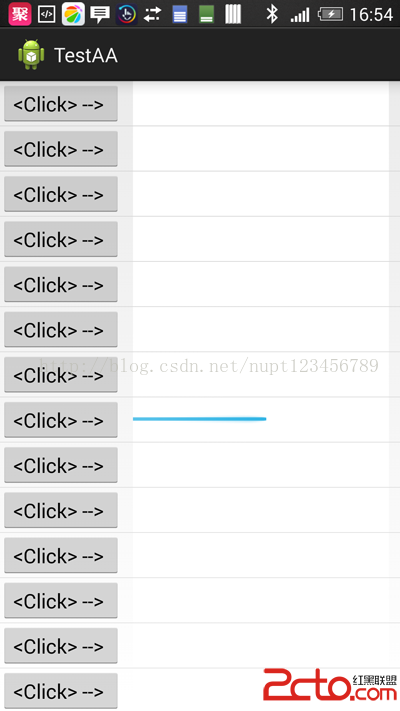 Android ListView 局部刷新:避免 notifyDataSetChanged 的進度條更新方案
ListView 的刷新機制是 Android 開發中的常見主題。一般做法是在資料變更後呼叫 notifyDataSetChanged,讓 ListView 重新繪製。但
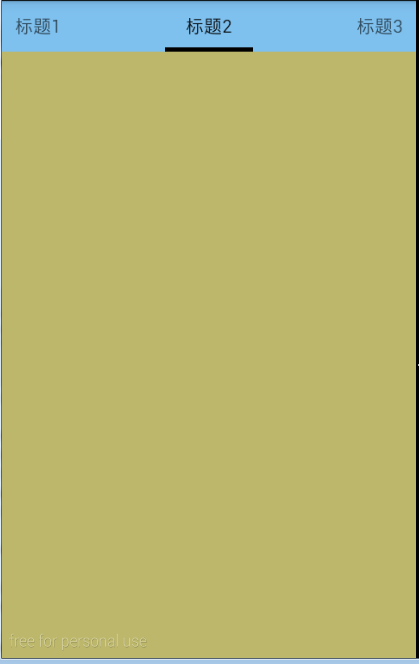 Android Tab 實作:ViewPager 與 PagerTitleStrip/PagerTabStrip
ViewPager 搭配 PagerTitleStrip 或 PagerTabStrip,可以快速建立帶有標題與切換指示效果的頁面。使用者可以透過滑動或點擊標籤切換內容,
 2015 年 Android 開發作品集回顧
南周知道 要嚴肅,有知識;要八卦,有內幕。每天一篇,盡享你想知道的和不知道的,我們只想,讓知道成為一種享受。請記住知道,南方周末每日網絡專稿。 1. 每天推送一篇你想
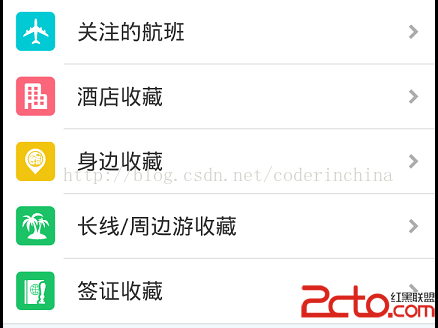 Android 自訂組合控制項
組合控制項概念自訂組合控制項適合標題欄、設定列等重複使用的畫面。做法是先建立版面配置,再繼承 ViewGroup,並宣告自訂屬性。建立版面配置在 setting_view