

編輯:關於 Android 程式設計
在 Android 中,組件之間的通信方式有很多種,例如接口回調、EventBus、LiveData、Handler 以及廣播。其中,LocalBroadcastManager 可以用於同一應用內部的組件通信,比普通全局廣播更輕量。
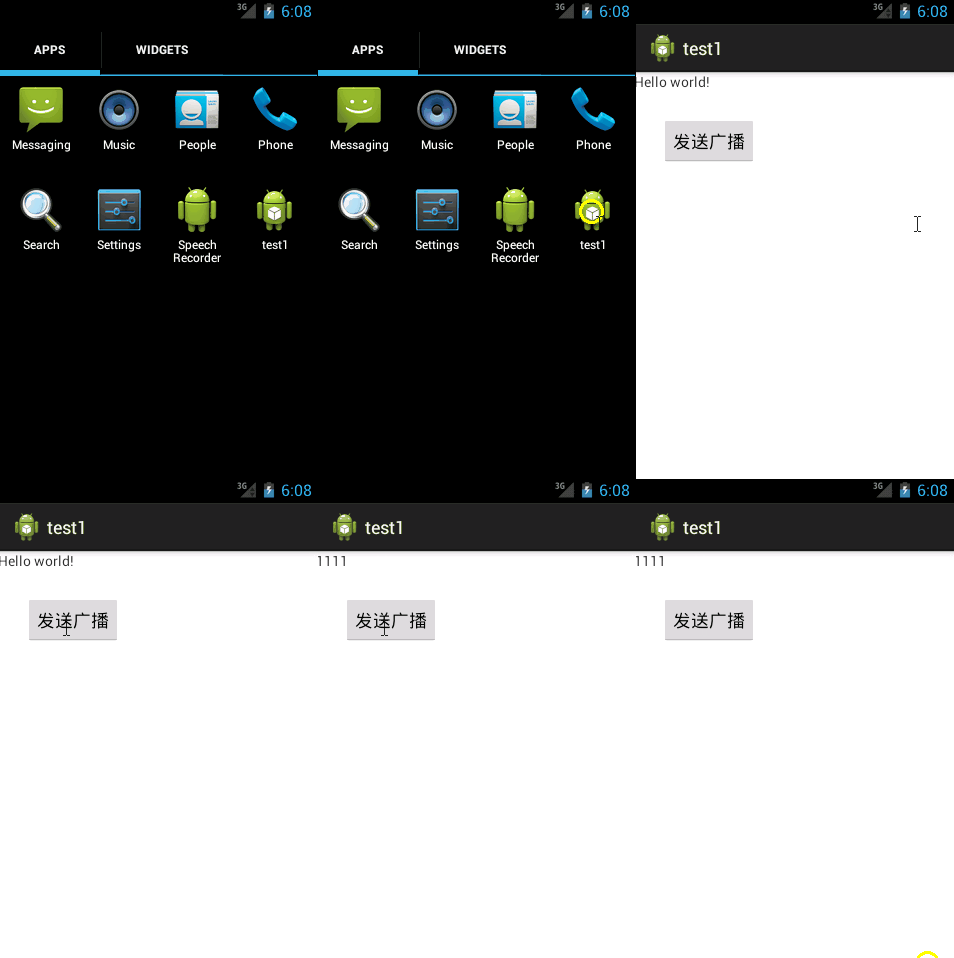
本例中,Activity 發送一個本地廣播,同一頁面中的廣播接收器收到後更新 TextView 內容。
<LinearLayout xmlns:android="https://schemas.android.com/apk/res/android"
    android:layout_width="match_parent"
    android:layout_height="match_parent"
    android:orientation="vertical">

    <TextView
        android:id="@+id/textView1"
        android:layout_width="wrap_content"
        android:layout_height="wrap_content"
        android:text="@string/hello_world" />

    <Button
        android:id="@+id/button1"
        android:layout_width="wrap_content"
        android:layout_height="wrap_content"
        android:text="發送廣播" />

</LinearLayout>public class MainActivity extends Activity {
private Button btn;
private TextView tv;
private LocalBroadcastManager broadcastManager;
private BroadcastReceiver receiver;
@Override
protected void onCreate(Bundle savedInstanceState) {
super.onCreate(savedInstanceState);
setContentView(R.layout.activity_main);
tv = findViewById(R.id.textView1);
btn = findViewById(R.id.button1);
broadcastManager = LocalBroadcastManager.getInstance(MainActivity.this);
IntentFilter filter = new IntentFilter();
filter.addAction("com.example.test1");
receiver = new BroadcastReceiver() {
@Override
public void onReceive(Context context, Intent intent) {
tv.setText("1111");
}
};
broadcastManager.registerReceiver(receiver, filter);
btn.setOnClickListener(v -> {
Intent intent = new Intent("com.example.test1");
broadcastManager.sendBroadcast(intent);
});
}
@Override
protected void onDestroy() {
super.onDestroy();
broadcastManager.unregisterReceiver(receiver);
}
}使用 LocalBroadcastManager 時,建議在合適的生命週期註冊與解除註冊,例如在 onStart 或 onResume 中註冊,在 onStop 或 onDestroy 中解除,以避免內存泄漏。
相比全局廣播,LocalBroadcastManager 只在本應用內傳遞消息,安全性更高,也更適合處理頁面內部或模塊之間的輕量通信。
 用 Android-Rate 快速做出「去應用市場給好評」的引導彈窗
最近寫產品的文章少了些。家裡的小寶寶(麥麥)正處於愛咬人的階段,得花心思照顧;加上最近沉迷魔獸世界,寫作的時間就被擠掉了。今天偶然看到一個在 App 內提示使用者跳轉應用
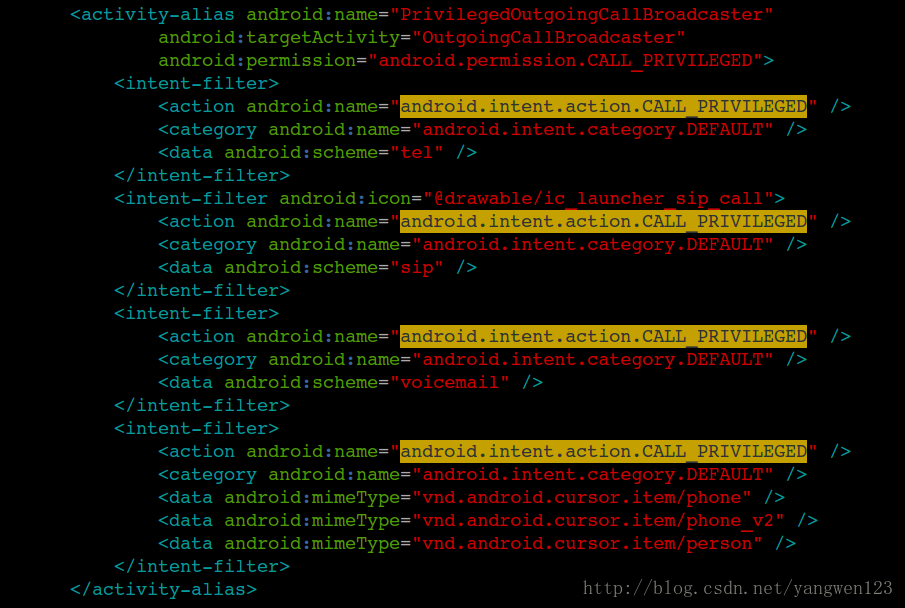 Android 電話撥打流程源碼深度剖析
在之前的文章中,我們已經分析了電話撥號界面與電話呼叫界面。由於 Android 的電話 Phone 模塊設計相當複雜,因此我們選擇先從 UI 層入手分析。 想了解 And
 Android Data Binding 資料綁定完全解析
早在前幾年的 Google I/O 大會上,官方就發表了 DataBinding 這套相當厲害的框架。資料綁定為開發者帶來了極大的便利——以往我們得在每個 Activit
 Android 常見錯誤集錦(持續更新中)
本文彙整了日常 Android 開發中經常遇到的各種錯誤及其解決方案,方便日後查閱對照。Eclipse 真機無法列印 log 資訊系統環境:Windows7 64 位解決