

編輯:關於 Android 程式設計
Android 的動畫(animation)共有四種類型,分別是 alpha(透明度漸變)、rotate(旋轉)、scale(尺寸伸縮)與 translate(位移移動)。實作方式有兩種:Java 程式碼與 XML 檔案,本文著重介紹以 XML 定義動畫的做法,並附上完整範例。個人認為用 Java 程式碼實作反而更直覺,有興趣的朋友可以另外查找相關資料。
先看看效果圖,如果感覺不錯,就繼續往下閱讀吧。
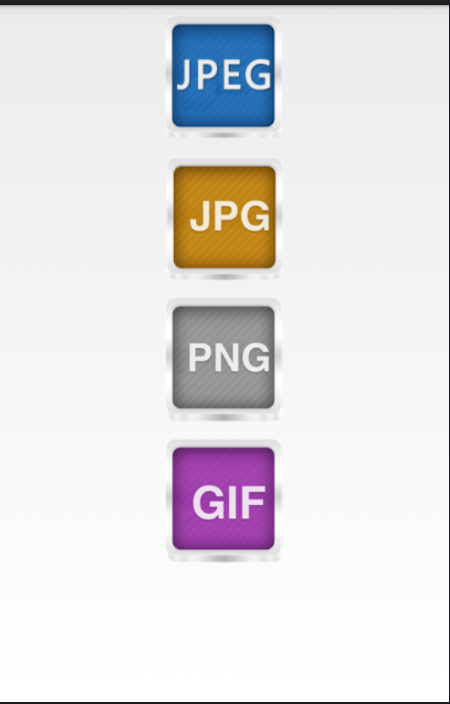
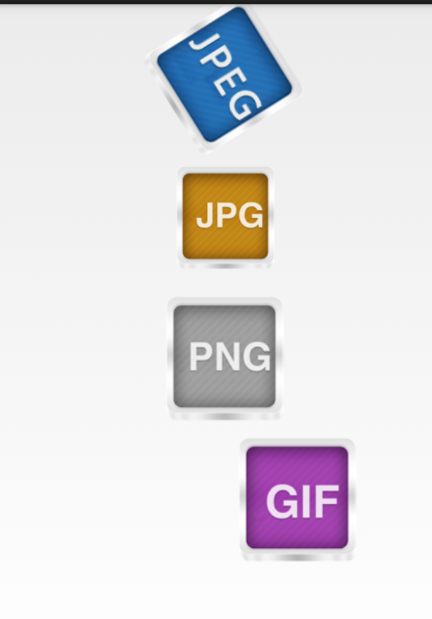
以下四個 XML 檔分別對應這四種動畫類型。
alpha.xml
<?xml version="1.0" encoding="UTF-8"?> <set xmlns:android="https://schemas.android.com/apk/res/android" android:interpolator="@android:anim/accelerate_interpolator"> <!-- 漸變透明的動畫效果 --> <!--fromAlpha 動畫起始透明的 1.0完全不透明 toAlpha 動畫結束時透明的 0.0完全透明 startOffset 設置啟動時間 duration 屬性動畫持續時間 --> <alpha android:fromAlpha="1.0" android:toAlpha="0.0" android:startOffset="500" android:duration="5000" /> </set>
rotate.xml
<?xml version="1.0" encoding="UTF-8"?> <set xmlns:android="https://schemas.android.com/apk/res/android" android:interpolator="@android:anim/accelerate_interpolator"> <!-- 畫面轉移旋轉動畫效果 --> <!-- fromDegrees開始角度 toDegrees結束角度 pivotX設置旋轉時的X軸坐標 --> <rotate android:fromDegrees="0" android:toDegrees="+360" android:pivotX="50%" android:pivotY="50%" android:duration="5000" /> </set>
scale.xml
<?xml version="1.0" encoding="UTF-8"?> <set xmlns:android="https://schemas.android.com/apk/res/android" android:interpolator="@android:anim/accelerate_interpolator"> <!-- 漸變尺寸伸縮動畫效果 --> <!-- fromXScale 起始x軸坐標 toXScale 止x軸坐標 fromYScale 起始y軸坐標 toYScale 止y軸坐標 pivotX 設置旋轉時的X軸坐標 pivotY 設置旋轉時的Y軸坐標 duration 持續時間 --> <scale android:fromXScale="1.0" android:toXScale="0.0" android:fromYScale="1.0" android:toYScale="0.0" android:pivotX="50%" android:pivotY="50%" android:duration="5000" /> </set>
translate.xml
<?xml version="1.0" encoding="UTF-8"?> <set xmlns:android="https://schemas.android.com/apk/res/android" android:interpolator="@android:anim/accelerate_interpolator"> <!-- 畫面轉移位置移動動畫效果 --> <translate android:fromXDelta="0%" android:toXDelta="100%" android:fromYDelta="0%" android:toYDelta="0%" android:duration="5000" /> </set>
以下是主界面的版面配置
<?xml version="1.0" encoding="utf-8"?> <LinearLayout xmlns:android="https://schemas.android.com/apk/res/android" android:layout_width="match_parent" android:layout_height="match_parent" android:orientation="vertical" > <ImageView android:id="@+id/image1" android:layout_width="match_parent" android:layout_height="200px" /> <ImageView android:id="@+id/image2" android:layout_width="match_parent" android:layout_height="200px" /> <ImageView android:id="@+id/image3" android:layout_width="match_parent" android:layout_height="200px" /> <ImageView android:id="@+id/image4" android:layout_width="match_parent" android:layout_height="200px" /> </LinearLayout>
接著是 Activity 程式碼
public class AnimationDemo extends Activity{ private Animation animation,animation1,animation2,animation3; private ImageView image1,image2,image3,image4; @Override protected void onCreate(Bundle savedInstanceState) { // TODO Auto-generated method stub super.onCreate(savedInstanceState); setContentView(R.layout.animation); initView(); } public void initView() { animation=AnimationUtils.loadAnimation(AnimationDemo.this, R.anim.rotate); animation1=AnimationUtils.loadAnimation(AnimationDemo.this, R.anim.scale); animation2=AnimationUtils.loadAnimation(AnimationDemo.this, R.anim.alpha); animation3=AnimationUtils.loadAnimation(AnimationDemo.this, R.anim.translate); image1=(ImageView)findViewById(R.id.image1); image1.setImageResource(R.drawable.jpeg); image2=(ImageView)findViewById(R.id.image2); image2.setImageResource(R.drawable.jpg); image3=(ImageView)findViewById(R.id.image3); image3.setImageResource(R.drawable.png); image4=(ImageView)findViewById(R.id.image4); image4.setImageResource(R.drawable.gif); image1.startAnimation(animation); image2.startAnimation(animation1); image3.startAnimation(animation2); image4.startAnimation(animation3); } }
這樣就完成了四種動畫效果。另外還有一個知識點是動畫的速率(interpolator)問題,有興趣的朋友可以上網查詢相關資料。
 ListView 空資料與載入失敗的统一處理方案
幾乎每個專案都會用到 ListView、GridView 這類列表控制項,而資料通常來自網路請求。問題是:如果回傳是空集合,或者請求的當下根本沒有網路,畫面該長什麼樣子?
 自定義 CodeView 實作中文驗證碼:Android 仿直播平台魚丸領取動效(下篇)
接續上一篇,這次要補上中間的關鍵環節——中文驗證碼。先來看最終要達到的效果: 一、功能拆解 把需求拆開來看,這是一張由四個隨機中文字組成的驗證碼:文字內容隨機、顏色隨
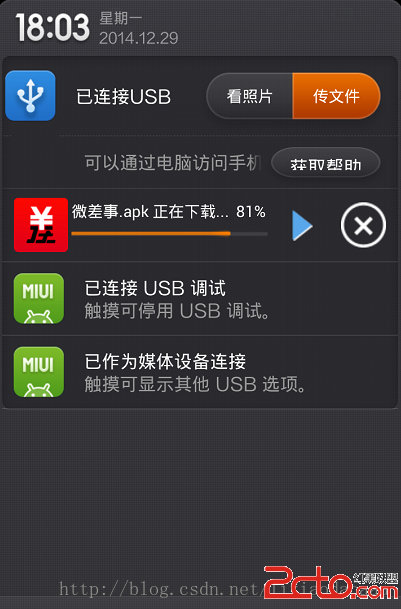 Android 實作:可取消的後台通知欄下載 Demo
實現效果如下:既然是通知欄,那麼點擊之後如何傳遞事件呢?思路是定義一個廣播,點擊時發送該廣播並在合適位置註冊。收到廣播後即取消下載,關鍵程式碼如下:BroadcastRe
 Android 自定義控制項:貝賽爾曲線、手勢軌跡與水波紋
在 Android 自定義繪圖中,貝賽爾曲線常用於手勢軌跡、水波紋與平滑折線。它讓路徑不再只是生硬直線,而能呈現自然過渡的曲線效果。 貝賽爾曲線的由來 貝賽爾曲線是電