

編輯:關於 Android 程式設計
SharedPreferences 適合保存設定值、計數器或小型狀態。資料會以 XML 形式存放在應用程式私有目錄,預設僅供本程式存取。讀取時透過 getSharedPreferences 取得物件,寫入時則使用 Editor 的 put 系列方法,最後呼叫 commit 或 apply 提交。
SharedPreferences share = getSharedPreferences("share", Context.MODE_PRIVATE);
Editor editor = share.edit();
editor.putInt("count", 1);
editor.commit();
若需要保存較長的文字或自訂格式資料,可使用 openFileOutput 與 openFileInput。檔案會放在應用程式專屬的內部儲存空間,適合保存不需要對外公開的資料。
FileOutputStream out = openFileOutput("test.txt", MODE_APPEND);
out.write(content.getBytes());
out.close();
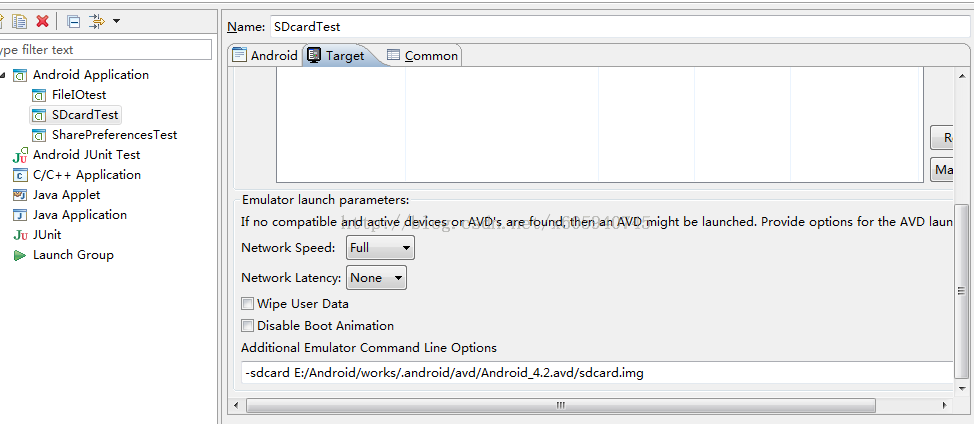
寫入外部儲存前,必須先確認權限與掛載狀態。可透過 Environment.getExternalStorageState() 判斷是否可讀寫,再用 getExternalStorageDirectory() 取得路徑。實務上若要上架新版 Android,還需留意分流儲存與權限模型的差異。
SQLite 適合保存大量結構化資料。常見流程是以 openOrCreateDatabase 建立或開啟資料庫,再用 execSQL 執行建表或新增,用 rawQuery 查詢並取得 Cursor。完成操作後應關閉資料庫與 Cursor,避免資源浪費。
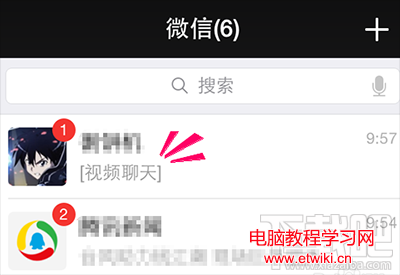 微信電腦版怎麼發起視頻通話
微信電腦版同樣支持視頻聊天,來看看具體怎麼操作。 1、首先需要把微信電腦版更新到 1.5 及以上版本,舊版本沒有這個入口。 2、發起方式有兩種。第一種是在手機微信上選中想
 Android 實作自訂「圖片+文字」Button 的三種方法
本文以實例說明如何在 Android 中實作同時帶有文字與圖片的 Button,供需要的朋友參考,分析如下。 在 Android 開發中,經常需要用到同時包含文字與圖片的
 Android 語音識別方案總覽:系統 API、Service 與第三方平台
語音識別是近幾年相當熱門的能力。Android 平台本身提供了幾條路,若需求超出系統能力,也可以接第三方服務。以下整理可用的方案與各自的取捨。 方案一:用 Intent
 Android Studio 開發筆記——關於編譯的那些常見錯誤
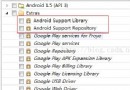
在 Android Studio 的日常開發裡,不管是初次同步新專案,還是接手別人留下的舊代碼,最常撞上的攔路虎之一,就是「找不到 Android Support Lib