

編輯:關於 Android 程式設計
Activity 是 Android 最重要的元件之一,也是使用者與 App 互動的主要入口,概念上近似桌面程式的視窗。Android 應用大致可分為「看得見的元件」(Activity)與「看不見的元件」(Service、BroadcastReceiver、ContentProvider 等)。
可以把 Activity 理解為一個盛放 UI 元件的容器,所有要與使用者互動的元件都得放在裡面。它的生命週期如下圖:
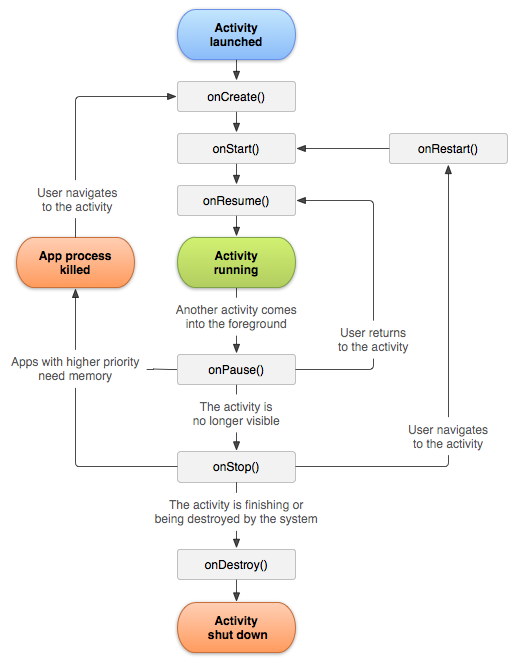
這張圖說明了三段生命週期:
1. 完整生命週期:onCreate() → onDestroy()。代表 Activity 從建立到消亡的全過程。初始化工作放在 onCreate(),資源釋放放在 onDestroy()。
2. 可見生命週期:onStart() → onStop()。此階段 Activity 處於可見狀態(含前景與被覆蓋)。可以在這段期間準備與使用者互動的資料,例如 onStart() 註冊 BroadcastReceiver、onStop() 反註冊。
3. 前景生命週期:onResume() → onPause()。此階段 Activity 位於最前方,使用者可以直接與它互動。
各回呼方法的職責:
(1)onCreate():第一次被建立時呼叫,在這裡準備互動資料與 view。傳入的 Bundle 含有先前儲存的狀態。
(2)onRestart():從 onStop() 過渡到 onStart() 之間呼叫。
(3)onStart():Activity 轉為可見時呼叫。
(4)onResume():轉為前景狀態時呼叫,此時可與使用者互動。
(5)onPause():轉為背景時呼叫。尚未儲存的資料應在此處寫入,而且方法體必須輕量——只有它 return 之後,新的前景 Activity 才會顯示。
(6)onStop():轉為不可見時呼叫。
(7)onDestroy():消亡前呼叫。消亡原因可能是自身呼叫 finish(),也可能是系統回收記憶體,可用 isFinishing() 區分。
另外,當裝置設定(例如旋轉、語言)改變時,Activity 預設會走一次 onDestroy() 再重新建立。若想自行處理,可在 manifest 中設定 android:configChanges,此時會改呼叫 onConfigurationChanged(Configuration) 而不重建 Activity;但沒有事先宣告的設定變化,這個方法不會被觸發。
Intent 啟動另一個 Activity 並捎帶資料是再基本不過的操作。透過 putExtra() 可以傳遞 boolean、int、double 等基本型別;若要傳遞自訂物件,該物件必須實作 Serializable 介面,再用 putExtra(String name, Serializable value) 送出,接收端以 getSerializableExtra(name) 取回。
 <RelativeLayout xmlns:android="https://schemas.android.com/apk/res/android"
    xmlns:tools="https://schemas.android.com/tools"
    android:layout_width="match_parent"
    android:layout_height="match_parent"
    tools:context=".Main" >

    <Button android:id="@+id/btn"
        android:layout_width="match_parent"
        android:layout_height="wrap_content"
        android:text="next" />
</RelativeLayout>
 package com.app.main;

import android.app.Activity;
import android.content.Intent;
import android.os.Bundle;
import android.view.View;
import android.view.View.OnClickListener;
import android.widget.Button;

public class Main extends Activity {

    Button btn = null;

    @Override
    protected void onCreate(Bundle savedInstanceState) {
        super.onCreate(savedInstanceState);
        setContentView(R.layout.main);

        btn = (Button) this.findViewById(R.id.btn);
        btn.setOnClickListener(new OnClickListener() {
            @Override
            public void onClick(View arg0) {
                Intent intent = new Intent();

                Person p = new Person();
                p.setName("wx");
                p.setGender("boy");
                p.setAge(25);

                intent.putExtra("person", p);
                intent.setClass(Main.this, NextMain.class);
                Main.this.startActivity(intent);
            }
        });
    }
}
 <?xml version="1.0" encoding="utf-8"?>
<LinearLayout xmlns:android="https://schemas.android.com/apk/res/android"
    android:layout_width="match_parent"
    android:layout_height="match_parent"
    android:orientation="vertical" >

    <TextView android:id="@+id/textview1"
        android:layout_width="match_parent"
        android:layout_height="match_parent" />
</LinearLayout>
 package com.app.main;

import android.app.Activity;
import android.content.Intent;
import android.os.Bundle;
import android.widget.TextView;

public class NextMain extends Activity {

    @Override
    public void onCreate(Bundle savedInstanceState) {
        super.onCreate(savedInstanceState);
        this.setContentView(R.layout.nextmain);

        TextView tv = (TextView) this.findViewById(R.id.textview1);
        Intent intent = this.getIntent();

        if (intent.getExtras().get("person") != null) {
            Person p = (Person) intent.getExtras().get("person");
            tv.setText("name:" + p.getName()
                    + ", age:" + p.getAge()
                    + ", gender:" + p.getGender());
        }
    }
}
記得 Person 類別要長得像這樣:
 public class Person implements Serializable {
    private static final long serialVersionUID = 1L;   // 強烈建議顯式宣告
    private String name;
    private String gender;
    private int age;
    // ... getter / setter
}
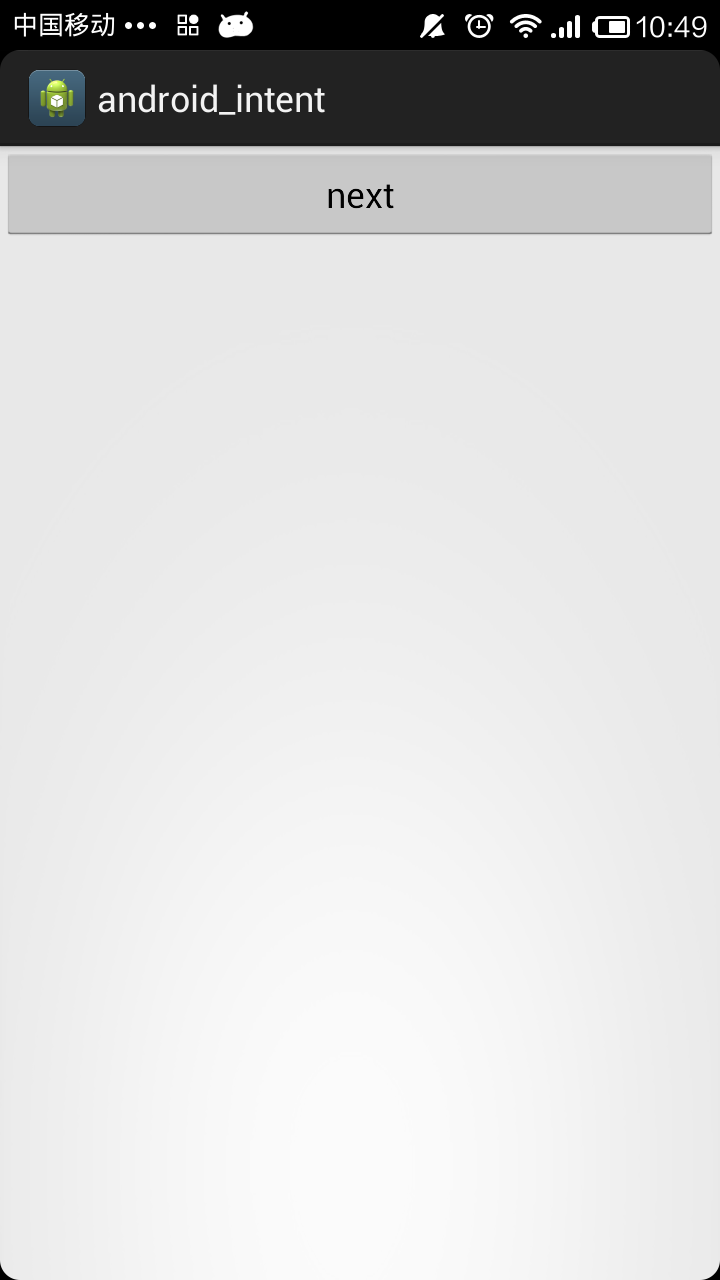
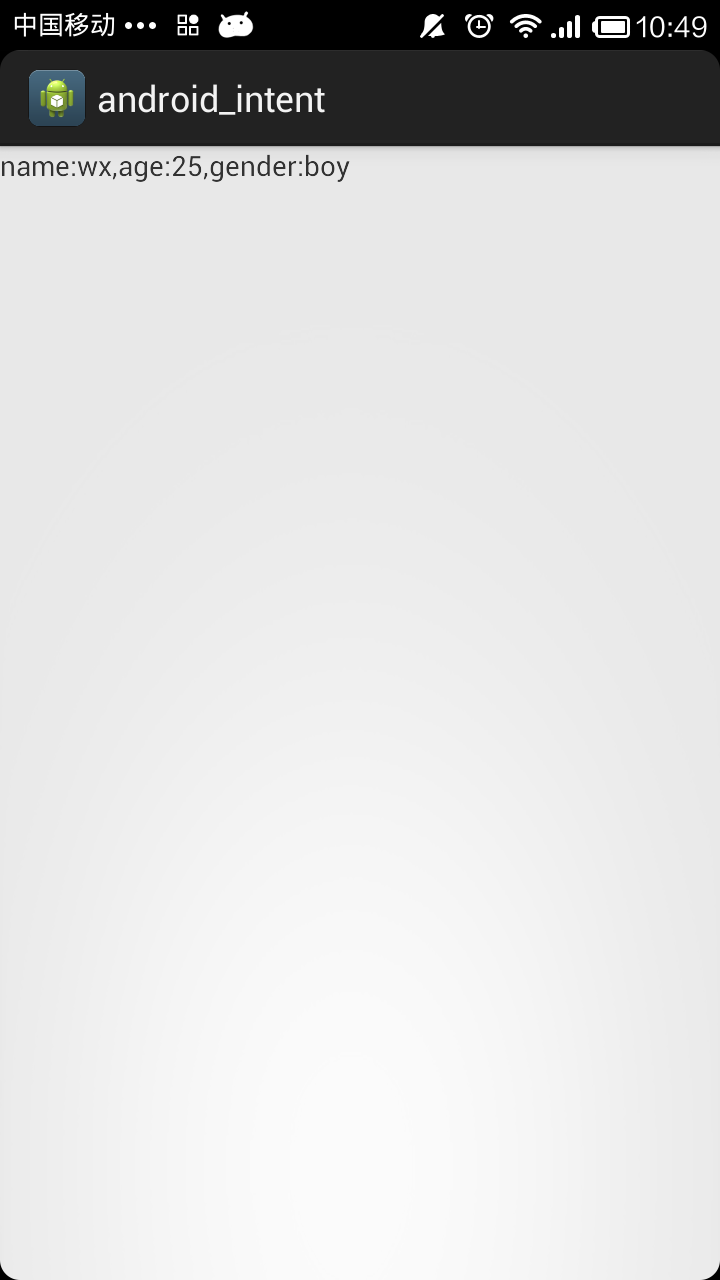
執行結果:
startActivityForResult 或新的 Activity Result API 會更直觀;跨元件的大量資料交換則可考慮 ViewModel、Repository 或 LiveData 這類架構組件。掌握「Serializable 是傳物件的入場券」這個觀念,Activity 之間的資料流動就不再棘手了。
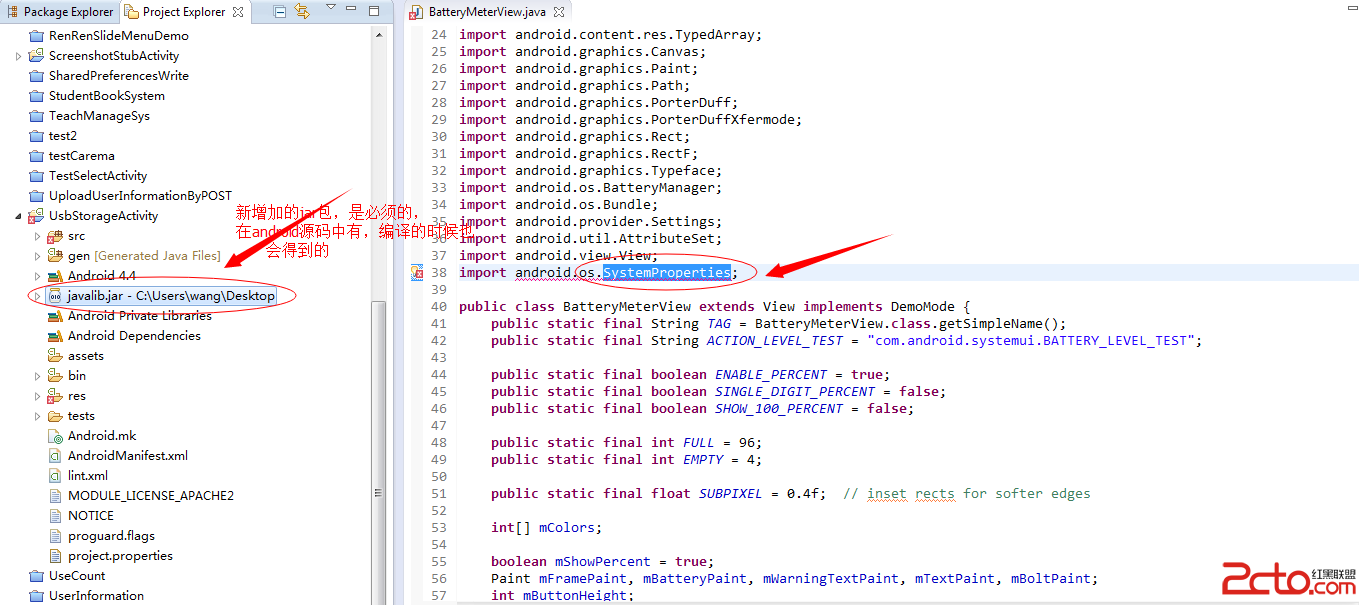 Android 系統應用編譯缺少 Framework 類別的原因與解法
在 Android 源碼環境中編譯 framework 下的應用程式時,常會遇到找不到某些類別的問題。這並不是程式碼本身錯誤,而是因為部分 framework API 在
 Android 廣播機制完整整理:普通、有序與粘性廣播
廣播(Broadcast)是 Android 中在應用程式之間傳遞訊息的機制,常用於監聽系統事件(如開機完成、電量變化)或自訂的應用內事件。本文把廣播的三種型態、註冊方式
 com.android.phone已停止運作?從撥號盤到刷機基帶排查
com.android.phone已停止運作可先清除撥號盤資料,注意通話記錄會被刪除。 若無效,可能是刷機基帶錯誤,或修改DPI導致來電彈窗相容性問題。最後才考慮恢復原廠
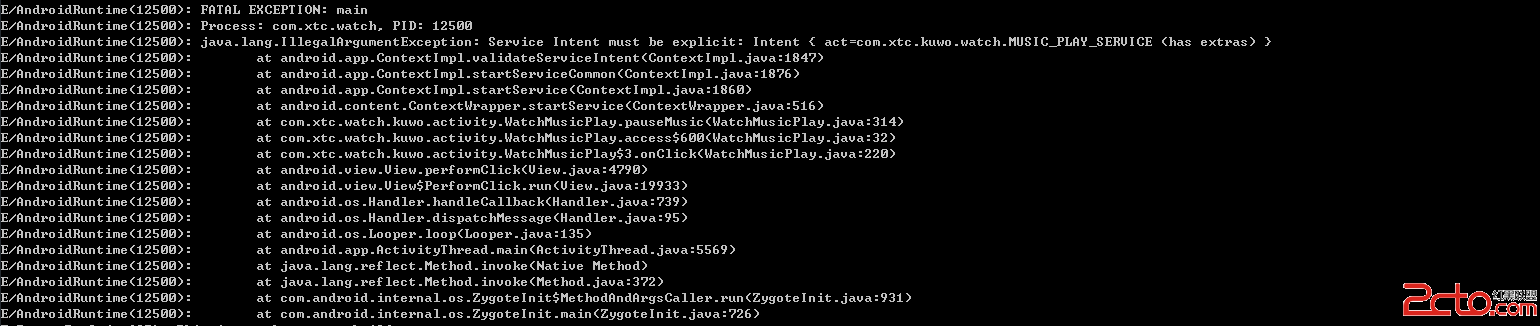 我的 Android 進階之旅:解決 Android 5.0 的「Service Intent must be explicit」崩潰
1. 錯誤描述 同一份程式碼,在 Android 4.4 的小米 4 上跑得好好的,換到 Android 5.1 的華為 P7 上卻直接閃退。Logcat 給出的訊息是: