

編輯:關於 Android 程式設計
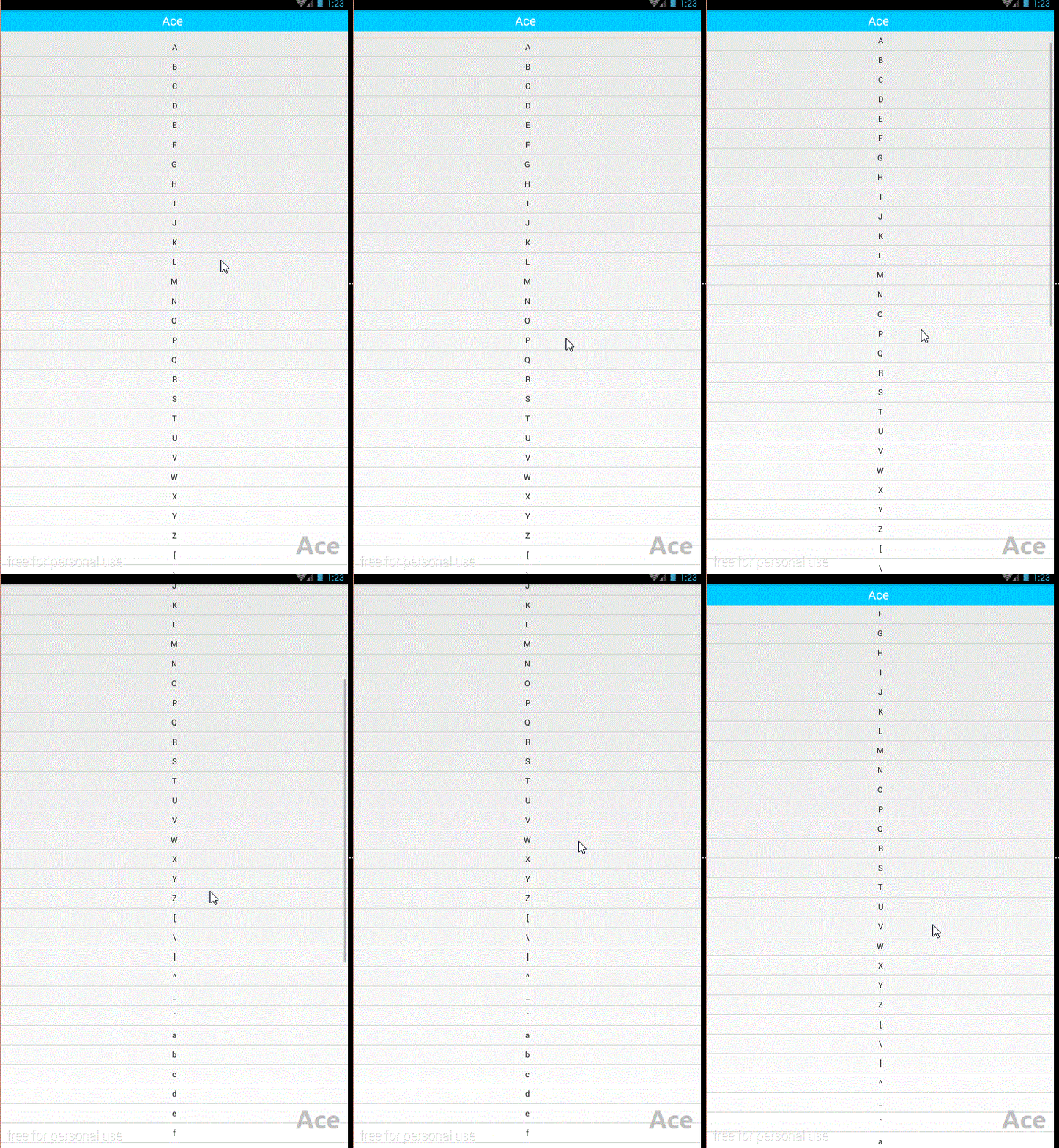
越來越多應用喜歡讓頂部標題欄隨列表捲動自動收放,把更多空間還給內容。本文嘗試實現這樣一個效果:為 ListView 設定 mListView.setOnTouchListener 監聽,覆寫 onTouch 方法追蹤手指位移;當位移超過 ViewConfiguration.get(this).getScaledTouchSlop() 所定義的閾值時,向上滑隱藏標題欄,向下滑則顯示。
package com.example.hidetitlebardemo;

import android.animation.Animator;
import android.animation.ObjectAnimator;
import android.app.Activity;
import android.os.Bundle;
import android.view.Menu;
import android.view.MenuItem;
import android.view.MotionEvent;
import android.view.View;
import android.view.ViewConfiguration;
import android.view.Window;
import android.widget.ListView;
import android.widget.RelativeLayout;
import android.widget.SimpleAdapter;

import java.util.ArrayList;
import java.util.HashMap;
import java.util.List;
import java.util.Map;

public class MainActivity extends Activity {

    private ListView mListView;
    private RelativeLayout mTitle;
    private int mTouchSlop;
    private SimpleAdapter mAdapter;
    private float mFirstY;
    private float mCurrentY;

    @Override
    protected void onCreate(Bundle savedInstanceState) {
        super.onCreate(savedInstanceState);
        requestWindowFeature(Window.FEATURE_NO_TITLE);
        setContentView(R.layout.activity_main);

        mTouchSlop = ViewConfiguration.get(this).getScaledTouchSlop();
        initViews();
        showHideTitleBar(true);
    }

    private void initViews() {
        mListView = (ListView) findViewById(R.id.id_lv);
        mTitle = (RelativeLayout) findViewById(R.id.id_title);

        mAdapter = new SimpleAdapter(this, getData(), R.layout.lv_item,
                new String[] { "info" }, new int[] { R.id.num_info });
        mListView.setAdapter(mAdapter);

        mListView.setOnTouchListener(new View.OnTouchListener() {
            @Override
            public boolean onTouch(View v, MotionEvent event) {
                switch (event.getAction()) {
                    case MotionEvent.ACTION_DOWN:
                        mFirstY = event.getY();
                        break;
                    case MotionEvent.ACTION_MOVE:
                        mCurrentY = event.getY();
                        if (mCurrentY - mFirstY > mTouchSlop) {
                            // 下滑,顯示 titleBar
                            showHideTitleBar(true);
                        } else if (mFirstY - mCurrentY > mTouchSlop) {
                            // 上滑,隱藏 titleBar
                            showHideTitleBar(false);
                        }
                        break;
                    case MotionEvent.ACTION_UP:
                        break;
                }
                return false;
            }
        });
    }

    private Animator mAnimatorTitle;
    private Animator mAnimatorContent;

    private void showHideTitleBar(boolean tag) {
        // 避免動畫疊加造成閃跳
        if (mAnimatorTitle != null && mAnimatorTitle.isRunning()) {
            mAnimatorTitle.cancel();
        }
        if (mAnimatorContent != null && mAnimatorContent.isRunning()) {
            mAnimatorContent.cancel();
        }
        if (tag) {
            mAnimatorTitle = ObjectAnimator.ofFloat(mTitle, "translationY",
                    mTitle.getTranslationY(), 0);
            mAnimatorContent = ObjectAnimator.ofFloat(mListView, "translationY",
                    mListView.getTranslationY(),
                    getResources().getDimension(R.dimen.title_height));
        } else {
            mAnimatorTitle = ObjectAnimator.ofFloat(mTitle, "translationY",
                    mTitle.getTranslationY(), -mTitle.getHeight());
            mAnimatorContent = ObjectAnimator.ofFloat(mListView, "translationY",
                    mListView.getTranslationY(), 0);
        }
        mAnimatorTitle.start();
        mAnimatorContent.start();
    }

    private List<Map<String, Object>> getData() {
        List<Map<String, Object>> data = new ArrayList<>();
        for (int i = 'A'; i < 'z'; i++) {
            Map<String, Object> map = new HashMap<>();
            map.put("info", (char) i);
            data.add(map);
        }
        return data;
    }
}
<?xml version="1.0" encoding="utf-8"?>
<RelativeLayout xmlns:android="https://schemas.android.com/apk/res/android"
    android:layout_width="match_parent"
    android:layout_height="match_parent"
    android:orientation="vertical">

    <RelativeLayout
        android:id="@+id/id_title"
        android:background="#00ccff"
        android:layout_width="match_parent"
        android:layout_height="40dp">

        <TextView
            android:text="Ace "
            android:layout_centerInParent="true"
            android:textSize="22sp"
            android:textColor="#ffffff"
            android:layout_width="wrap_content"
            android:layout_height="wrap_content" />
    </RelativeLayout>

    <ListView
        android:id="@+id/id_lv"
        android:layout_width="match_parent"
        android:layout_height="match_parent" />
</RelativeLayout>
為什麼用 getScaledTouchSlop()。這是系統提供的「手勢最小判定距離」,用它當閾值可以避免使用者輕微的手指抖動就觸發標題欄收放,判斷標準也與系統其他手勢保持一致。
為什麼同時移動標題欄和列表。只移動標題欄會在頂部留下一塊空白。這裡讓 mTitle 的 translationY 往負方向移動自身高度、同時把 mListView 下移一個標題高度的距離,兩者視覺上構成一個連貫的「上推」過渡。
為什麼要檢查並取消正在執行的動畫。快速來回滑動時,若前一次動畫還沒結束又啟動新的,會出現位置跳動甚至閃屏。先 cancel 再重新起算,過渡就順暢了。
onTouch 回傳 false 的用意。回傳 false 表示不攔截事件,手勢仍會正常傳給 ListView 處理捲動,兩者互不干擾。
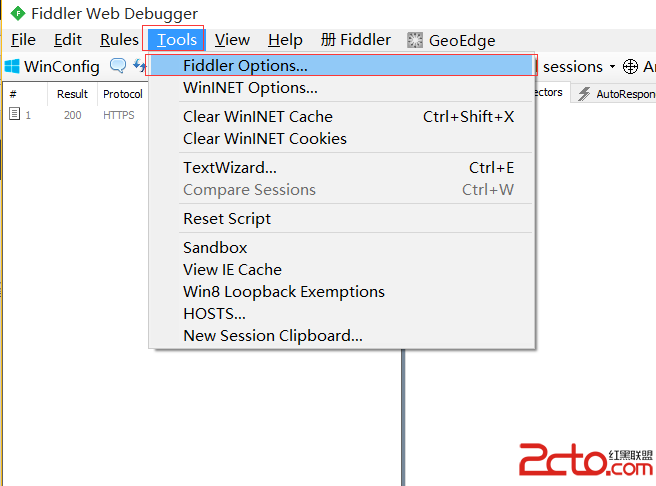 Android 抓包與反編譯實操:Fiddler 加 apktool、dex2jar 一條龍
基於研究需要試了一下抓包與反編譯,發現入門其實沒想像中難。這篇就把工具流程記錄下來。 一、用 Fiddler 抓包 抓包工具很多,這裡用簡單實用的 Fiddler,官網:
 自製 Android 控件實作:Well Swipe 拖拽排序與刪除動畫
最近動手寫了一個名為 Well Swipe 的客製化控件,主要解決列表項目的手勢互動問題,整體重點放在兩個體驗細節上。 核心功能 這個控件主要實現了兩件事:一是項目左右滑
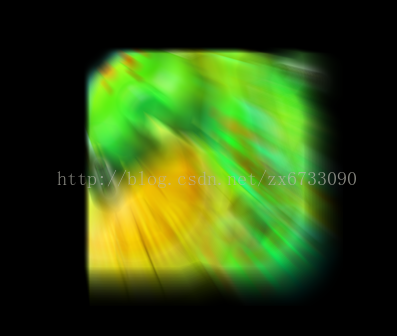 OpenGL 著色器實作:用 GLSL 實現徑向模糊(放射效果)
這個功能我之前也介紹過,之所以在這裡轉載,是因為這個版本是用 OpenGL 實現的,大家可以對照學習一下 OpenGL 的相關用法。 利用 OpenGL 實現徑向模糊,可
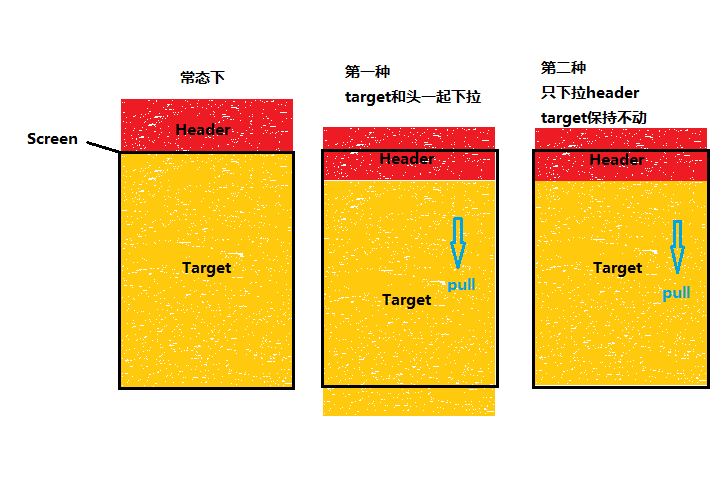 Android 自定義通用下拉刷新控制元件實作解析
下拉刷新的常見做法 下拉刷新是 App 常見互動。早期多使用 PullToRefresh 或改寫版本,現在也有 SwipeRefreshLayout 等選擇。實作上主要有