

編輯:關於 Android 程式設計
網路上談下拉刷新的文章不少,但多半又長又繞,往往還要自己拼手勢判斷。其實官方 Support Library 早就提供了現成方案——SwipeRefreshLayout,不只外觀簡潔,接入成本也低得驚人。
先看效果:好友清單原本是空的,往下一拉、松手,兩筆新資料就補了進來。
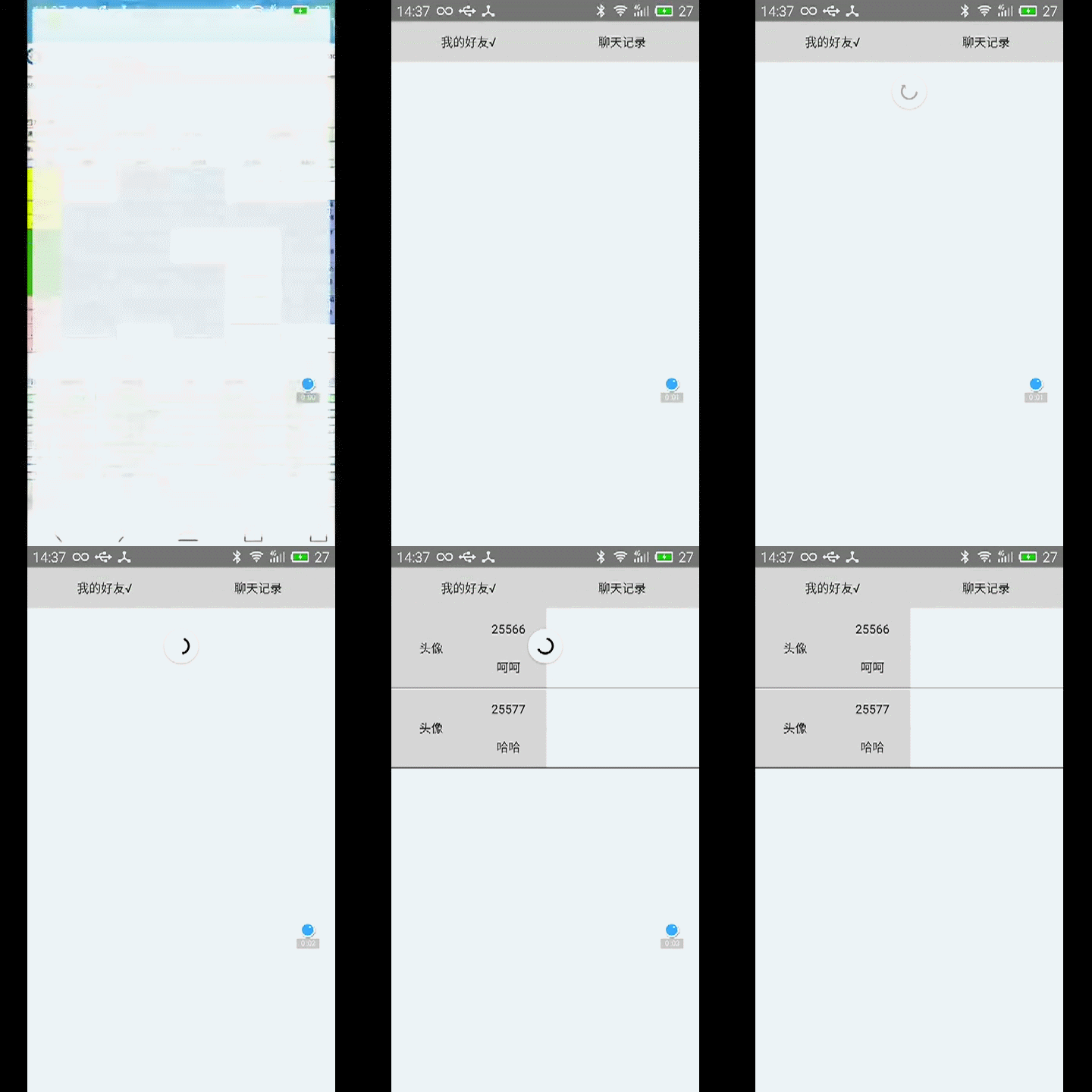
用法非常直觀——在 XML 裡加上 SwipeRefreshLayout,它就是那個負責攔截下拉手勢的容器。由於本例主要是刷新 ListView 的內容,因此把 ListView 直接放進 SwipeRefreshLayout 內部即可。
<RelativeLayout xmlns:android="https://schemas.android.com/apk/res/android" android:layout_width="match_parent" android:layout_height="match_parent" > <android.support.v4.widget.SwipeRefreshLayout android:id="@+id/id_swipe_ly" android:layout_width="match_parent" android:layout_height="match_parent" > <ListView android:id="@+id/id_listview" android:layout_width="match_parent" android:layout_height="match_parent" > </ListView> </android.support.v4.widget.SwipeRefreshLayout> </RelativeLayout>
寫到這裡,只要在主界面向下滑動到頂端,下拉手勢就會被 SwipeRefreshLayout 攔下並顯示刷新動畫。
接著要取得這個容器的執行個體,設定刷新時要跑的邏輯,並在資料更新完畢後關掉那個轉圈圈的小動畫。
mSwipeLayout = (SwipeRefreshLayout) findViewById(R.id.haoyouliebiaoshuaxin);//實例化 //handler 用來更新UI的 haoyouhandler = new Handler(){ @Override public void handleMessage(Message msg) { super.handleMessage(msg); //要做的事 Item i1 = new Item(); i1.name = "呵呵"; i1.account = 25566; haoyou.add(i1); Item i2 = new Item(); i2.name = "哈哈"; i2.account = 25577; haoyou.add(i2); haoyouadpter = new liebiaoAdapter(MainActivity.this, R.layout.liebiao, haoyou); haoyoulist.setAdapter(haoyouadpter); //取消更新的動畫 mSwipeLayout.setRefreshing(false); } }; //設置監聽器 mSwipeLayout.setOnRefreshListener(new SwipeRefreshLayout.OnRefreshListener() { @Override //正在更新的時候執行什麼代碼 public void onRefresh() { new Thread(new Runnable() { @Override public void run() { //等待一秒 try { Thread.sleep(1000); } catch (InterruptedException e) { e.printStackTrace(); } //發消息給handler更新UI Message ok = new Message(); haoyouhandler.sendMessage(ok); } }).start();
網路請求不能寫在主執行緒,但 UI 也只能在主執行緒更新。因此常見做法是:在 onRefresh 裡開一條子執行緒去抓資料,抓完透過 Handler 派送訊息回主執行緒,在 handleMessage 中更新 Adapter,最後呼叫 setRefreshing(false) 收起動畫。範例中的 Thread.sleep(1000) 只是模擬請求耗時,實戰請替換成真正的非同步任務。
整體來說,官方 SwipeRefreshLayout 把「手勢偵測 + 動畫呈現」都處理好了,開發者只需專注在資料層。希望這套寫法能幫你省下不少時間。
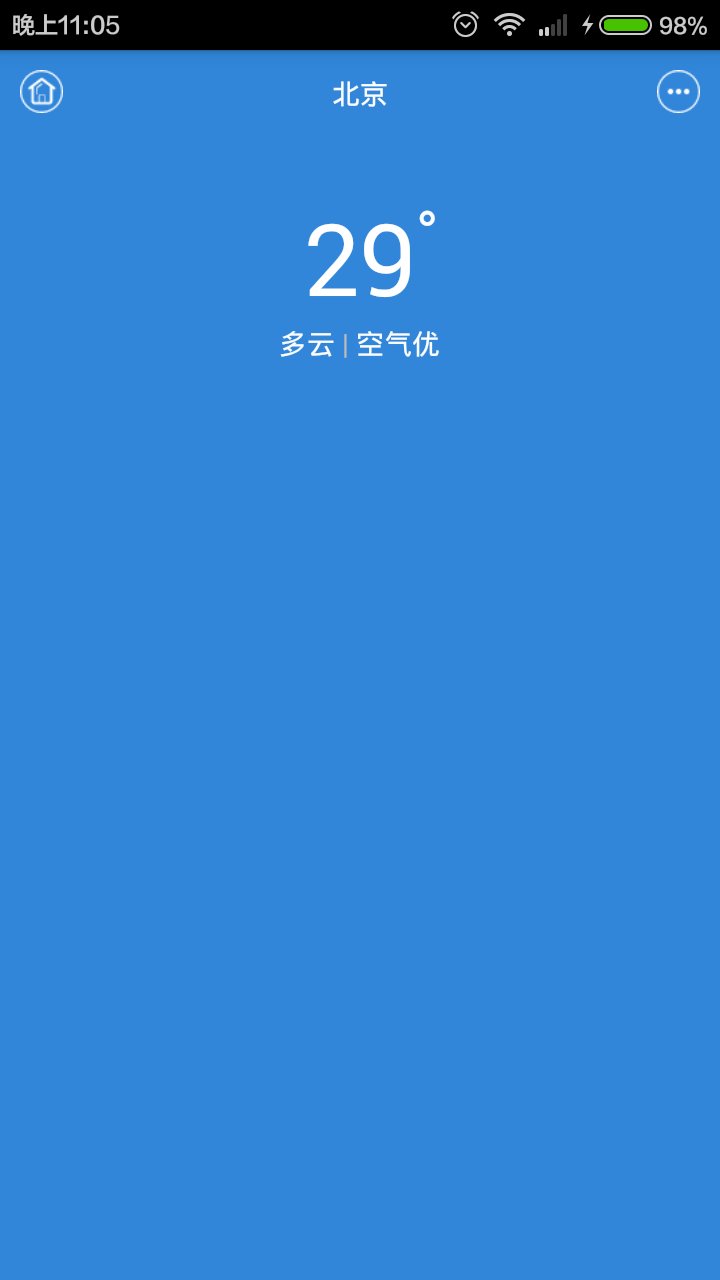 天氣 App 版面練習:RelativeLayout 與 LinearLayout 的搭配
這一篇主要練習 RelativeLayout 與 LinearLayout 的組合運用。
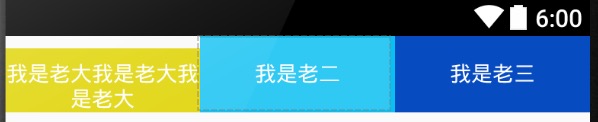 layout_weight屬性圖解:三種典型分配場景
layout_weight的作用 先按照宣告的尺寸分配,剩餘的空間再依照layout_weight進行分配。 這句話是理解layout_weight的關鍵。下面透過三
 Android 自定義數字與字母鍵盤實作
自定義鍵盤的架構自定義鍵盤通常包含三個部分:CustomKeyboard、CustomKeyboardView 與 KeyboardManager。前者負責按鍵行為,中者
 BLE 低功耗藍牙在 Android 開發中的應用實踐
最近一段時間都在開發支援 BLE 藍牙的 Android 應用,是時候做個總結了。 一、什麼是 BLE?~~~ Bluetooth Low Energy(低功耗藍牙),縮