

編輯:關於 Android 程式設計
先按照宣告的尺寸分配,剩餘的空間再依照layout_weight進行分配。
這句話是理解layout_weight的關鍵。下面透過三個由淺入深的例子,直觀說明它的分配規則。
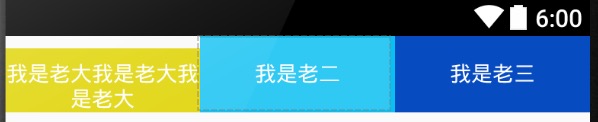
程式碼:
<LinearLayout
    android:gravity="center"
    android:layout_height="wrap_content"
    android:layout_width="match_parent"
    android:orientation="horizontal"
    xmlns:android="https://schemas.android.com/apk/res/android">

    <TextView
        android:background="#e1d611"
        android:gravity="center"
        android:layout_height="50dp"
        android:layout_weight="1"
        android:layout_width="0dp"
        android:text="我是老大我是老大我是老大"
        android:textColor="#ffffff"
        android:visibility="gone" />

    <TextView
        android:background="#09c0f2"
        android:gravity="center"
        android:layout_height="50dp"
        android:layout_weight="1"
        android:layout_width="0dp"
        android:text="我是老二"
        android:textColor="#ffffff" />

    <TextView
        android:background="#074bc1"
        android:gravity="center"
        android:layout_height="50dp"
        android:layout_weight="1"
        android:layout_width="0dp"
        android:text="我是老三"
        android:textColor="#ffffff"
        android:visibility="gone" />

</LinearLayout>
此例中,三個子控制項都設定 layout_width="0dp"、layout_weight="1",因此剩餘空間會被平均分成三份。注意:使用weight時,把寬度設為0dp是較好的實務做法,能避免因內容長度不同而導致的分配不均。
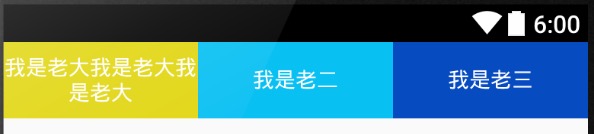
在父控制項中加入:
android:baselineAligned="false"
當子項的文字基線對齊(baselineAligned)預設為true時,可能導致各項高度略有差異、無法完全對齊。將父容器的 baselineAligned 設為false,即可讓各項在平均分配的基礎上保持整齊對齊。
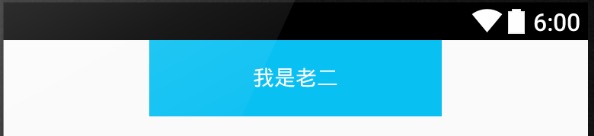
在父控制項中加入:
android:weightSum="2"
程式碼:
<LinearLayout
    android:baselineAligned="false"
    android:gravity="center"
    android:layout_height="wrap_content"
    android:layout_width="match_parent"
    android:orientation="horizontal"
    android:weightSum="2"
    xmlns:android="https://schemas.android.com/apk/res/android">

    <TextView
        android:background="#09c0f2"
        android:gravity="center"
        android:layout_height="50dp"
        android:layout_weight="1"
        android:layout_width="0dp"
        android:text="我是老二"
        android:textColor="#ffffff" />

</LinearLayout>
當父容器設定 weightSum="2",而唯一子項的 layout_weight="1" 時,該子項只會佔據父容器一半的寬度,另一半留白。這正是weightSum所定義的「權重總和」帶來的分配效果:子項比例 = 自身weight ÷ weightSum。
掌握這三種場景,你就能在各種排版需求中靈活、精準地運用layout_weight了。
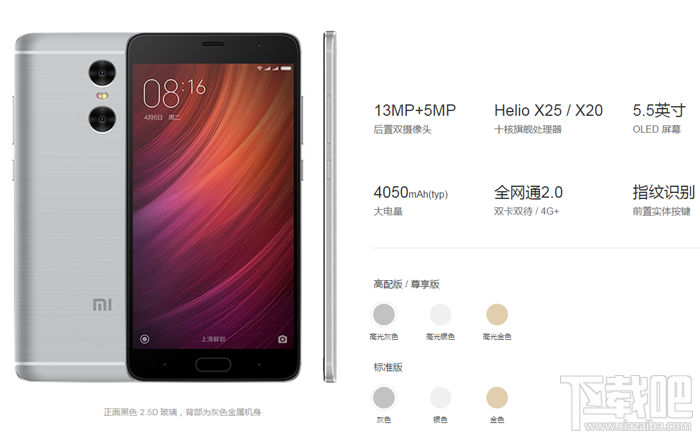 紅米Pro怎麼插SIM卡 三選二卡槽安裝圖解
紅米Pro是一款頗具質感的機器,工藝上比三段式機身更進一步,採用一體化全金屬設計,整體感更強。它共有「標準版」「高配版」「尊享版」三個版本。 除了三種機身配色,紅米Pr
 Android 對話框樣式大全:以 jjdxm-dialogui 快速搞定各種彈窗
簡介 專案裡的彈窗需求往往五花八門:提示、確認、單選、多選、輸入、底部選單、自訂版面……每一種都自己寫一遍,程式碼很快就失控了。jjdxm-dialogui 這個庫把常見
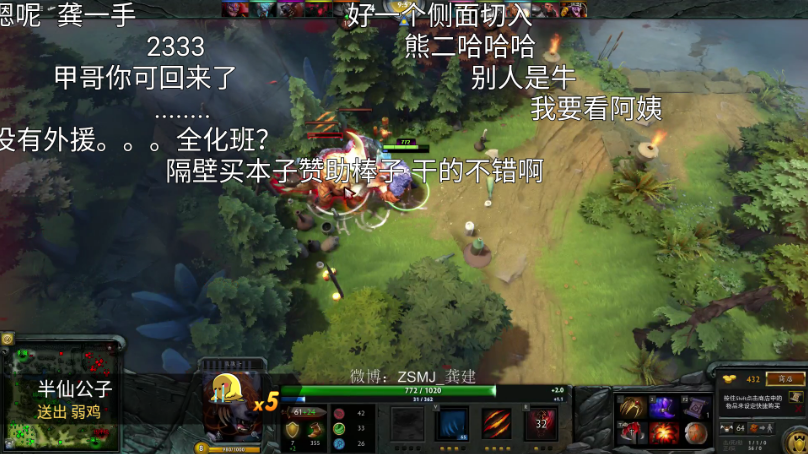 Android 仿斗魚直播彈幕效果完整實作
之前有位朋友在我的公眾號裡問過:像直播那種彈幕功能該如何實現?如今直播產業火熱無比,大大小小的公司都想涉足這個領域,用斗魚的話來說,現在就是「千播之戰」。而彈幕無疑是直播
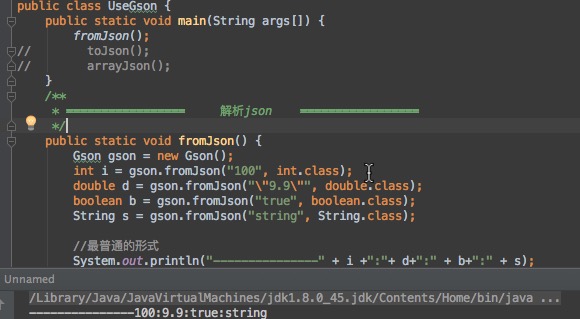 Gson 使用大全:從基礎解析到泛型與字段過濾
平時真正用到的 Gson 方法其實就那么幾個,學的東西用少了容易忘,趁這個機會撿起來做個記錄,方便日後復習。 JSON 是一種交換文本數據的格式,解析方式有很多,框架級的