

編輯:關於 Android 程式設計
Android 中的 TextView 預設是無法做到兩端對齊的,都是靠左對齊。可能的原因是 Android 預設不允許數字、字母作為第一行以後每行的開頭字符——因為數字、字母是半角字符,還有就是文字中的英文字符佔 1 個位元組,而一個漢字佔兩個位元組。下面我就介紹一下實作兩端對齊的原理:
效果如下:
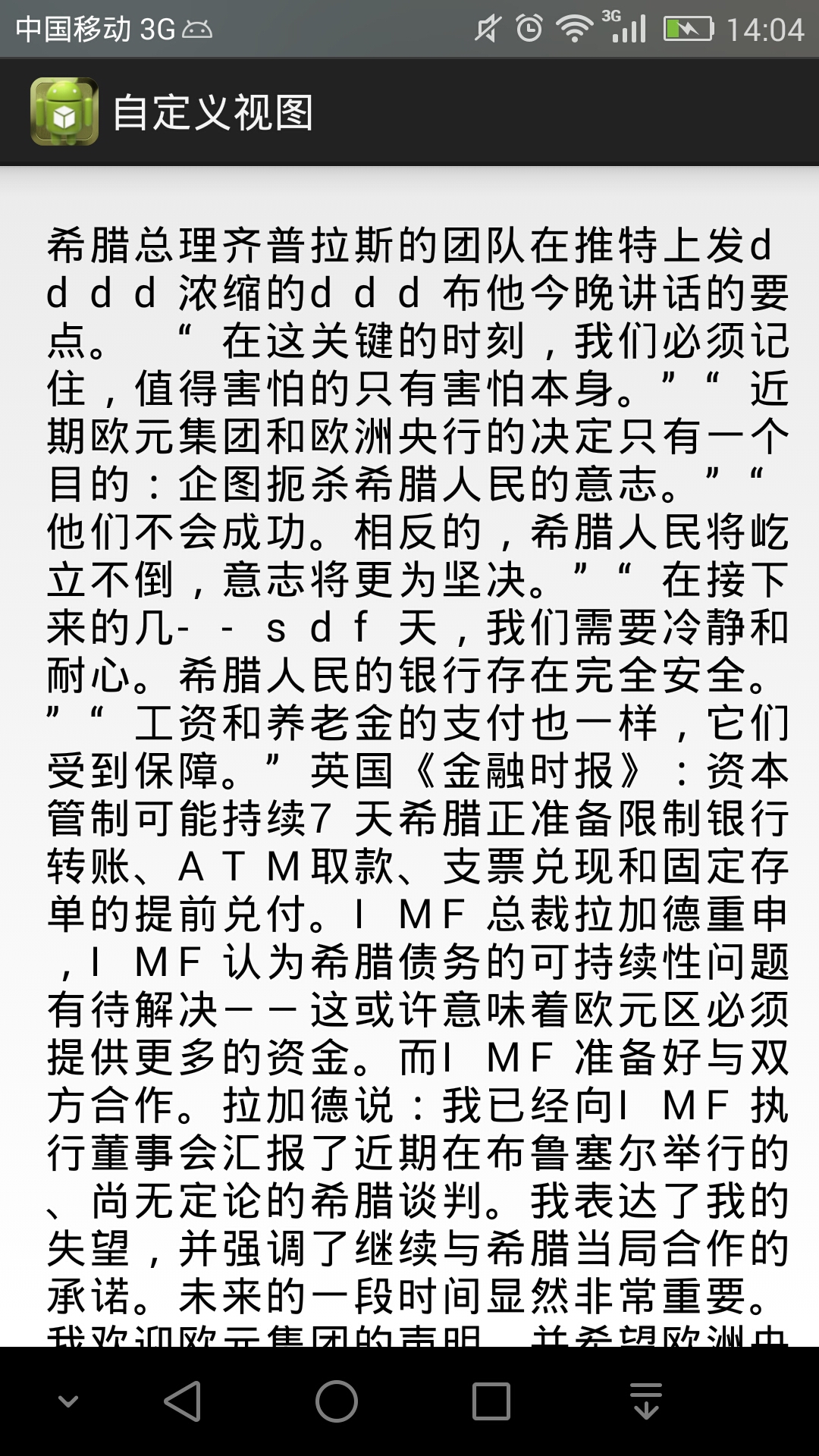
具體程式碼如下:
package com.wedroid.framework.module.ui; import android.content.Context; import android.graphics.Canvas; import android.graphics.Paint; import android.text.TextPaint; import android.text.TextUtils; import android.util.AttributeSet; import android.view.ViewGroup.MarginLayoutParams; import android.view.ViewTreeObserver.OnPreDrawListener; import android.widget.TextView; public class WeDroidAlignTextView extends TextView { private boolean first = true; public WeDroidAlignTextView(Context context, AttributeSet attrs, int defStyle) { super(context, attrs, defStyle); getViewTreeObserver().addOnPreDrawListener(new OnPreDrawListener() { @Override public boolean onPreDraw() { initTextInfo(); return true; } }); } public WeDroidAlignTextView(Context context, AttributeSet attrs) { this(context, attrs, 0); } public WeDroidAlignTextView(Context context) { this(context, null, 0); } private float textSize; private float textLineHeight; private int top; private int y; private int lines; private int bottom; private int right; private int left; private int lineDrawWords; private char[] textCharArray; private float singleWordWidth; private float lineSpacingExtra; public void initTextInfo() { textSize = getTextSize(); textLineHeight = getLineHeight(); left = 0; right = getRight(); y = getTop(); // 要畫的寬度 int drawTotalWidth = right - left; String text = getText().toString(); if (!TextUtils.isEmpty(text) && first) { textCharArray = text.toCharArray(); TextPaint mTextPaint = new TextPaint(Paint.ANTI_ALIAS_FLAG); mTextPaint.density = getResources().getDisplayMetrics().density; mTextPaint.setTextSize(textSize); // 一個單詞的的寬度 singleWordWidth = mTextPaint.measureText("一") + lineSpacingExtra; // 一行可以放多少個字符 lineDrawWords = (int) (drawTotalWidth / singleWordWidth); int length = textCharArray.length; lines = length / lineDrawWords; if ((length % lineDrawWords) > 0) { lines = lines + 1; } first = false; MarginLayoutParams layoutParams = (MarginLayoutParams) getLayoutParams(); int totalHeight = (int) (lines*textLineHeight+textLineHeight*2 + getPaddingBottom()+getPaddingTop()+layoutParams.bottomMargin+layoutParams.topMargin); setHeight(totalHeight); } } @Override protected void onDraw(Canvas canvas) { bottom = getBottom(); int drawTotalLine = lines; if(maxLine!=0&&drawTotalLine>maxLine){ drawTotalLine = maxLine; } for (int i = 0; i < drawTotalLine; i++) { try { int length = textCharArray.length; int mLeft = left; // 第i+1行開始的字符index int startIndex = (i * 1) * lineDrawWords; // 第i+1行結束的字符index int endTextIndex = startIndex + lineDrawWords; if (endTextIndex > length) { endTextIndex = length; y += textLineHeight; } else { y += textLineHeight; } for (; startIndex < endTextIndex; startIndex++) { char c = textCharArray[startIndex]; // if (c == ' ') { // c = '\u3000'; // } else if (c < '\177') { // c = (char) (c + 65248); // } canvas.drawText(String.valueOf(c), mLeft, y, getPaint()); mLeft += singleWordWidth; } } catch (Exception e) { e.printStackTrace(); } } } int maxLine; public void setMaxLines(int max){ this.maxLine = max; } public void setLineSpacingExtra(int lineSpacingExtra){ this.lineSpacingExtra = lineSpacingExtra; } /** * 判斷是否為中文 * @return */ public static boolean containChinese(String string){ boolean flag = false; for (int i = 0; i < string.length(); i++) { char c = string.charAt(i); if ((c >= 0x4e00) && (c <= 0x9FA5)) { flag = true; } } return flag; } public static String ToDBC(String input) { // 導致TextView異常換行的原因:安卓默認數字、字母不能為第一行以後每行的開頭字符,因為數字、字母為半角字符 // 所以我們只需要將半角字符轉換為全角字符即可 char c[] = input.toCharArray(); for (int i = 0; i < c.length; i++) { if (c[i] == ' ') { c[i] = '\u3000'; } else if (c[i] < '\177') { c[i] = (char) (c[i] + 65248); } } return new String(c); } } 希望本文所述能對大家學習 Android 程式設計有所幫助。
 Android ListView 下拉刷新完整實作
下拉刷新的基本結構下拉刷新是列表頁常見的互動。實作時,通常會自訂 ListView,並在頂部加入一個隱藏的下拉刷新表頭。當使用者用手指下拉時,表頭會逐漸顯示;放開後,若達
 Android 簡易下載管理器實作:暫停、斷點續傳與多線程調度
先看效果圖。 預覽圖中把同時最大下載數限制為 2。 其實下載管理器的實現並不複雜,把幾個要點想清楚就行: 下載必須跑在 Service 裡,才能支持後台下載; 用一張
 手機卡未實名要被停機?三種辦理途徑整理
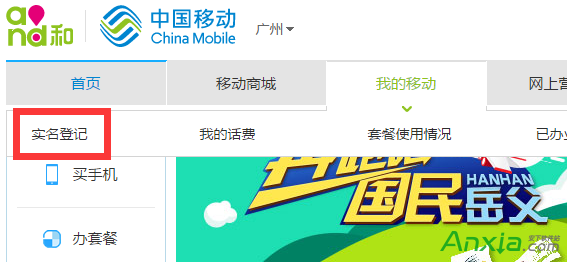
手機卡未實名可能面臨停機,那實名登記該怎麼辦?隨著手機卡實名制於9月1日大規模推行,不少用戶開始著急。下面小編把辦理方式整理清楚。 整體來看,辦理實名可分為線下與線上兩大
 微信運動怎麼用?開啟計步與好友排行的設定教學
微信運動是一個基於第三方運動數據的服務,能讀取手機或穿戴裝置的步數,再與微信好友做比較。目前支援 iOS 與 Android 兩大平台,設定一次之後就會自動記錄,不需要每