

編輯:關於 Android 程式設計
如今越來越多的 App 在註冊或進行某些操作時,都要求獲取短信驗證碼。點擊「獲取短信驗證碼」按鈕後,通常會出現倒計時(例如 120 秒),在倒計時期間按鈕背景會變化並顯示剩餘秒數,倒計時結束後若仍未獲取到驗證碼,可以再次點擊。
程式碼如下:
VerCodeTimer mVerCodeTimer=(Button) findViewById(R.id.login_get_ver_code); private class VerCodeTimer extends CountDownTimer { private int seconds; private int interval; //millisInFuture為你設置的此次倒計時的總時長,比如60秒就設置為60000 //countDownInterval為你設置的時間間隔,比如一般為1秒,根據需要自定義。 public VerCodeTimer(long millisInFuture, long countDownInterval) { super(millisInFuture, countDownInterval); seconds = (int) (millisInFuture / 1000); interval= (int) (countDownInterval/1000); } //每過你規定的時間間隔做的操作 @Override public void onTick(long millisUntilFinished) { getVerCodeButton.setText((seconds-interval) + "秒後重新獲取"); } //倒計時結束時做的操作↓↓ @Override public void onFinish() { getVerCodeButton.setTextSize(10); getVerCodeButton.setText("重新獲取驗證碼"); getVerCodeButton.setClickable(true); getVerCodeButton.setBackgroundResource(R.drawable.login_get_ver_code_before_bg); } } @Override public void onBackPressed() { if (mVerCodeTimer != null) mVerCodeTimer.cancel(); super.onBackPressed(); } 使用的時候:
getVerCodeButton.setTextSize(11); getVerCodeButton.setClickable(false); getVerCodeButton.setBackgroundResource(R.drawable.login_get_ver_code_ago_bg); mVerCodeTimer = new VerCodeTimer(60000, 1000); mVerCodeTimer.start();
login_edit_normal_bg.xml:
<?xml version="1.0" encoding="UTF-8"?> <shape xmlns:android="https://schemas.android.com/apk/res/android" android:shape="rectangle" android:useLevel="false"> <!-- 背景填充顏色值 --> <solid android:color="#6c948b" /> <!-- radius值越大,越趨於圓形 --> <corners android:radius="10dip" /> <!-- 圓角圖像內部填充四周的大小 ,將會以此擠壓內部布置的view --> <padding android:bottom="10dip" android:left="10dip" android:right="10dip" android:top="10dip" /> </shape>
login_edit_passed_bg.xml:
<?xml version="1.0" encoding="UTF-8"?> <shape xmlns:android="https://schemas.android.com/apk/res/android" android:shape="rectangle" android:useLevel="false"> <!-- 背景填充顏色值 --> <solid android:color="#509989" /> <!-- radius值越大,越趨於圓形 --> <corners android:radius="10dip" /> <!-- 圓角圖像內部填充四周的大小 ,將會以此擠壓內部布置的view --> <padding android:bottom="10dip" android:left="10dip" android:right="10dip" android:top="10dip" /> </shape>
以上就是本文介紹的 Android 獲取短信驗證碼後按鈕背景變化並顯示倒計時的完整程式碼,希望這段程式碼能夠幫助到大家,同時感謝大家一直以來對本站的支持。
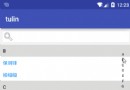 Android 自定義 View:實作字母導航欄
在聯絡人、音樂或相簿等應用中,字母導航欄是很常見的輔助操作。本文將說明如何透過自定義 View,實作一個可滑動、可高亮、可與 ListView 聯動的字母索引欄。 自定
 Android 圖片處理:讓圖片持續等速旋轉
這篇可以接在先前那篇「讓圖片變成圓形」之後看,單獨閱讀也沒問題。 步驟一:建立 anim 資源目錄 在 res 資料夾下新增一個名為 anim 的目錄,名稱不要打錯。 步
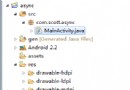 詳解 Android 中 AsyncTask 的使用與源碼原理
不是自己不想總結,而是這篇部落格總結得太好了,自己估計總結不到這麼全,所以轉來分享,感謝原博主的共享精神。開篇如下: 在 Android 中實現異步任務機制有兩種方式:H
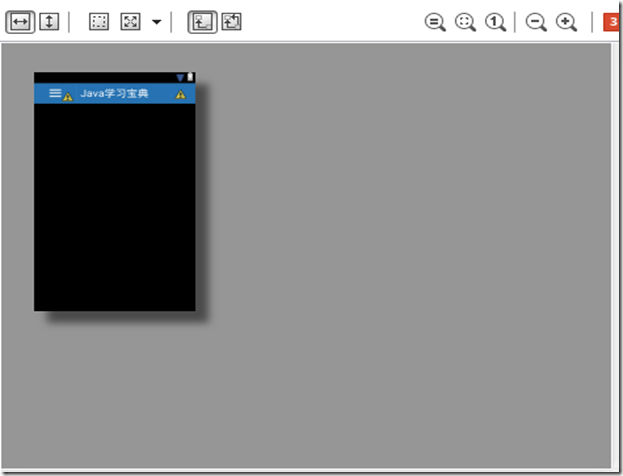 Android 自定義標題欄的實作方法
在 Android 中,自定義標題欄可以讓應用程式拥有更一致的視覺風格。透過獨立標題欄版面配置,可以方便在不同頁面重用,也能依需求加入按鈕與事件。 建立標題欄版面 首先在