

編輯:關於 Android 程式設計
問題場景是這樣的:站點上的篩選按鈕點擊後會彈出一個浮層(fixed 定位),當其中的輸入框取得焦點、彈出系統軟鍵盤後,在 Android 上把十款瀏覽器挨個測試比對,發現唯有 360 瀏覽器出現了「取得焦點的文本框被軟鍵盤覆蓋」的問題。
截圖如下
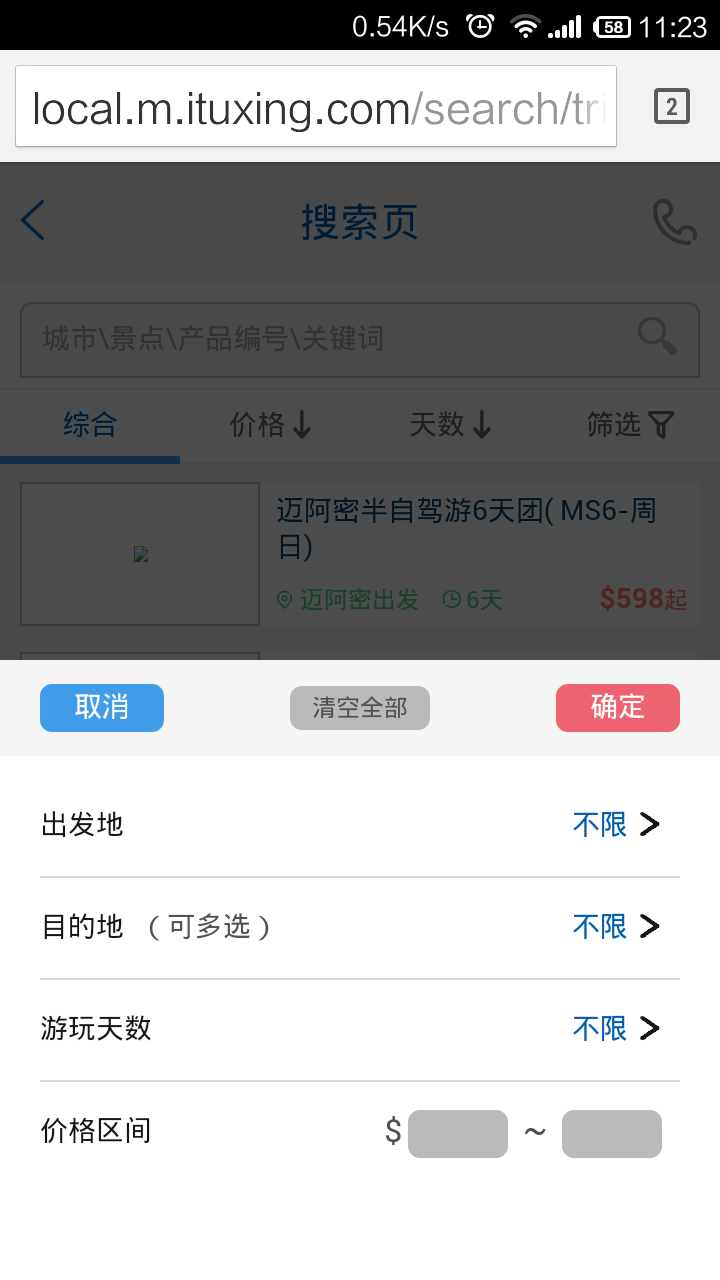
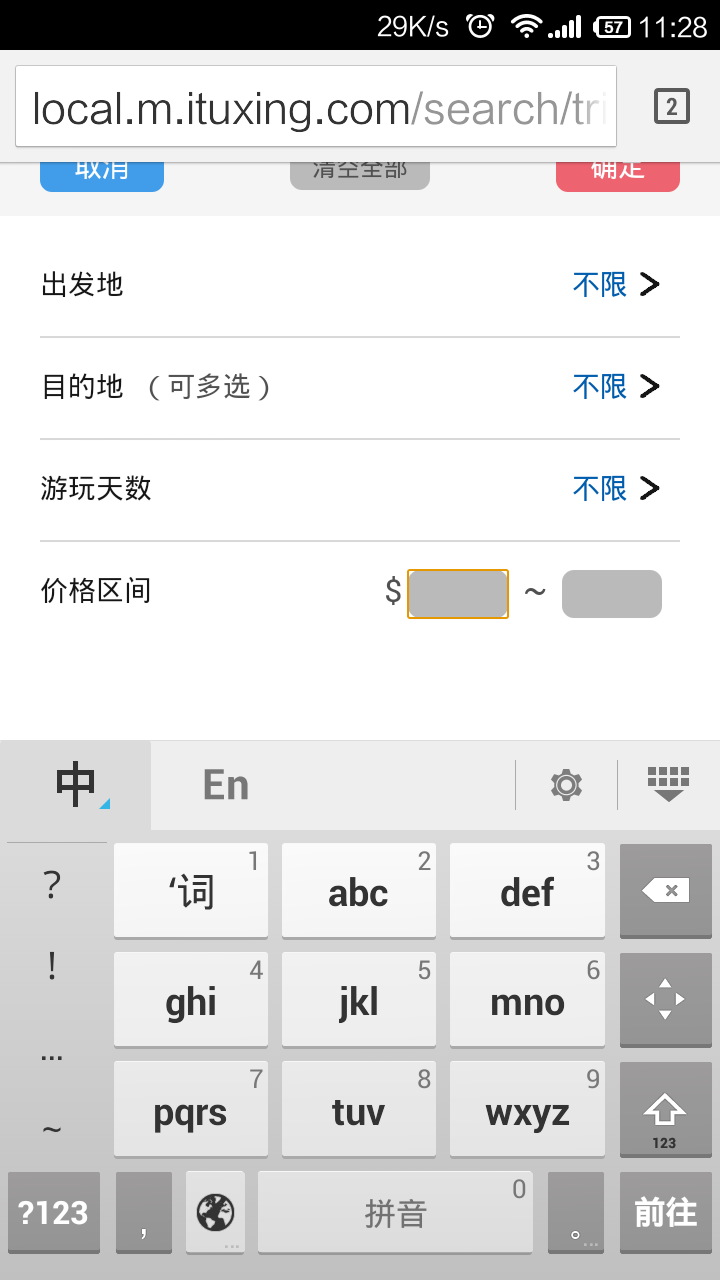
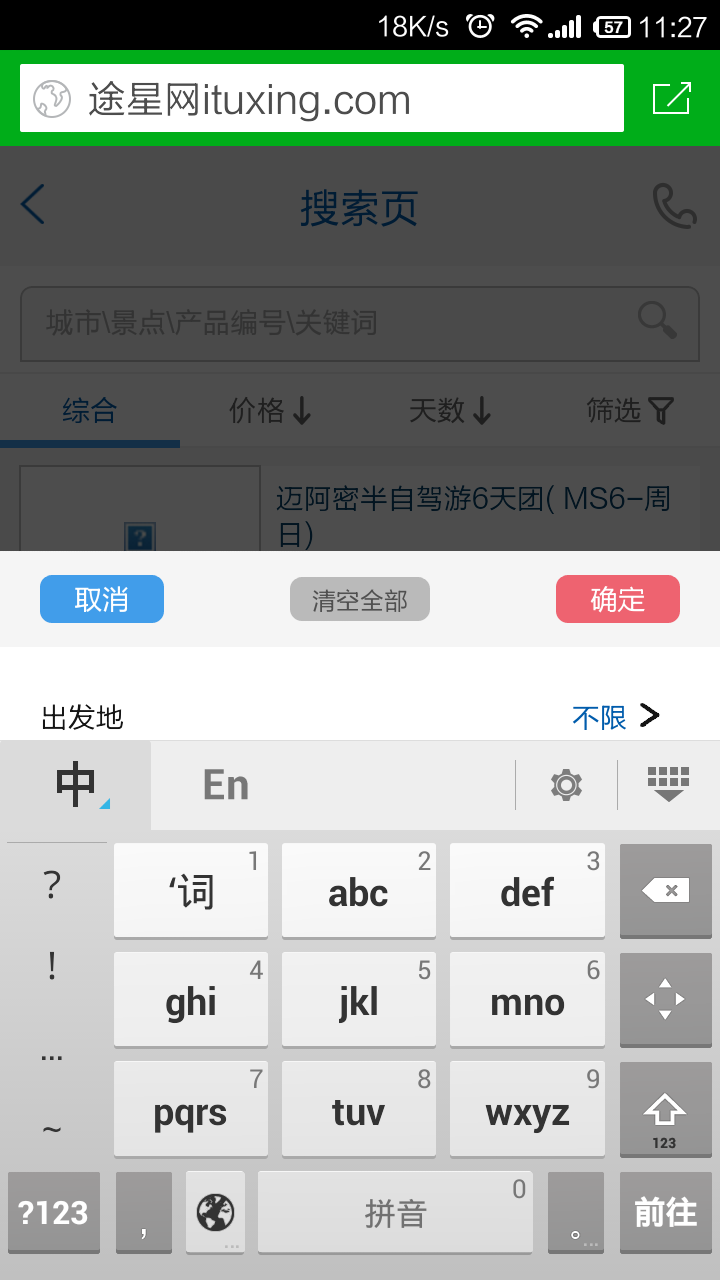
(依序為:未彈出軟鍵盤、Chrome 瀏覽器彈出軟鍵盤、360 瀏覽器彈出軟鍵盤的情況)
那麼問題來了:瀏覽器上的軟鍵盤顯示方式其實有幾種?經過簡單了解與分析,軟鍵盤在瀏覽器上彈出大致可分為兩種方式:一是佔用主 Activity 的空間、讓主 Activity 重新布局;二是不調整視窗大小、直接浮在上層。推測 360 采用的是後者,其他瀏覽器也許用的是前者。
既然問題出現了,就要想辦法解決。經過一番推敲,基本可以理清思路:在「存在不佔用主視窗空間的軟鍵盤」的前提下,1、當 input 取得焦點時,2、軟鍵盤彈出,3、fixed 浮層需要向上移動一些,4、成功輸入;5、當 input 失焦或鍵盤點擊回車後,fixed 浮層還原位置。(慶幸 360 沒有預設隨螢幕旋轉跟隨轉動,否則還要更麻煩。)
思路理清後就可以動手寫程式碼了。
1. 添加瀏覽器識別程式碼
var isSpecialBrowser = navigator.userAgent.match(/360 Aphone.*\(([\d.]+)\)$/i)//360等部分軟鍵盤采用的是軟鍵盤不占用主窗口空間造成,吸底的 input獲取焦點的時候被遮罩
2. 處理事件
$(document) .on('keydown keyup', Element,function(ev) { if(code == && isSpecialBrowser) { DOM.css('bottom', -); } } }) .on('focus', Element,function() { if(isSpecialBrowser) { DOM.css('bottom', -); } }) .on('blur', Element,function() { if(isSpecialBrowser) { DOM.css('bottom', -); } });這樣問題基本就解決了。不過仍有個遺留問題:當用戶主動點擊鍵盤的收起按鈕時,無法取得任何 keycode 與對應事件,因此這裡會存在一個盲區。
文本框取得焦點、失去焦點呼叫 JavaScript
程式碼如下:
<%@ Page Language="VB" CodeFile="focus.aspx.vb" Inherits="focus" %> <!DOCTYPE html PUBLIC "-//W3C//DTD XHTML 1.0 Transitional//EN" "https://www.w3.org/TR/xhtml1/DTD/xhtml1-transitional.dtd"> <html xmlns="https://www.w3.org/1999/xhtml" > <head runat="server"> <title>無標題頁</title> <script language="javascript"> function text1_onmouseover(it) { it.focus(); it.select(); it.style.backgroundColor="red"; } function text1_onmouseout(it) { it.onblur; it.style.backgroundColor="white"; } </script> </head> <body> <form id="form1" runat="server"> <div> <asp:TextBox ID="TextBox1" onmouseover="return text1_onmouseover(this);" onblur="text1_onmouseout(this)" runat="server"></asp:TextBox> </div> </form> </body> </html>
 Android 自定義 ImageView 手勢縮放與拖曳實作指南
效果展示 本文要實作的是一個可以縮放與移動的 ImageView。以下先提供效果示意: 範例會把一張圖片放入自定義控制項中,讓使用者可以用手勢放大、縮小,也可以拖曳到不
 用 RecyclerView 打造搜索結果高亮列表的完整思路
先看一眼最終效果,後面所有的討論都圍繞它展開:關鍵詞高亮這種列表,項目裡出現的頻率相當高。今天就用 RecyclerView 把它做出來。這篇我當作入門篇來寫,功能本身不
 Android Wear 設計指南:Suggest 與 Demand 兩大核心
來源:https://developer.android.com/design/wear/index.html 為什麼手錶不能照搬手機的設計 為可穿戴設備設計應用,和為手
 手把手整合 PullToRefresh 下拉刷新庫
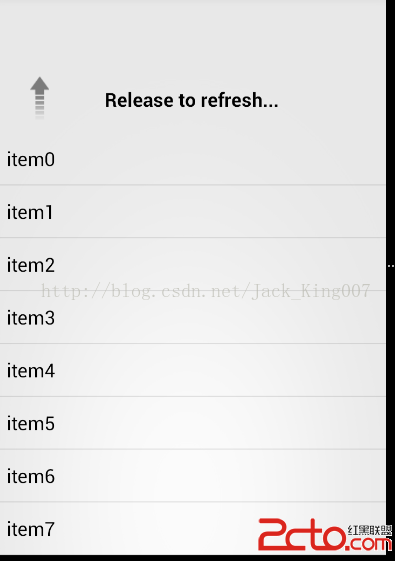
做專案時常會想回頭盤點:一個 App 到底需要哪些基礎能力?下拉刷新肯定是其中之一。這篇就重新梳理一次經典開源庫 PullToRefresh 的整合流程。 一、複製