

編輯:關於 Android 程式設計
處理圖片時,常需要在幾種型別之間來回轉換:從資源拿到的 Drawable 要轉成 Bitmap 才能縮圖或存成檔案;Bitmap 要轉成 byte[] 才能上傳到伺服器;byte[] 收到後又要還原成 Bitmap 才能顯示。這些片段每次都要重新查很麻煩,這裡一次整理好。
思路是「建立一張空白畫布,再請 Drawable 把自己畫上去」。要注意的是像素格式:如果 Drawable 帶有透明資訊,必須用 ARGB_8888,否則透明區域會變成黑塊。
public static Bitmap drawableToBitmap(Drawable drawable) {
    Bitmap bitmap = Bitmap.createBitmap(
            drawable.getIntrinsicWidth(),
            drawable.getIntrinsicHeight(),
            drawable.getOpacity() != PixelFormat.OPAQUE
                ? Bitmap.Config.ARGB_8888
                : Bitmap.Config.RGB_565);
    Canvas canvas = new Canvas(bitmap);
    drawable.setBounds(0, 0, drawable.getIntrinsicWidth(), drawable.getIntrinsicHeight());
    drawable.draw(canvas);
    return bitmap;
}
這裡用 RGB_565 節省不透明圖片的記憶體(每像素 2 bytes,只有 ARGB_8888 的一半),是省記憶體的小技巧。
如果圖片本來就在 res 裡,其實不必經過 Drawable 繞一圈:
Resources res = getResources();
Bitmap bmp = BitmapFactory.decodeResource(res, R.drawable.pic);
上傳圖片到伺服器時需要這個轉換。compress() 會把編碼後的資料寫進串流,第二個參數是品質(0 到 100)。
private byte[] Bitmap2Bytes(Bitmap bm) {
    ByteArrayOutputStream baos = new ByteArrayOutputStream();
    bm.compress(Bitmap.CompressFormat.PNG, 100, baos);
    return baos.toByteArray();
}
補充一點:PNG 是無失真格式,品質參數實際上沒有作用;若來源是照片,改用 CompressFormat.JPEG 並把品質調到 80 左右,檔案體積往往能降到原本的十分之一,對行動網路友善得多。
private Bitmap Bytes2Bimap(byte[] b) {
    if (b != null && b.length != 0) {
        return BitmapFactory.decodeByteArray(b, 0, b.length);
    }
    return null;
}
收到網路回傳的圖片時,記得先做這個 null 與空陣列檢查。伺服器回 404 時往往是一段 HTML 而非圖片,直接丟給 decodeByteArray 會回傳 null,後續若不檢查就會在 imageView.setImageBitmap(null) 這類地方出問題。
把這幾段存成一個 ImageUtils 工具類放進專案,以後遇到類似需求就不必到處翻找了。
 Android FrameLayout 幀布局介紹
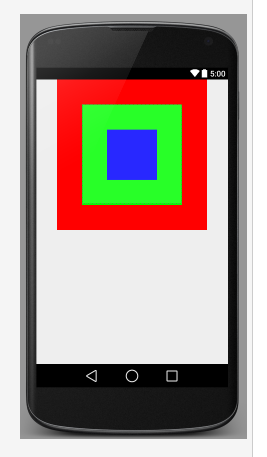
FrameLayout 是 Android 最簡單的布局之一。它會在螢幕上提供一個空白區域,所有加入的子元件都會疊放在同一層,預設從左上角開始排列。 基本特性 由於子元件
 Android 事件分發機制實測系列(二)
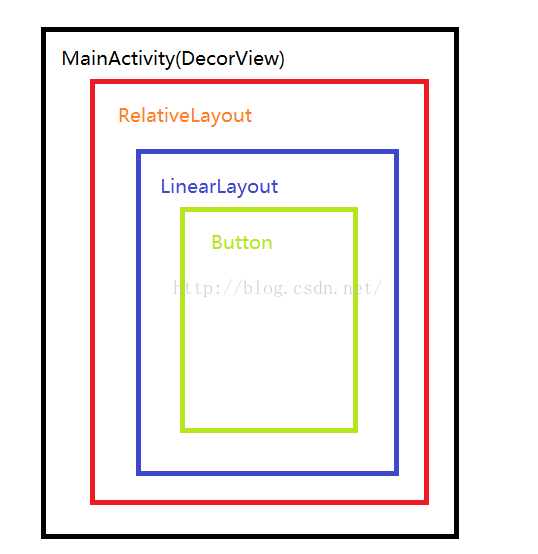
接下來的幾篇將透過小 Demo 來實測事件分發機制,進而幫助我們更好地理解源碼。至於源碼的深入分析,網上已有許多討論,大家可以自行查閱。本篇預設你已經理解 ViewGro
 Android 多線程研究:Timer 定時器的用法與變體技巧
先看最基礎的一段:public static void main(String[] args) { new Timer().schedule(new TimerT
 Android Studio 綁定 Git 協同開發:從遠端 clone 到 commit and push 全流程
一、Git 是什麼 Git 是一套專案版本控制工具。公司開發大多採用 Git 或 SVN 做程式碼托管。最近因為專案涉及多人協作開發,趁著有空把經驗整理出來,希望各位能少