

編輯:關於 Android 程式設計
JSPF(Java Simple Plugin Framework)是一個輕量的外掛框架,內裡融合了許多 IoC(控制反轉)的概念,讓元件能被動態掛載與取用,而不必在程式碼中硬寫依賴關係。
整個流程只需三個動作:建立 PluginManager、註冊外掛實作類別、再依型別把外掛取出來使用。
 package de.jspfdemo;

import net.xeoh.plugins.base.PluginManager;
import net.xeoh.plugins.base.impl.PluginManagerFactory;
import net.xeoh.plugins.base.util.uri.ClassURI;

import android.app.Activity;
import android.os.Bundle;
import android.widget.TextView;

import de.jspfdemo.plugins.CoolPlugin;
import de.jspfdemo.plugins.impl.CoolPluginImpl;

public class JSPFDemo extends Activity {

/** Called when the activity is first created. */
@Override
public void onCreate(Bundle savedInstanceState) {
super.onCreate(savedInstanceState);
setContentView(R.layout.main);

// Loading and adding plugins via class uri
PluginManager pm = PluginManagerFactory.createPluginManager();
pm.addPluginsFrom(new ClassURI(CoolPluginImpl.class).toURI());

// Getting the CoolPlugin
CoolPlugin plugin = pm.getPlugin(CoolPluginImpl.class);

// Setting the text of a TextView with the help of the CoolPlugin
TextView textView = (TextView) findViewById(R.id.textView);
textView.setText(plugin.sayHello());
}
}
傳統寫法裡,MainActivity 必須直接 import 實作類別,兩者形成硬依賴。改用外掛框架後,介面與實作分離,未來替換實作只要改動註冊來源,甚至能從外部動態載入,這對需要「同款 App 不同品牌客製」的專案特別有用。
需要留意的是,這類框架在 Android 上會引入額外的反射與類別掃描成本,若專案規模不大,直接用介面加工廠模式往往就足夠了。
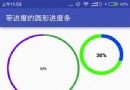 手把手教你用自定義View實現圓形進度條
自定義View的套路其實就那麼幾步: 1、定義自定義View的屬性 2、在View的構造方法中獲取這些屬性 3、重寫onMeasure 4、重寫onDraw 下面就按這幾
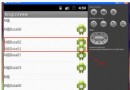 自定义 ListView 实现拖拽 Item 项交换位置(附源码)
在上一篇中,我们通过布局泵拿到不同布局为 listitem 布局,实现了联系人的 ListView。这一章要做的是拖拽 ListView 的 Item 项,实现拖动后数据
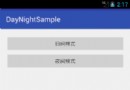 Android SDK Support 自帶的日夜間模式切換詳解
寫這篇博客的目的是教大家利用 Android SDK 自帶的 support lib 實現 App 日間/夜間模式切換。最近看到不少關於日夜模式切換的開源專案,其實 Su
 Notification 實作狀態列通知的完整流程
用手机的時候,如果有未接來電或新短訊,系統會在螢幕上方的狀態列給出提示。Android 對應的兩個類是 Notification 與 NotificationManage