

編輯:關於 Android 程式設計
想讓一個精靈圖在畫面上四處移動、撞到邊界就自動反彈?關鍵是把「速度與方向」獨立封裝成一個物件,再在主迴圈中偵測邊界碰撞。
把 X、Y 軸的速度值與方向常數放在一起,並提供 toggleXDirection() 與 toggleYDirection() 兩個方法用來反轉方向。碰撞時只要呼叫對應方法即可,邏輯非常乾淨。
 package net.obviam.droidz.model.components;

public class Speed {

public static final int DIRECTION_RIGHT = 1;
public static final int DIRECTION_LEFT = -1;
public static final int DIRECTION_UP = -1;
public static final int DIRECTION_DOWN = 1;

private float xv = 1; // velocity value on the X axis
private float yv = 1; // velocity value on the Y axis

private int xDirection = DIRECTION_RIGHT;
private int yDirection = DIRECTION_DOWN;

public Speed() {
this.xv = 1;
this.yv = 1;
}

public Speed(float xv, float yv) {
this.xv = xv;
this.yv = yv;
}

public float getXv() {
return xv;
}

public void setXv(float xv) {
this.xv = xv;
}

public float getYv() {
return yv;
}

public void setYv(float yv) {
this.yv = yv;
}

public int getxDirection() {
return xDirection;
}

public void setxDirection(int xDirection) {
this.xDirection = xDirection;
}

public int getyDirection() {
return yDirection;
}

public void setyDirection(int yDirection) {
this.yDirection = yDirection;
}

// changes the direction on the X axis
public void toggleXDirection() {
xDirection = xDirection * -1;
}

// changes the direction on the Y axis
public void toggleYDirection() {
yDirection = yDirection * -1;
}
}
繪製使用 SurfaceView 的 Canvas 鎖定機制,在 synchronized 區塊中先更新狀態再重繪,避免繪製到一半被回收。碰撞判斷則是拿精靈的座標加上「半個圖片寬高」去和畫布邊界比較,這樣才能做到視覺上貼齊邊緣才反彈。
 public void run() {
Canvas canvas;
Log.d(TAG, "Starting game loop");
while (running) {
canvas = null;
// try locking the canvas for exclusive pixel editing
// in the surface
try {
canvas = this.surfaceHolder.lockCanvas();
synchronized (surfaceHolder) {
// update game state
this.gamePanel.update();
// render state to the screen
// draws the canvas on the panel
this.gamePanel.render(canvas);
}
} finally {
// in case of an exception the surface is not left in
// an inconsistent state
if (canvas != null) {
surfaceHolder.unlockCanvasAndPost(canvas);
}
} // end finally
}
}

public void update() {
// check collision with right wall if heading right
if (droid.getSpeed().getxDirection() == Speed.DIRECTION_RIGHT
&& droid.getX() + droid.getBitmap().getWidth() / 2 >= getWidth()) {
droid.getSpeed().toggleXDirection();
}

// check collision with left wall if heading left
if (droid.getSpeed().getxDirection() == Speed.DIRECTION_LEFT
&& droid.getX() - droid.getBitmap().getWidth() / 2 <= 0) {
droid.getSpeed().toggleXDirection();
}

// check collision with bottom wall if heading down
if (droid.getSpeed().getyDirection() == Speed.DIRECTION_DOWN
&& droid.getY() + droid.getBitmap().getHeight() / 2 >= getHeight()) {
droid.getSpeed().toggleYDirection();
}

// check collision with top wall if heading up
if (droid.getSpeed().getyDirection() == Speed.DIRECTION_UP
&& droid.getY() - droid.getBitmap().getHeight() / 2 <= 0) {
droid.getSpeed().toggleYDirection();
}

// Update the lone droid
droid.update();
}
如果只判斷座標是否越界,當物體剛好停在邊界上會出現「同一帧內反轉兩次」的 bug,導致精靈卡在邊界抖動。加上方向條件後,只有在「朝邊界前進」時才反轉,就能避免這個經典問題。
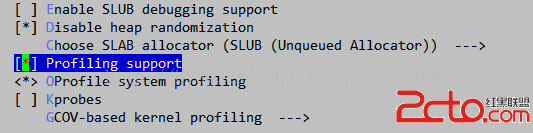 Android 常用調試手段彙總(含 Kernel 調試方法)
除了大家耳熟能詳的 kernel printk、Android 的 DDMS 與 logcat 之外,Android 平台上其實還有不少好用的調試利器。本文重點介紹 bu
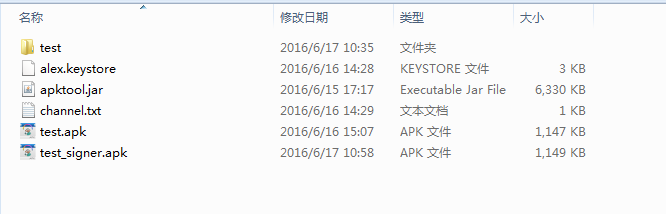 apktool 反編譯與 Eclipse 多渠道打包實作
在 Android 開發與測試流程中,有時需要對 APK 進行反編譯、重新打包,或針對不同管道產生多個安裝包。本文以 apktool 與 jarsigner 為核心,說明
 Android 源碼解析:ViewGroup 的 Touch 事件分發機制
概述 這是接續上一篇「View 的 touch 事件分發機制」的姊妹篇,這次主角換成 ViewGroup。同樣採用「案例+源碼」的方式來分析。 三個關鍵方法 ViewGr
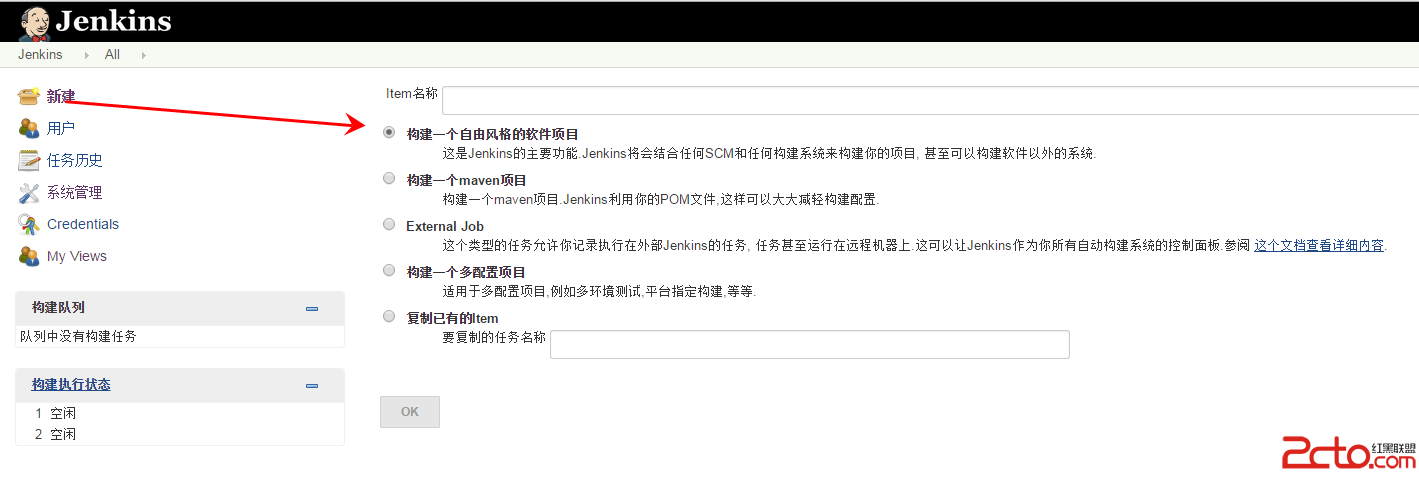 Jenkins 持續整合 Android 項目(四):動手建立第一個 job
前面已經把系統相關設定都處理完了,接下來就可以正式建立專案。 建立新 job 選擇「新增項目」→「建立一個自由風格的軟體專案」,填入專案名稱即可。 注意:專案名稱不要