

編輯:關於 Android 程式設計
寫 Android 自定義控件遲早要面對 attrs.xml。當多個控件需要相同的一批屬性時,直接在每個 declare-styleable 裡重複聲明就成了技術債。本文記錄一次尋找複用方案的完整過程,包括走不通的死路和最終答案。
<?xml version="1.0" encoding="utf-8"?>
<resources>

    <declare-styleable name="ExTextView">
        <attr name="enableOnPad" format="boolean" />
        <attr name="supportDeviceType" format="reference"/>
    </declare-styleable>

    <declare-styleable name="ExEditText">
        <attr name="enableOnPad" format="boolean" />
        <attr name="supportDeviceType" format="reference"/>
    </declare-styleable>

</resources>
代碼能跑,但兩個 styleable 中的屬性聲明完全重複。屬性一多,這種寫法維護起來就是災難——改一處得記著改全部。
直覺上會想到借鑑 style 的繼承機制,給 declare-styleable 加個 parent:
<declare-styleable name="ExTextView">
    <attr name="enableOnPad" format="boolean" />
    <attr name="supportDeviceType" format="reference"/>
</declare-styleable>

<declare-styleable name="ExEditText" parent="ExTextView">
</declare-styleable>
attrs.xml 不會報語法錯誤,看起來似乎成功了。但實際使用 R.styleable.ExEditText_supportDeviceType 時,R 文件裡根本沒有生成這個常量,清理並重新構建工程也不生效。查證後發現這不是 ADT 插件的 bug,而是 declare-styleable 本身就不支持 parent 屬性——它與 <style> 是兩套完全不同的機制。
正解是把屬性聲明提到 declare-styleable 之外,讓它成為全局唯一的定義,然後在各個 styleable 中以引用方式使用:
<?xml version="1.0" encoding="utf-8"?>
<resources>
    <attr name="enableOnPad" format="boolean" />
    <attr name="supportDeviceType" format="reference"/>

    <declare-styleable name="ExTextView">
        <attr name="enableOnPad"/>
        <attr name="supportDeviceType"/>
    </declare-styleable>

    <declare-styleable name="ExEditText">
        <attr name="enableOnPad"/>
        <attr name="supportDeviceType"/>
    </declare-styleable>
</resources>
關鍵差別在於:頂層的 <attr> 帶 format,是唯一定義處;styleable 內部的 <attr> 不帶 format,只是引用。這樣格式只寫一次,多個控件共享,改動只需改一處。
每次調整完 attr 定義後,建議清理一次工程,確保 R 文件重新生成,避免增量構建帶來的緩存問題。
這套機制背後的邏輯是:attr 是「屬性的定義」,declare-styleable 是「屬性的集合」,兩者是不同層次的概念。Android 需要在 R 文件中為每個 attr 生成一個整型索引,為每個 styleable 生成一個索引數組,因此 attr 必須全局唯一,而 styleable 只是把索引組織起來的容器。理解了這個模型,就不會再去嘗試那些看似合理但根本不存在的語法。
本文的方案記錄自 Stack Overflow 上的相關討論(https://stackoverflow.com/questions/18827875/how-to-declare-several-stylable-attributes-with-the-same-name-for-different-tags),是至今仍有效的做法。
 GridView 三種實作方式詳解:SimpleAdapter、BaseAdapter 與效能優化
GridView 是 Android 早期的網格排版元件。它的實作方式可以從最簡單一路優化到最講究,本文用「每格一張圖片加一行文字」這個需求,示範五種層次的做法與它們的效
 用 FastBlur 快速實現 Android 毛玻璃效果
從 iOS 開始的模糊風潮 自從 iOS 把毛玻璃(Blur)帶進系統介面,各家平台便爭相跟進。所謂毛玻璃,就是把背景畫面做高階模糊處理,讓前景資訊浮起來,同時保留一點上
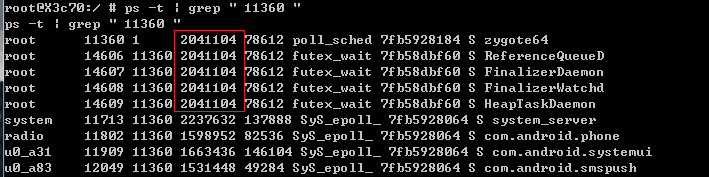 Android 進程啟動全流程:從 startProcessLocked 到消息循環
前言 分析完 Zygote 與 SystemServer 的啟動之後,自然該看看應用進程是怎麼被拉起來的。 前一篇提到過,Zygote 採用「復制自身」的方式創建進程。這
 Android 待辦事項 ToDo 應用實現解析
這個 ToDo 是從 MediaTek 項目中剝離出來的一份完整代碼,功能不算花哨,但結構相當規範,很適合拿來學習「列表 + 多選 + ActionMode + 分組」這