

編輯:關於 Android 程式設計
大家都知道,當你點擊超連結跳轉時,WebView 會自動把目前的網址作為 Referer 送給伺服器。因此許多伺服器端程式會依是否包含 Referer 來阻擋盜鏈。這也意味著,若直接輸入某個網路位址,有時會碰壁。那該如何破解盜鏈限制呢?其實只要在 WebView 載入時補上一個 Referer 標頭即可。
自 Android 2.2(API 8)起,WebView 新增了一個方法,正是為了讓我們在載入網頁的同時能一併送出其他 HTTP 標頭:
public void loadUrl (String url, Map<String, String> additionalHttpHeaders)
Added in API level 8
Loads the given URL with the specified additional HTTP headers.
Parameters
url the URL of the resource to load
additionalHttpHeaders the additional headers to be used in the HTTP request for this URL, specified as a map from name to value. Note that if this map contains any of the headers that are set by default by this WebView, such as those controlling caching, accept types or the User-Agent, their values may be overriden by this WebView's defaults.
以下是一個簡單的範例:
public void testLoadURLWithHTTPHeaders() {
final String url = "https://jb51.net";
WebView webView = new WebView(getActivity());
Map<String,String> extraHeaders = new HashMap<String, String>();
extraHeaders.put("Referer", "https://www.google.com");
webView.loadUrl(url, extraHeaders);
}
同样的手法也能套用到 User-Agent 等其他 HTTP 標頭上。需要注意的是,若你在 map 中放入 WebView 預設會設定的標頭(如快取控制、Accept 類型或 User-Agent),最終仍可能被 WebView 的預設值覆蓋。
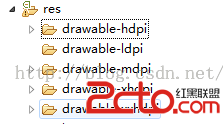 Android Studio 中如何引用圖片資源:drawable 與 mipmap 的差別
近距離接觸 Android Studio 之後,會不斷發現它與 Eclipse 的差異。差別不只表現在目錄結構上,更內在地體現在資源管理的方式。這一篇就來談談圖片資源的擺
 Android Gallery 相冊的進階用法:倒影與選中效果
Gallery 的用法網路上隨手可得,但要做出一個有質感的相冊,關鍵往往在細節。本文以一個實際效果為例,示範如何透過「未選中項半透明 + 選中項倒影」的方式,讓 Gall
 夜神安卓模擬器怎麼玩手遊?安裝、載入 APK 與實用功能
夜神是目前效能表現相當突出的一款安卓模擬器。與傳統方案相比,它基於 Android 4.4.2,同時相容 X86 與 AMD 架構,在效能、穩定性與相容性上都有明顯改善,
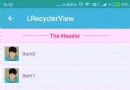 LRecyclerView 進階用法:側滑菜單、長按拖拽、滑動刪除一次搞定
LRecyclerView 現在能做什麼 反覆思考並兼顧使用便利性之後,LRecyclerView 整合了 SwipeMenu 系列能力:Item 左右側滑菜單、長按拖拽