

編輯:關於 Android 程式設計
在開發中常會看到這樣的提醒:
android:editable is deprecated: Use an <EditText> to make it editable
android:editable is deprecated: Use inputType instead
問題分析:關於 EditText 的唯讀(read-only)需求——也就是無法透過 UI 修改內容,但仍能選取部分文字進行複製。早期 SDK 的 EditText 有 Editable 屬性可用,但如今這個屬性已被標記為 deprecated。
解法:其實只需一行程式碼就能搞定:
et.setKeyListener(null);
請注意,這裡是 setKeyListener,而非 setOnKeyListener。此方法是 TextView 的成員,呼叫後的效果完全符合預期,而且取得焦點後不會彈出輸入法。
官方文件的說明如下:
Sets the key listener to be used with this TextView. This can be null to disallow user input. Note that this method has significant and subtle interactions with soft keyboards and other input method: see KeyListener.getContentType() for important details. Calling this method will replace the current content type of the text view with the content type returned by the key listener.
Be warned that if you want a TextView with a key listener or movement method not to be focusable, or if you want a TextView without a key listener or movement method to be focusable, you must call setFocusable again after calling this to get the focusability back the way you want it.
簡言之,把 KeyListener 設為 null 即可禁止使用者輸入,同時保留選取與複製的能力,是實作唯讀 EditText 最乾淨俐落的做法。
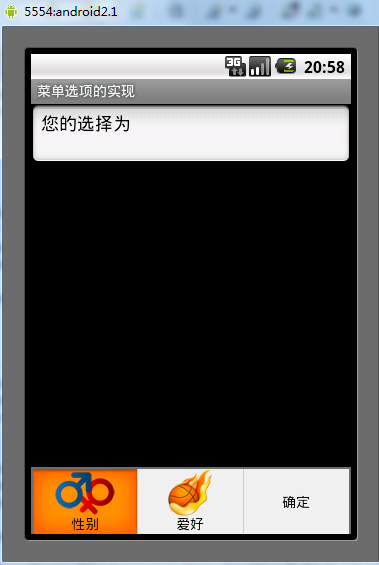 Android 選項選單用法解析
選項選單基本概念 Android 的選單大致可分為選項選單、上下文選單與子選單。當 Activity 在前景執行時,使用者按下 Menu 鍵,即可開啟選項選單。 建立選項
 Android 中的 XML 解析:SAX 解析方式詳解
所謂 SAX,就是 Simple API for XML,一個用來解析 XML 檔案的簡便 API。 SAX 解析 XML 的原理是對文件進行順序掃描,當掃描到文件的開始
 Android 自訂彈幕效果:XCDanmuView 完整實作
一、效果預覽 先看成果: 二、實作思路 1、自訂一個 ViewGroup(命名 XCDanmuView),這裡繼承 RelativeLayout,換成其他布局類也可行。
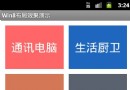 Android 佈局實作:用權重堆疊出九宮格式圖文入口
這個範例示範一種很常見的首頁樣式:畫面被切成若干等高的橫列,每一列再等寬切分為數格,每格放一張著色方塊與一行文字,點擊後跳出提示。整個效果完全靠 LinearLayout