

編輯:關於 Android 程式設計
許多App都提供了「小眼睛」按鈕,讓使用者在輸入密碼時能自由切換明文與密文顯示。本文將示範如何實作這個實用的小功能,分享給大家參考。
這個功能可透過設定 EditText 的 setTransformationMethod() 方法來實現:使用 HideReturnsTransformationMethod 顯示明文,使用 PasswordTransformationMethod 則以「.」遮罩密碼。
示例程式碼如下:
private Button mBtnPassword; private EditText mEtPassword; private boolean mbDisplayFlg = false; /** Called when the activity is first created. */ @Override public void onCreate(Bundle savedInstanceState) { super.onCreate(savedInstanceState); setContentView(R.layout.main); mEtPassword = (EditText)findViewById(R.id.password); mBtnPassword = (Button)findViewById(R.id.btnPassword); mBtnPassword.setOnClickListener(new OnClickListener() { @Override public void onClick(View v) { // TODO Auto-generated method stub Log.d("AndroidTest", "mbDisplayFlg = " + mbDisplayFlg); if (!mbDisplayFlg) { // display password text, for example "123456" mEtPassword.setTransformationMethod(HideReturnsTransformationMethod.getInstance()); } else { // hide password, display "." mEtPassword.setTransformationMethod(PasswordTransformationMethod.getInstance()); } mbDisplayFlg = !mbDisplayFlg; mEtPassword.postInvalidate(); } }); }
對應的 main.xml 佈局檔如下:
<?xml version="1.0" encoding="utf-8"?> <LinearLayout xmlns:android="https://schemas.android.com/apk/res/android" android:orientation="vertical" android:layout_width="fill_parent" android:layout_height="fill_parent"> <Button android:id="@+id/btnPassword" android:layout_width="wrap_content" android:layout_height="wrap_content" android:text="密碼" /> <EditText android:id="@+id/password" android:layout_width="fill_parent" android:layout_height="wrap_content" android:password="true" android:textSize="18sp" android:text="123456"> </EditText> </LinearLayout>
這裡的關鍵在於以一個布林變數 mbDisplayFlg 記錄目前的顯示狀態,每次點擊按鈕時就切換 TransformationMethod,並呼叫 postInvalidate() 讓畫面重新繪製。這個小小的互動細節,能顯著提升使用者輸入密碼時的操作體驗。
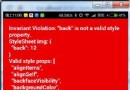 React Native 樣式表全解析:可用屬性清單與實際用法
前面寫了一系列 Android React Native 的文章,較為複雜的內容基本都梳理完了,這次換點輕鬆的話題——樣式。也就是我們熟悉的 CSS 樣式,那麼一個 Vi
 Android 使用 addView 動態添加組件的方法
在項目開發中,我們經常需要在運行時動態添加界面元素。addView 方法就是實現這一需求的利器,它既可以添加布局,也可以添加各類控件。本文就來詳細講解它的用法。 可動態添
 Android 在圖片指定位置動態添加標記點
最近專案裡新增了一個功能,情境是這樣的:假設有一張家居照片,裡面擺放著各式各樣的家具用品——桌子、毛巾、花瓶等等,需要在對應的商品位置加上標記,方便使用者一眼看到商品,點
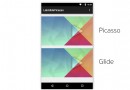 Android 圖片加載庫 Glide 全面解析與 Picasso 對比
Glide 是什麼 Glide 是一個圖片加載庫,作者為 bumptech,最早在 Google 於泰國舉辦的開發者論壇上被介紹,此後被廣泛應用於 Google 的多個開