

編輯:關於 Android 程式設計
有個案子是把 App 當成一個入口,點開後直接導向指定的網頁。功能本身幾行程式碼就搞定,但實測時會看到一個空白畫面在跳轉前閃一下,客戶認為這是瑕疵。本文記錄問題成因與解法。
String url = "https://tiger-kfphone.com/";
Uri u = Uri.parse(url);
Intent intent = new Intent(Intent.ACTION_VIEW, u);
// intent.setData(u);
// intent.setClassName("com.android.browser",
//         "com.android.browser.BrowserActivity");
startActivity(intent);
finish();
問題就在這裡:跳轉之前會先短暫顯示那個空白的首頁,因為程式是從這個畫面跳過去的。
解法是把這個首頁變成全透明,使用者就看不到那一瞬間的白/黑畫面。先在 styles.xml 定義主題:
<style name="Translucent_NoTitle" parent="android:style/Theme.Dialog">
    <item name="android:windowNoTitle">true</item>
    <item name="android:background">#00000000</item>
    <item name="android:windowBackground">@android:color/transparent</item>
    <item name="android:colorBackgroundCacheHint">@null</item>
    <item name="android:windowIsTranslucent">true</item>
</style>
接著在 AndroidManifest.xml 把啟動 Activity 掛上這個主題:
<activity
    android:name="com.hklt.link.MainActivity"
    android:label="@string/app_name"
    android:theme="@style/Translucent_NoTitle" >
    <intent-filter>
        <action android:name="android.intent.action.MAIN" />
        <category android:name="android.intent.category.LAUNCHER" />
    </intent-filter>
</activity>
幾個關鍵項目說明:windowIsTranslucent 讓視窗半透明、windowBackground 與 background 都設為透明色、colorBackgroundCacheHint 設為 @null 避免系統用快取色填底。這幾項搭配起來,啟動畫面就不會再有那個突兀的閃屏。
如果希望更徹底,也可以考慮改用 windowDisablePreview 搭配主題,直接關掉啟動時的預覽視窗。
 用 Drawable 打造扁平化 Android 自訂控件背景
關於扁平化 人們常說扁平化是從 iOS 與 Windows Phone 那邊吹過來的「邪風」,但不可否認:扁平化是我見過最舒服、最自然的表現方式。從開發角度看,扁平化設計
 Android Studio 技巧:快速提取方法代碼片段
今天再分享一個非常實用的 Studio 技巧。有些時候我們在一個方法裡寫了過多代碼,想把其中一部分提取出來放到獨立的方法裡。通常的做法是復制粘貼,但其實有一個更簡潔的方式
 Android 抓包分析入門:tcpdump 與 Wireshark 的實戰組合
本文將帶你了解如何運用 tcpdump 與 Wireshark 這對經典組合,對 Android 應用程式進行抓包與分析。需要特別提醒的是,在開始之前,你的 Androi
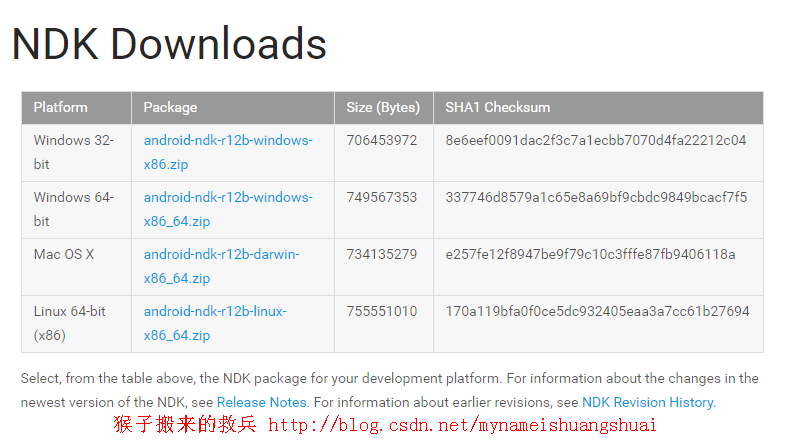 Android NDK 學習筆記(十五):Android Studio 環境配置詳解
如今越來越多人轉向 Android Studio 進行開發,今天我們就來聊聊如何在 Android Studio 中配置 NDK 開發環境。 Android Studio