

編輯:關於 Android 程式設計
先看一道常見的面試題:如何將 SQLite 數據庫(如 dictionary.db)與 apk 一起發布?
答案很簡單:把該文件放在 /res/raw 目錄下即可。res\raw 目錄中的文件不會被壓縮,可以直接提取,並且會生成資源 id。
那麼,如何把 raw 目錄下的數據庫導入到已安裝應用的 databases 目錄呢?關鍵思路是:先確保目標目錄與文件存在,再透過 openRawResource 讀取原始資源流,最後寫入到應用私有目錄。
public void imporDatabase() {
//存放數據庫的目錄
String dirPath = "/data/data/com.hkx.wan/databases";
File dir = new File(dirPath);
if (!dir.exists()) { dir.mkdir(); }
//數據庫文件
File file = new File(dir, "abc.db");
try {
if (!file.exists()) { file.createNewFile(); }
//加載需要導入的數據庫
InputStream is = this.getApplicationContext().getResources().openRawResource(R.raw.db_weather);
FileOutputStream fos = new FileOutputStream(file);
byte[] buffere = new byte[is.available()];
is.read(buffere);
fos.write(buffere);
is.close();
fos.close();
} catch (FileNotFoundException e) {
e.printStackTrace();
} catch (IOException e) {
e.printStackTrace();
}
}
這段代碼展示了資源拷貝的基本流程:定位目錄 → 讀取 raw 資源 → 寫入目標文件。實際項目中,通常會在首次啟動時判斷數據庫是否已存在,若不存在再執行導入,避免重複覆蓋用戶數據。
 Android 仿微信短視頻拍攝:自訂錄製控制項完整實作
近期專案需要加入短視頻上傳功能,交互形式設定為類似微信:按住開始拍攝,設有最長時長限制,到達上限自動停止。研究一段時間後把功能跑通了,這裡把過程整理出來分享。 1. 視頻
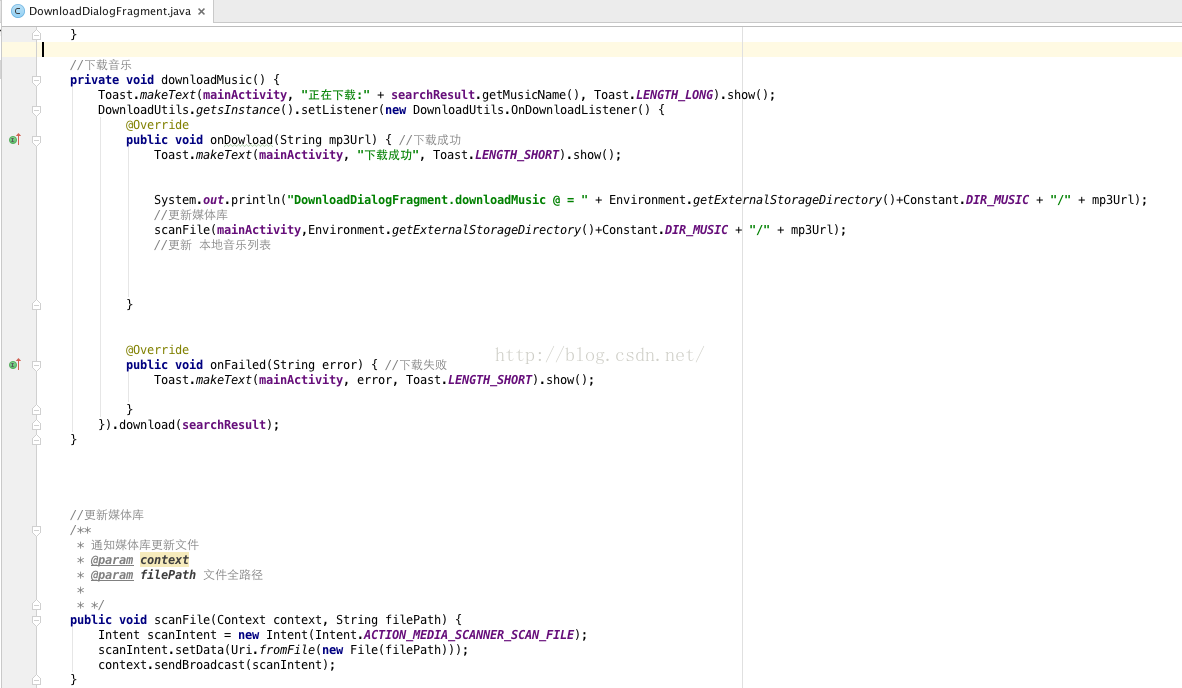 Android 本地及網絡 MP3 播放器(十九):通知媒體庫更新剛下載的歌曲
本篇要實現的功能很聚焦:下載完成後,通知系統媒體庫刷新,讓新下載的 MP3 能被識別。 這個問題讓我糾結了好幾天,後來查到一個在 Android 4.4 上可行的方案——
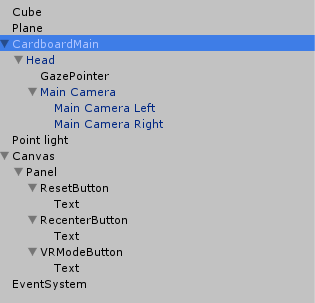 Cardboard VR 實作:雙眼立體視覺與沉浸式體驗的建構
沉浸式體驗是 VR 的核心,也是技術難點。Cardboard 提供了一種輕量方案,透過雙眼視差、頭部追蹤與透鏡校正,讓使用者感受到虛擬場景的立體感。本文從 Cardboa
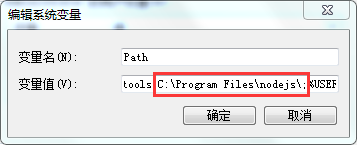 Cordova 開發環境安裝與配置完整指南
Cordova 其實就是一種行動 Web 框架,它的前身是 PhoneGap。後來 PhoneGap 捐贈給 Apache 後,抽離出核心程式碼並改名為 Cordova。