

編輯:關於 Android 程式設計
Activity 之間傳遞參數是日常開發的基本功,用 Intent.putExtra() 傳字串、傳數字都很直覺。但如果要傳的是一張圖片呢?關鍵在於 Bitmap 已經實作了 Parcelable 介面,所以同樣可以用 putExtra() 塞進 Intent 裡。以下用一個「點擊圖片後跳轉並放大顯示」的小例子說明。
版面中放一個 ImageView,在 onCreate() 中載入一張本地圖片:
bitmap = BitmapFactory.decodeResource(getResources(), R.drawable.ic_launcher);
接著在點擊監聽器中建立 Intent 並附帶該 Bitmap:
Intent intent = new Intent(MainActivity.this, TranActivity.class);
intent.putExtra("bitmap", bitmap);
startActivity(intent);
就這樣,點擊圖片後便會跳轉到 TranActivity,並把 Bitmap 作為參數一起帶過去。
imageview = (ImageView) findViewById(R.id.trans_imageview);
Intent intent = getIntent();
if (intent != null) {
    bitmap = intent.getParcelableExtra("bitmap");
    imageview.setImageBitmap(bitmap);
}
用 getIntent() 取得呼叫方傳來的 Intent,再以 getParcelableExtra() 取出 Bitmap,最後交給 ImageView 顯示。這裡的 intent != null 判斷是必要的防禦——若這個 Activity 也可能由其他路徑啟動(例如系統通知、Deep Link),Intent 裡就不會有我們的資料。
要在顯示時做縮放,可以透過 Matrix 搭配 Bitmap.createBitmap() 產生一張新的點陣圖:
imageview = (ImageView) findViewById(R.id.trans_imageview);
Intent intent = getIntent();
if (intent != null) {
    bitmap = intent.getParcelableExtra("bitmap");
    Matrix matrix = new Matrix();   // 接收圖片後放大 1.5 倍
    matrix.postScale(1.5f, 1.5f);
    Bitmap bit = Bitmap.createBitmap(bitmap, 0, 0, bitmap.getWidth(),
            bitmap.getHeight(), matrix, true);
    imageview.setImageBitmap(bit);
}
createBitmap() 的最後一個參數 filter 設為 true 會啟用雙線性濾波,放大後的邊緣會平滑一些;若追求像素風的銳利效果則可設為 false。
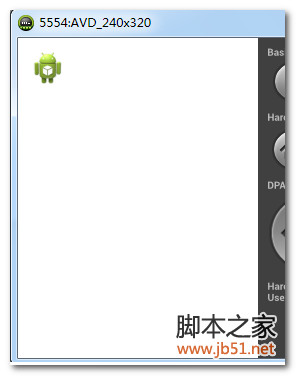
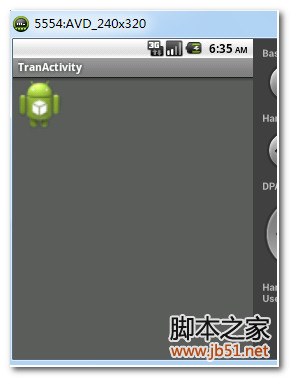
TranActivity,放大之後的效果:
用 Intent 傳 Bitmap 能跑,但並不適合正式專案,原因有幾個:
TransactionTooLargeException。實務上應該先縮圖,或乾脆不要這樣傳。FileProvider 產生的 content:// 位址),由接收方自行按需載入。Cache 目錄,只傳路徑字串。Fragment 或共享的 ViewModel 反而更直接。而如果只是想縮放顯示,其實不必重新產生 Bitmap——直接在 XML 上設定 android:scaleType 與 android:scaleX/scaleY,或由程式呼叫 setScaleX()、setScaleY(),就能省下一整張點陣圖的配置成本。
 Android 圖像處理利器:GPUImage 使用指南
GPUImage 最初是 iOS 上一個基於 GPU 的開源圖像處理庫,內建大量濾鏡,並支援相機與攝像機的即時濾鏡效果。GPUImage for Android 是它在
 Android 資料儲存五大方式:SharedPreferences、檔案、SQLite、ContentProvider 與網路
Android 資料儲存五大方式Android 常見的資料儲存方式包括 SharedPreferences、檔案、SQLite、ContentProvider 與網路儲存
 RecyclerView 滑動邊界檢測:打造可靠的頂部與底部判斷工具
從滑動監聽到邊界判斷 在 Android 開發中,RecyclerView 常用於長列表與動態資料展示。當我們需要實作「加載更多」、「回到頂部」、浮動按鈕的顯示與隱藏,或
 Android 项目实战:传感器的使用入门
Android 手机内置了各式各样的传感器,想让应用感知设备的方向、加速度、光线等状态,就得透过 SensorManager 来存取它们。下面这个范例会示范如何同时监听