

編輯:關於 Android 程式設計
下載文件時加上進度條,能大幅提升使用者體驗。本文示範如何透過背景執行緒下載,並即時更新 ProgressBar。
<?xml version="1.0" encoding="utf-8"?>
<LinearLayout xmlns:android="https://schemas.android.com/apk/res/android"
    android:orientation="vertical"
    android:layout_width="fill_parent"
    android:layout_height="fill_parent"
    >
<TextView  android:id="@+id/tv"
    android:layout_width="fill_parent"
    android:layout_height="wrap_content"
    android:text=""
    />
<ProgressBar android:id="@+id/down_pb"
 android:layout_width="fill_parent"
    android:layout_height="wrap_content"
    android:max="100"
    />
</LinearLayout>
核心觀念是:下載在子執行緒進行,透過 Handler 與 UI 執行緒溝通,即時更新進度條與百分比文字。
package com.pocketdigi.download;
import java.io.FileOutputStream;
import java.io.IOException;
import java.io.InputStream;
import java.net.URL;
import java.net.URLConnection;
import org.apache.http.client.ClientProtocolException;
import android.app.Activity;
import android.os.Bundle;
import android.os.Handler;
import android.os.Message;
import android.util.Log;
import android.widget.ProgressBar;
import android.widget.TextView;
import android.widget.Toast;
public class main extends Activity {
 ProgressBar pb;
 TextView tv;
 int   fileSize;
 int   downLoadFileSize;
 String fileEx,fileNa,filename;
 private Handler handler = new Handler()
   {
     @Override
     public void handleMessage(Message msg)
     {//定義一個Handler,用於處理下載線程與UI間通訊
       if (!Thread.currentThread().isInterrupted())
       {
         switch (msg.what)
         {
           case 0:
             pb.setMax(fileSize);
           case 1:
             pb.setProgress(downLoadFileSize);
             int result = downLoadFileSize * 100 / fileSize;
             tv.setText(result + "%");
             break;
           case 2:
             Toast.makeText(main.this, "文件下載完成", 1).show();
             break;
           case -1:
             String error = msg.getData().getString("error");
             Toast.makeText(main.this, error, 1).show();
             break;
         }
       }
       super.handleMessage(msg);
     }
   };
    @Override
    public void onCreate(Bundle savedInstanceState) {
        super.onCreate(savedInstanceState);
        setContentView(R.layout.main);
        pb=(ProgressBar)findViewById(R.id.down_pb);
        tv=(TextView)findViewById(R.id.tv);
        new Thread(){
         public void run(){
          try {
     down_file("https://wallpaper.pocketdigi.com/upload/1/bigImage/1284565196.jpg","/sdcard/");
     //下載文件,參數:第一個URL,第二個存放路徑
     } catch (ClientProtocolException e) {
     e.printStackTrace();
    } catch (IOException e) {
    e.printStackTrace();
    }
         }
        }.start();
    }
    public void down_file(String url,String path) throws IOException{
     //下載函數
     filename=url.substring(url.lastIndexOf("/") + 1);
     //獲取文件名
     URL myURL = new URL(url);
     URLConnection conn = myURL.openConnection();
     conn.connect();
     InputStream is = conn.getInputStream();
     this.fileSize = conn.getContentLength();//根據響應獲取文件大小
     if (this.fileSize <= 0) throw new RuntimeException("無法獲知文件大小 ");
     if (is == null) throw new RuntimeException("stream is null");
     FileOutputStream fos = new FileOutputStream(path+filename);
     //把數據存入路徑+文件名
     byte buf[] = new byte[1024];
     downLoadFileSize = 0;
     sendMsg(0);
     do
       {
      //循環讀取
         int numread = is.read(buf);
         if (numread == -1)
         {
           break;
         }
        fos.write(buf, 0, numread);
        downLoadFileSize += numread;
        sendMsg(1);//更新進度條
       } while (true);
     sendMsg(2);//通知下載完成
     try
       {
         is.close();
       } catch (Exception ex)
       {
        Log.e("tag", "error: " + ex.getMessage(), ex);
       }
    }
 private void sendMsg(int flag)
 {
     Message msg = new Message();
     msg.what = flag;
     handler.sendMessage(msg);
 }
}
整體流程是:先用 URLConnection 取得檔案總大小,再用 1024 位元組的緩衝區循環讀取寫入,每讀一次就透過 sendMsg(1) 更新進度,讀完後 sendMsg(2) 提示完成。這裡的緩衝區大小與狀態標識(0、1、2)請依實際需求設定即可。
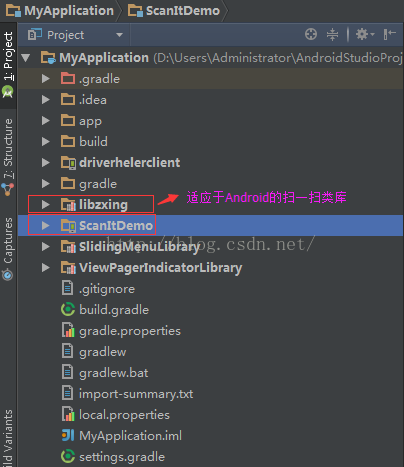 Android二維碼的掃描與生成實戰教程
今天我們一起來動手實現二維碼的「掃一掃」與「生成」兩大功能。要完成它們,首先得了解二維碼的基本特性與相關知識。 QRCode簡介 QRCode全稱Quick Respo
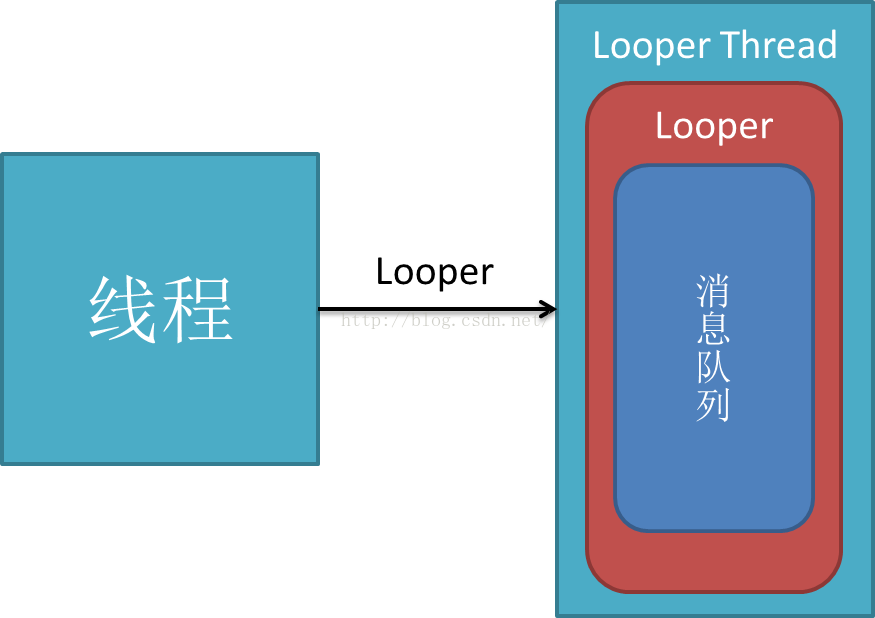 Handler 消息傳遞機制原始碼賞析
Android 的訊息處理有四大核心類:Handler、Looper、Message、MessageQueue,全部位於 android.os 套件。 UI 線程與其他線
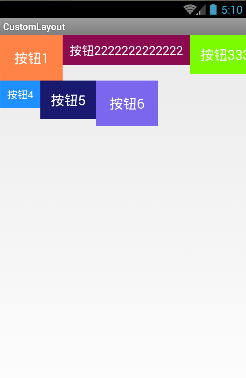 Android 自定義 ViewGroup:打造可配置子 View 位置的容器
自定義 View 能畫出單一元件,自定義 ViewGroup 則能決定多個子元件如何排列。若要實作特殊版面,例如四散定位、拖曳卡片或側滑選單,就必須理解 ViewGrou
 Android 高手進階教程(二十六):打造超仿 Path 的展開式菜單
Hey~大家好,出來創業已經快三個月了,一切還算順利。前陣子利用業餘時間做了一個問答類網站 YQMA,想打造中國版的 Stack Overflow,哈哈,只是先妄想一下,